24
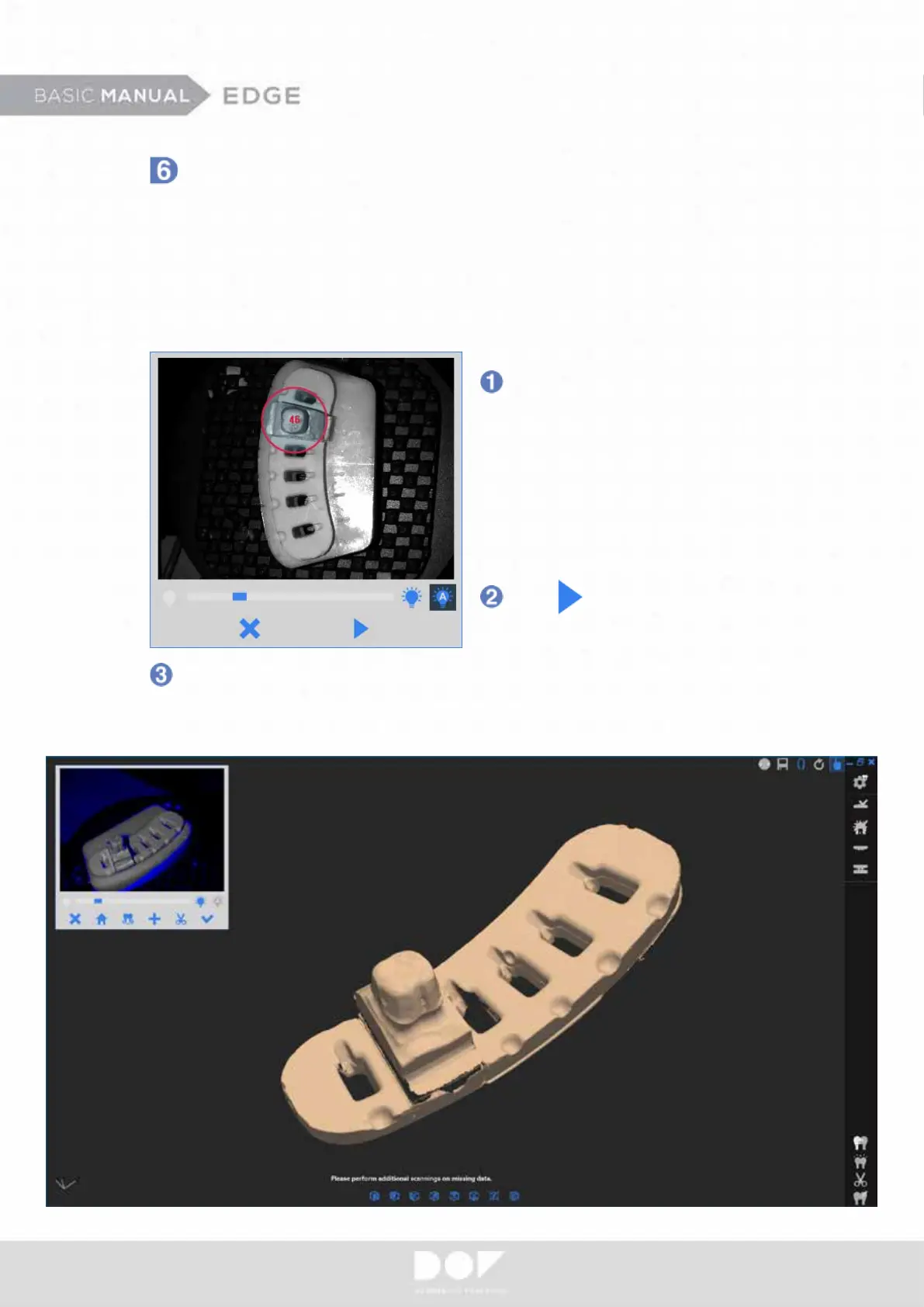
The scanning area can be
dened by left mouse clicks.
You can adjust the size of
circles with the scroll wheel
and move circles via
clicking-and-holding the left
mouse button.
After this step, you will have another chance to do “Supplemental Scanning”.
Check your prepped teeth data and conrm if everything is okay. If not,
ll in incomplete areas.
In the Prep Teeth Scanning step, you will be asked to take out all adjacent teeth
from the model, only leaving the prepped dies on the model. Set the brightness
level so that you have the optimal brightness level for the prepped dies.
Depending on the indication complexity, you will need to repeat the “Prep Teeth
Scanning” twice.
Prep Teeth Scanning (Detail Scanning)
Click to perform scanning.


 To Next Page