26
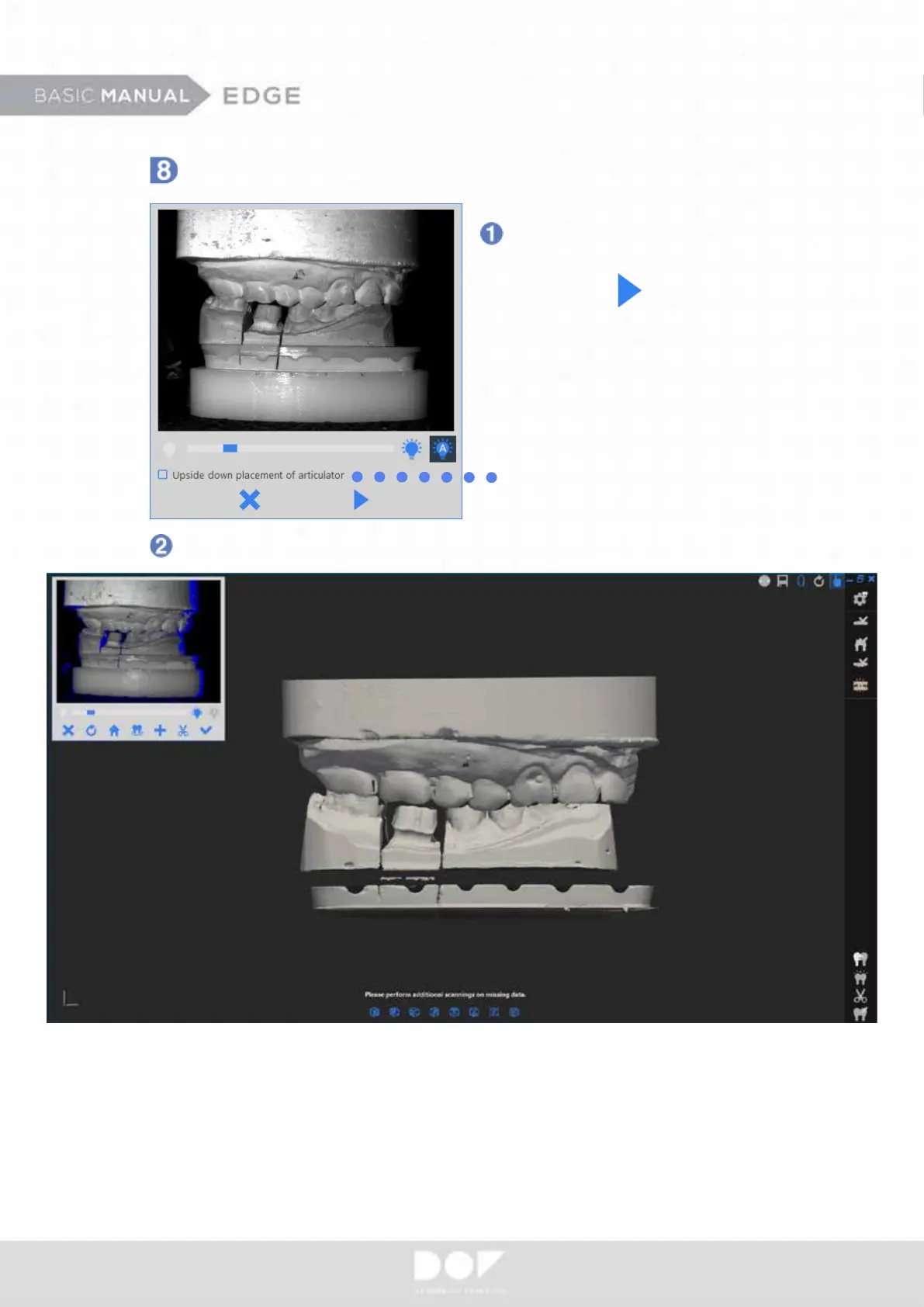
Occlusion Scan
Place an occlusion relationship
model in the platform and
click “Scan”
Upper jaw is usually placed
on top, but if the lower jaw is
placed on top, check the box.
The scanner will obtain the overall shape of your occlusion relationship model.


 To Next Page