30
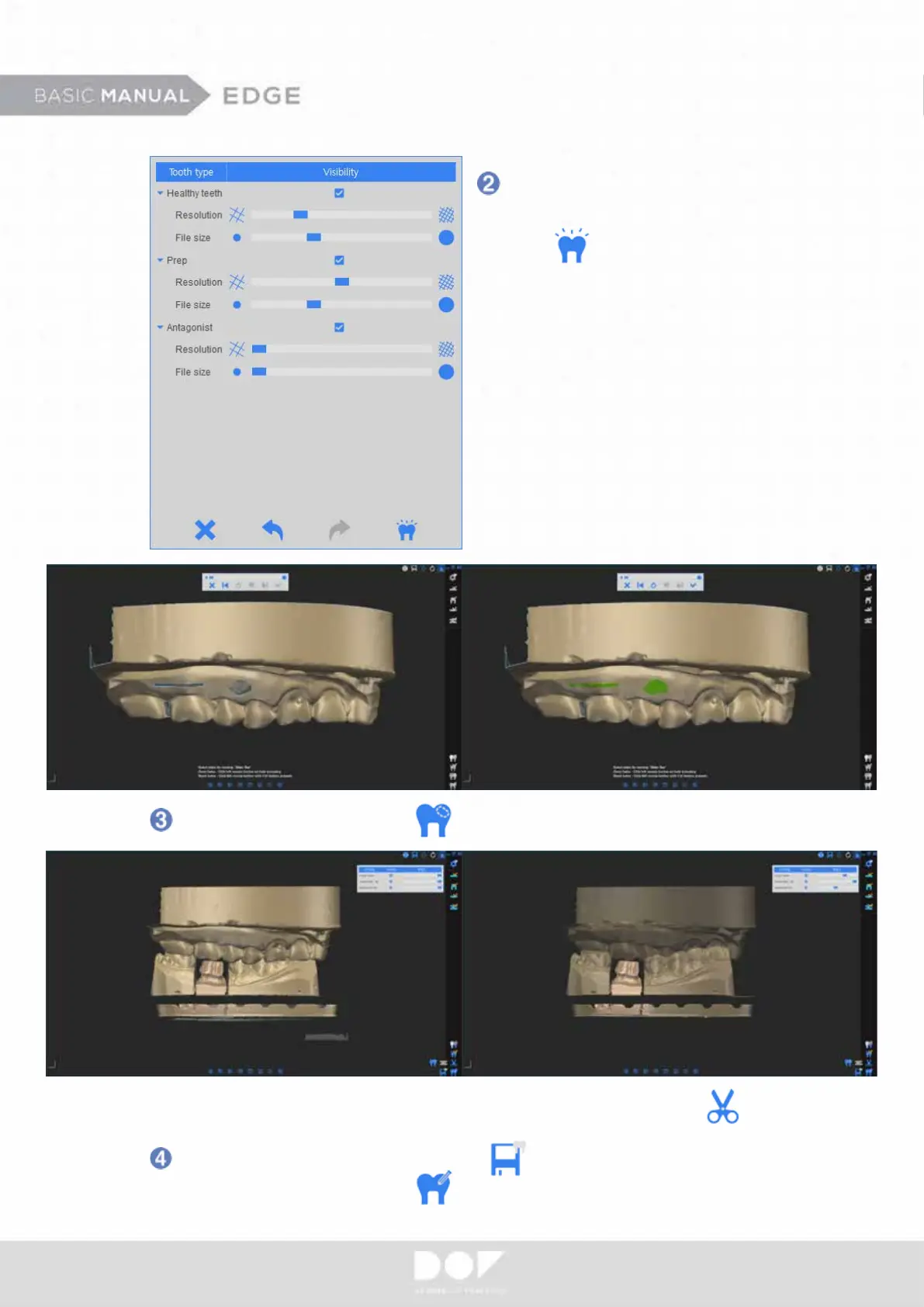
Fill out the holes by clicking
After you conrm the nal data, click to save the data and proceed to the CAD
design program by clicking
Even after you get the nal data, you may edit the data by clicking
You can adjust le size and
resolution of scanned data.
Click to get the nal data.


 To Next Page