29
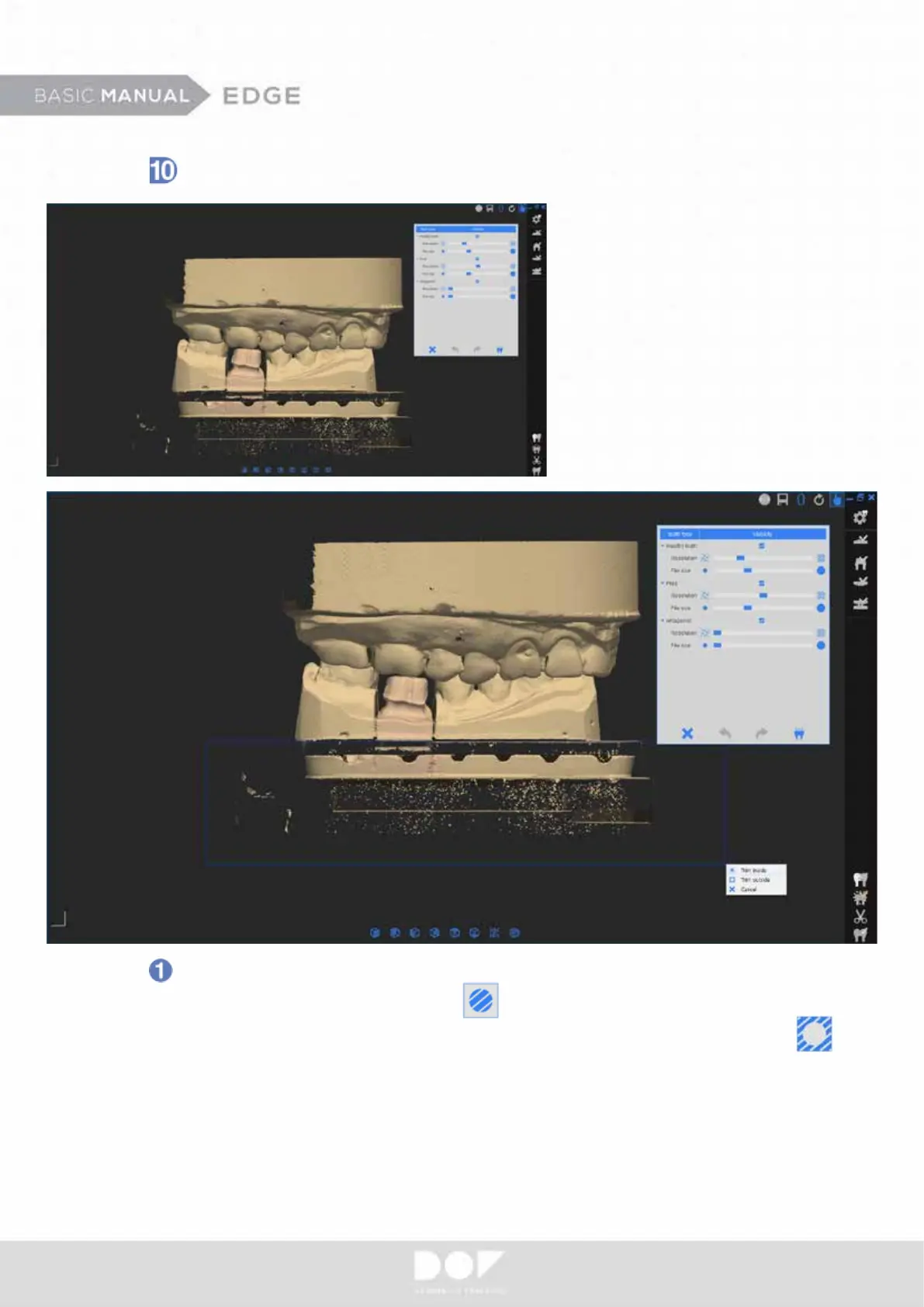
Data edit and conrmation.
You can edit the last data before
the nal data conrmation. It can be
helpful to reduce the merging time.
Click left mouse button and select unnecessary part for optimum data
process. Then click “Trim Inside”.
You can also remove outside of rectangle area by clicking “Trim Outside“.


 To Next Page