28
• Auto Alignment
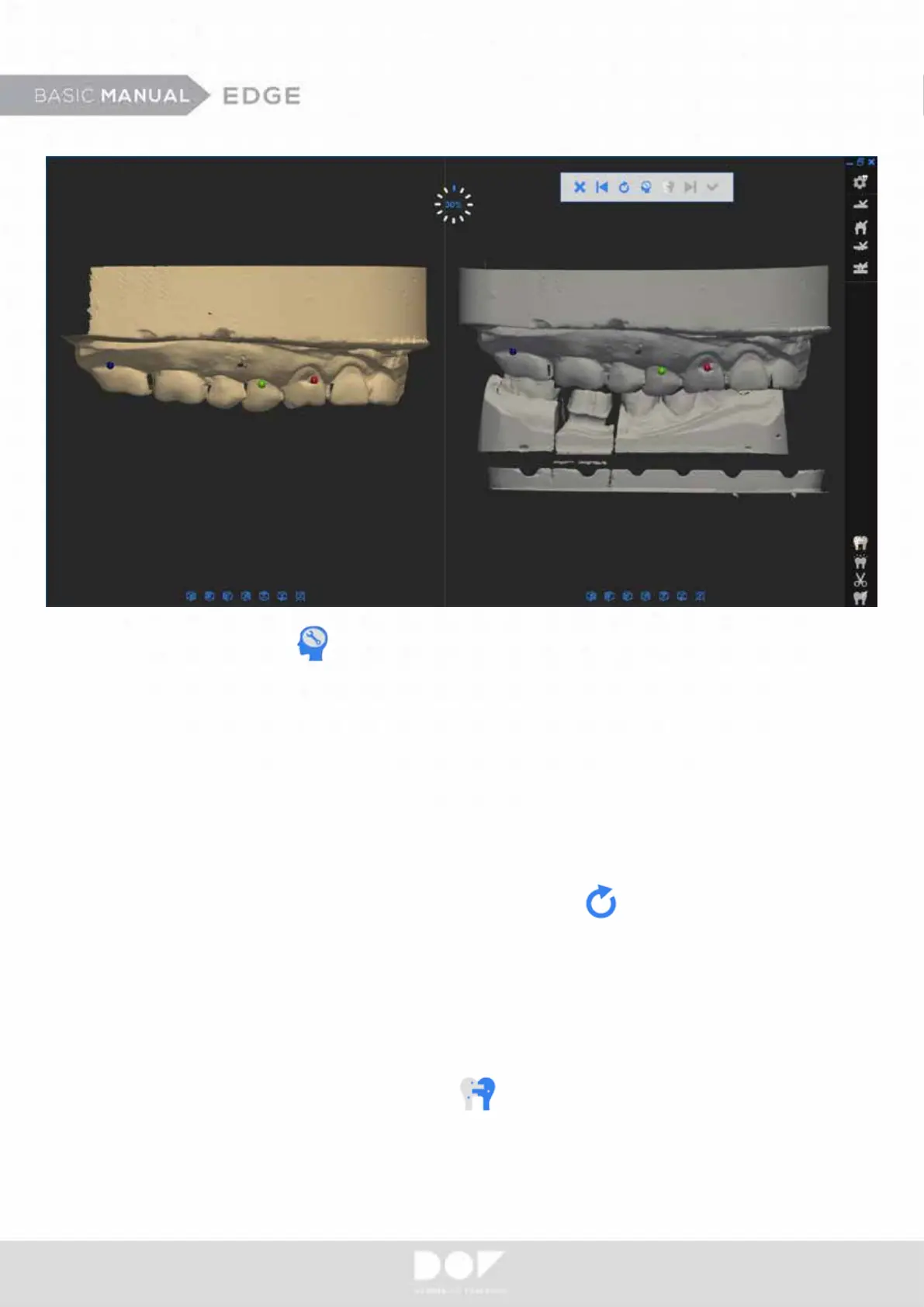
If the two sets of scan data are in similar directions and have relatively
unique shape, then most likely your data will be matched automatically.
This can be checked from the right section of “Alignment Window”.
If the two different colored data are combined in the right positions, then
the alignment had been successful.
• Alignment Fail:
If the two sets of scan data are mismatched as you see from the diagram,
it means alignment is not successful. Click “Restart” button to reset the
positions of the data and do “Manual Alignment”.
• Manual Alignment:
You can manually align the two sets of data by using 3-point matching
technique. Choose one, two or three common points on the data that from
the left and right sections of “Alignment Window”. You must select points
that exists in both data. Click “Align” button on the bottom after you
select one or two points.


 To Next Page