64 Dolby
®
DP600 Program Optimizer Manual
Setting Up a Shared Folder and Entering a Path
A.2 Entering a Path
Whenyouaddaworkorder,youneedtoentertheSourcepathtothefileorfolder(fora
hotfolder)thatyouwanttodesignateforprocessing.Inaddition,youneedtoenterthe
Destination pathtothelocationwhereyouwanttosavetheprocessedfiles. Youcanenter
Source andDestinationpathsusinganyofthefollowingthreemethods:
•EnteringaURL
•Browsing
•Selectingabookmark
Thefollowingsectionsdescribeeachofthese methods.
A.3 Entering a Source Path
Toenterasourcepath:
1. Select
home>work orders>add.
The
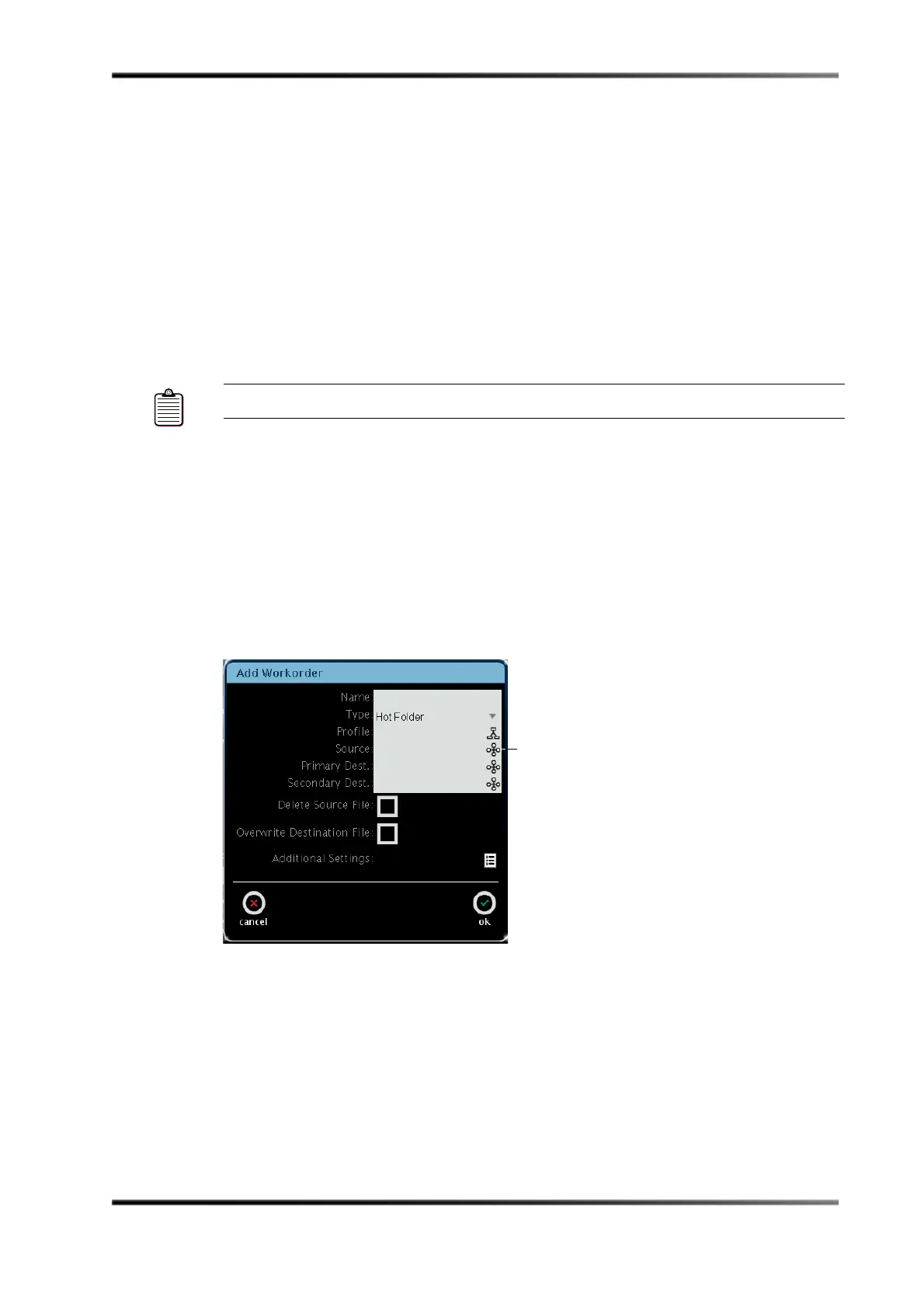
Add Workorderscreenappears.
Inthisexamplewe’llselecta
Hot FolderastheType,asshowninFigure A‐1.
FigureA‐1
Figure A-1 Add Workorder Screen
Note: SupportedfilesystemprotocolsincludeFTP,SAMBA/CIFS,andSFTP.



 To Next Page