48 Dolby
®
Digital Cinema System Manual Issue 0.92 (Preliminary)
Installing a Dolby Digital Cinema System
3.7 Running the DSS220 Unconfig Script
The DSS220 Unconfig script provides options that allow you to remove all network settings
and manual overrides, reset the DSS220 parameters to their factory defaults, and delete all
content. To run the Unconfig script:
1. Boot up the DSS220 and be sure a monitor, keyboard, and mouse are connected to the
unit.
2. Press <Ctrl> + <Alt> + <F1>.
3. Log in to the DSS220 using the special user ID
unconfig.
4. Enter the configuration password
dolby.
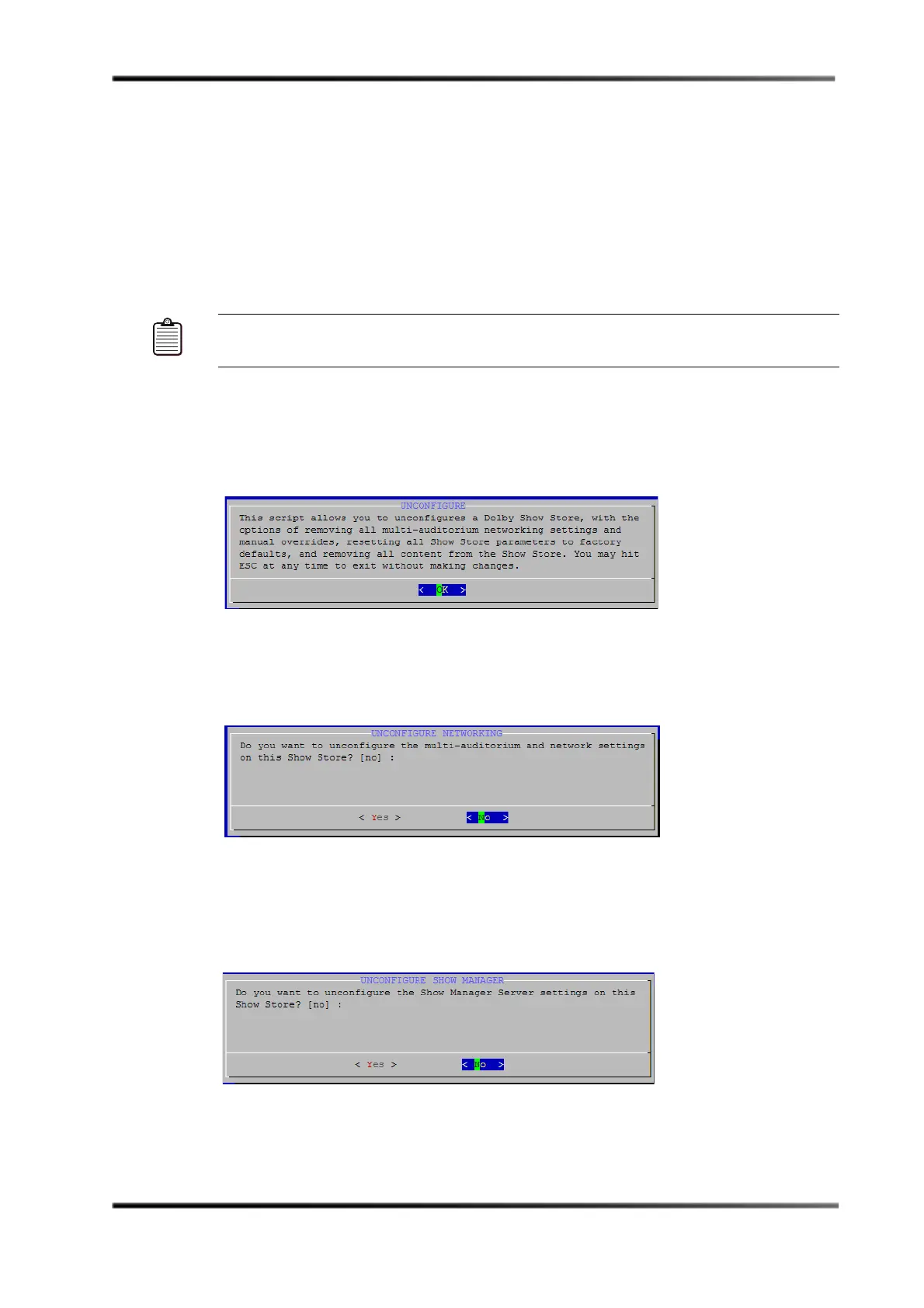
The
Unconfigure screen appears, as shown in Figure 3-42. You can exit the script at any
time by pressing <Esc> without changing any settings.
Figure 3- 42
Figure 3-42 Unconfigure Screen
5. Press <Enter>
The
Unconfigure Networking screen appears, as shown in Figure 3-43.
Figure 3- 43
Figure 3-43 Unconfigure Networking Screen
6. Select Yes or No, and then press <Enter>.
If you select
Yes, the Unconfigure Show Manager screen appears, as shown in
Figure 3-44.
Figure 3- 44
Figure 3-44 Unconfigure Show Manager Screen
Note: On some smaller keyboards, you may need to press <F-Lock> to enable the dual-use
key function.



 To Next Page