15
BLUETOOTH
®
PROGRAMMING AND OPERATION
C. Setting/Unsetting The Default Device
Assuming at least one paired device exists, the app normally reconnects to the last connected
CT thermostat when the app launches. If you wish to override this behavior you can set a default
device. The default device is the only CT thermostat that the app will try to connect to automati-
cally regardless of the last connected CT thermostat. Only one default CT thermostat can be set
per mobile device.
To set the default device:
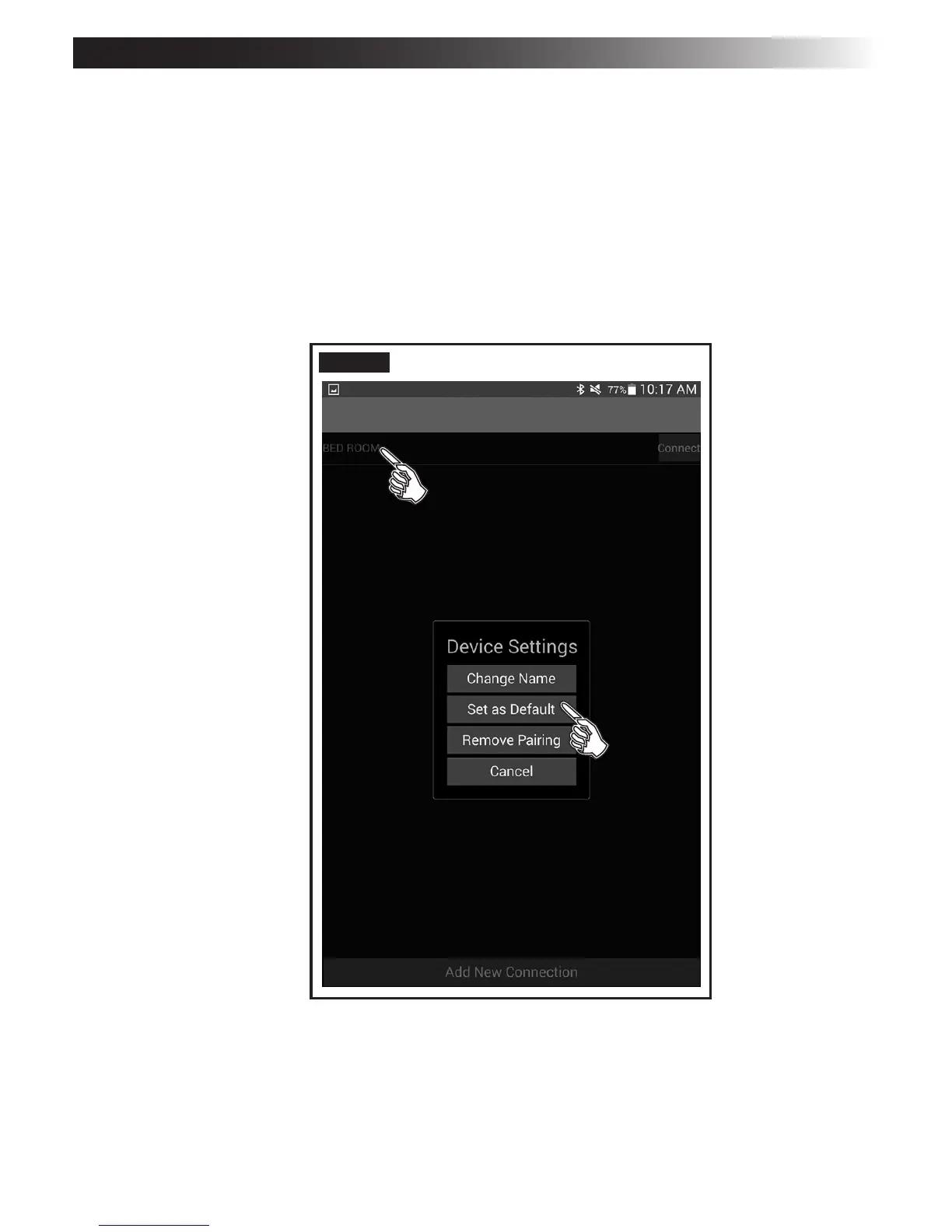
1. Disconnect from the CT thermostat to display the Pair Management screen.
2. Choose the paired CT thermostat you want to make the default device.
3. From the pop-up menu select Set as Default. See FIG. 16.
FIG. 16


 To Next Page
 Loading...