Replacing the batteries MDD403
24
➤ Enter the new six digit anti-tamper code (e.g. 056058).
➤ Press the ENTER button.
✓ The display shows the message DELAY.
✓ After 10 seconds the safe opens and the display shows the message OPEN.
✓ Three short beeps sound.
9Replacing the batteries
9.1 Check the state of the battery
It is possible to check the charging status of the battery.
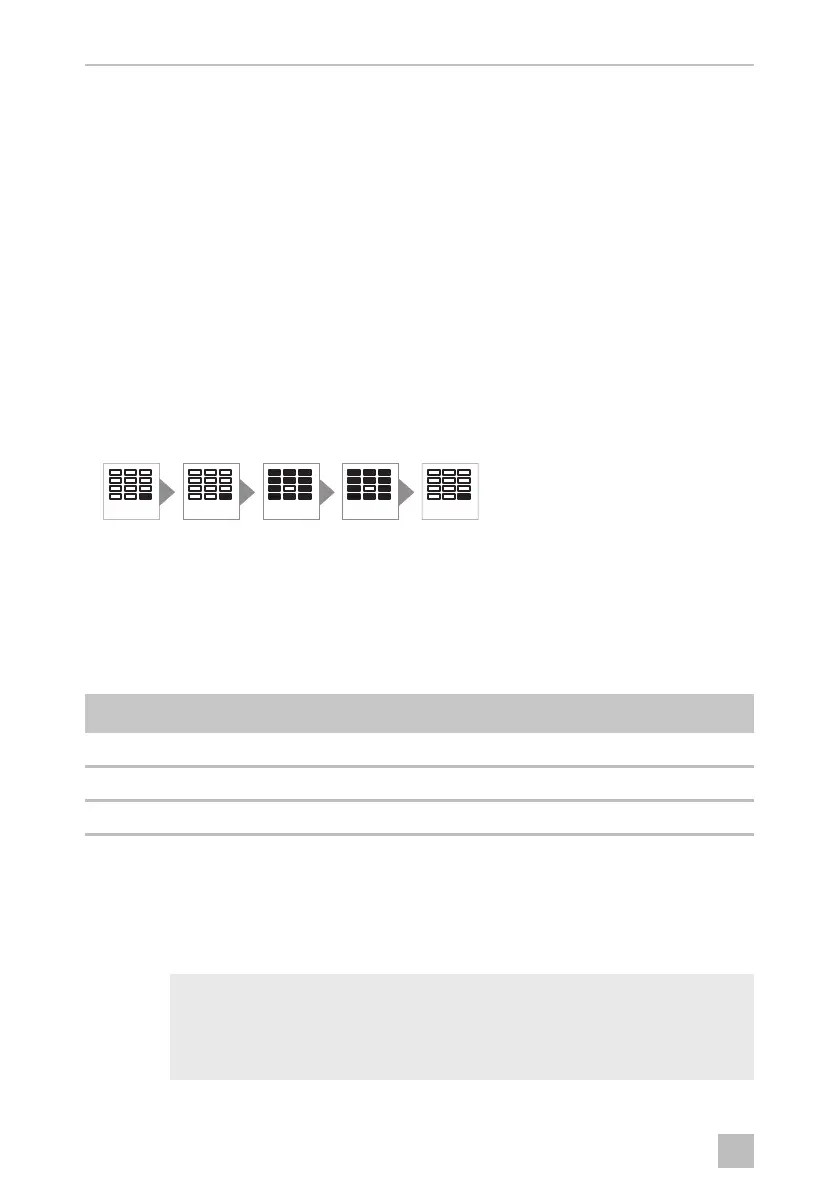
➤ Press the ENTER button twice.
➤ Press the 8 button twice.
➤ Press the ENTER button.
✓ The display shows the charging status:
9.2 Replacing the batteries
The batteries must be replaced after no later than one year. The batteries must also
be replaced immediately if BAT-LO is shown on the display.
I
Level Charging status
6.0 – 4.9 OK
4.8 – 4.5 Batteries should be replaced as soon as possible.
0.0 – 4.4 Batteries must be replaced.
NOTE
Use four high-quality alkaline LR6/AA batteries (1.5 V).
Pay attention to the polarity.
Always change all batteries at the same time.
ENTER
ENTER8 8
ENTER
0'',2VERRN6HLWH'RQQHUVWDJ)HEUXDU


 To Next Page
 Loading...