EasyManua.ls Logo

Dometic ProSafe MD283 - User Manual

Dometic ProSafe MD283
32 pages
Print Icon
To Next Page IconTo Next Page
Loading...
MD283, MD363, MD383,
MD408, MD493
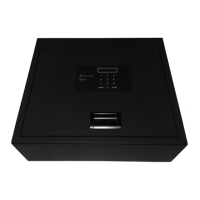
Electronic safe for hotels
Installation and Operating Manual. . . . . . . .5
Elektronischer Hotelsafe
Montage- und Bedienungsanleitung . . . . .33
Coffre-fort électronique pour hôtels
Instructions de montage
et de service . . . . . . . . . . . . . . . . . . . . . . . . . 61
Caja fuerte electrónica para hoteles
Instrucciones de montaje y de uso . . . . . . .89
Cofre eletrónico para hotéis
Instruções de montagem e manual de
instruções . . . . . . . . . . . . . . . . . . . . . . . . . . 117
Cassaforte elettronica per hotel
Istruzioni di montaggio e d’uso . . . . . . . . 145
Elektronische kluis voor hotels
Montagehandleiding en
gebruiksaanwijzing . . . . . . . . . . . . . . . . . . 173
Elektronisk safe til hoteller
Monterings- og betjeningsvejledning . . .201
Elektroniskt kassaskåp för hotell
Monterings- och bruksanvisning . . . . . . .229
Elektronisk safe for hoteller
Monterings- og bruksanvisning. . . . . . . . 257
Elektroninen tallelokero
hotellikäyttöön
Asennus- ja käyttöohje . . . . . . . . . . . . . . . 285
Электронные сейфы для отелей
Инструкция по монтажу и эксплуатации 313
Elektroniczny sejf dla hoteli
Instrukcja montażu i obsługi. . . . . . . . . . . 341
Elektronický trezor pre hotely
Návod na montáž a uvedenie
do prevádzky. . . . . . . . . . . . . . . . . . . . . . . 369
Elektronický trezor pro hotel
Návod k montáži a obsluze . . . . . . . . . . . 397
Elektronikus hotelszéfek
Szerelési és használati útmutató . . . . . . . 425
EN
DE
FR
ES
PT
IT
NL
DA
SV
NO
FI
RU
PL
SK
CS
HU
SAFETY SOLUTIONS
PROSAFE
MD-IO-16s.book Seite 1 Freitag, 4. August 2017 9:25 09
Question and Answer IconNeed help?

Do you have a question about the Dometic ProSafe MD283 and is the answer not in the manual?

Summary

Explanation of Symbols

Safety Warning

Instruction for fatal or serious injury risk.

Cautionary Instruction

Instruction for injury risk.

Product Notice

Instruction for material damage and function impairment risk.

Supplementary Information

Supplementary information for operating the product.

Safety Instructions

Child and Limited Capacity Use

Device use by children and persons with diminished capacities requires supervision or instruction.

Master Key;Code Security

No unauthorized persons should access the master key and master code.

Scope of Delivery

Delivery Note

Knob key and master key will be delivered separately.

Accessories

Intended Use

Technical Description

Control Elements

Details the display, number keys, ENTER, CLOSE buttons, lock, cover, and socket.

Installing Safe

Notes on Installation

General guidance for safe installation.

Installation Notice

The safe must only be installed by qualified specialists.

Attaching the Safe

Drilling on the Rear

Table detailing drilling dimensions for rear attachment based on model.

Drilling on the Underside

Table detailing drilling dimensions for underside attachment based on model.

Operating Functions for Guests

Closing the Safe

Steps to close the safe using a four-digit code and the CLOSE button.

Opening the Safe

Steps to open the safe using the correct four-digit code.

Operation Note

Information on error messages and blocking after incorrect attempts.

Emergency Opening Using Master Code

Opening Safe with Master Code

Procedure to open the safe using the master code.

Changing the Master Code

Instructions and notices for changing the master code for security.

Master Code Security Notice

Warnings about forgetting the master code and storing it securely.

Emergency Opening Using R.E.O.S. (Optional)

R.E.O.S. Usage Requirements

Requirements for using R.E.O.S. (Internet, registration, preconfiguration).

Opening with R.E.O.S. Code

Steps to open the safe using the R.E.O.S. code.

R.E.O.S. Code Change Information

Information about changing the R.E.O.S. code.

Alphanumeric Code Display

How the alphanumeric code is displayed.

Emergency Opening with Master Key

Master Key Security Notice

Warning about unauthorized access to the master key and secure storage.

Opening with Master Key

Steps to open the safe using the master key, even during electronic faults.

Change Guest Code with Master Key

Process to change the guest code using the master key.

Reading the Memory (Audit)

Audit Function Requirements

Requirement for Internet access and registration for audit function.

Transferring Data to SD Card

Detailed steps for transferring audit data from the safe to an SD card.

Reading Data on the Computer

iAudit.exe Installation Note

Instructions for the iAudit.exe installation and execution.

Emergency Opening Using Anti-Tamper System (Optional)

Changing the Anti-Tamper Code

Instructions for changing the anti-tamper code.

Anti-Tamper Code Security Notice

Warnings about forgetting the anti-tamper code and secure storage.

Master Key with Anti-Tamper System

Master Key Security Notice

Warning about unauthorized access to the master key and secure storage.

Anti-Tamper System for Cover (Optional)

Deactivating the Anti-Tamper System

Steps to deactivate the anti-tamper system.

Anti-Tamper Code Security Notice

Warnings about forgetting the anti-tamper code and secure storage.

Deactivating the Anti-Tamper System Using SAM

Replacing the Batteries

Check Battery State

Procedure to check the current charging status of the battery.

Battery Replacement Procedure

Steps for replacing the safe's batteries.

Battery Replacement Notes

Notes on using high-quality batteries, polarity, and simultaneous replacement.

Display Messages

Troubleshooting

Maintaining and Cleaning the Safe

Cleaning Notice

Warning against using sharp objects or cleaning agents for cleaning.

Warranty

Disposal

Environmental Protection

Guidance on proper battery disposal and environmental protection.

Technical Data

Summary

Explanation of Symbols

Safety Warning

Instruction for fatal or serious injury risk.

Cautionary Instruction

Instruction for injury risk.

Product Notice

Instruction for material damage and function impairment risk.

Supplementary Information

Supplementary information for operating the product.

Safety Instructions

Child and Limited Capacity Use

Device use by children and persons with diminished capacities requires supervision or instruction.

Master Key;Code Security

No unauthorized persons should access the master key and master code.

Scope of Delivery

Delivery Note

Knob key and master key will be delivered separately.

Accessories

Intended Use

Technical Description

Control Elements

Details the display, number keys, ENTER, CLOSE buttons, lock, cover, and socket.

Installing Safe

Notes on Installation

General guidance for safe installation.

Installation Notice

The safe must only be installed by qualified specialists.

Attaching the Safe

Drilling on the Rear

Table detailing drilling dimensions for rear attachment based on model.

Drilling on the Underside

Table detailing drilling dimensions for underside attachment based on model.

Operating Functions for Guests

Closing the Safe

Steps to close the safe using a four-digit code and the CLOSE button.

Opening the Safe

Steps to open the safe using the correct four-digit code.

Operation Note

Information on error messages and blocking after incorrect attempts.

Emergency Opening Using Master Code

Opening Safe with Master Code

Procedure to open the safe using the master code.

Changing the Master Code

Instructions and notices for changing the master code for security.

Master Code Security Notice

Warnings about forgetting the master code and storing it securely.

Emergency Opening Using R.E.O.S. (Optional)

R.E.O.S. Usage Requirements

Requirements for using R.E.O.S. (Internet, registration, preconfiguration).

Opening with R.E.O.S. Code

Steps to open the safe using the R.E.O.S. code.

R.E.O.S. Code Change Information

Information about changing the R.E.O.S. code.

Alphanumeric Code Display

How the alphanumeric code is displayed.

Emergency Opening with Master Key

Master Key Security Notice

Warning about unauthorized access to the master key and secure storage.

Opening with Master Key

Steps to open the safe using the master key, even during electronic faults.

Change Guest Code with Master Key

Process to change the guest code using the master key.

Reading the Memory (Audit)

Audit Function Requirements

Requirement for Internet access and registration for audit function.

Transferring Data to SD Card

Detailed steps for transferring audit data from the safe to an SD card.

Reading Data on the Computer

iAudit.exe Installation Note

Instructions for the iAudit.exe installation and execution.

Emergency Opening Using Anti-Tamper System (Optional)

Changing the Anti-Tamper Code

Instructions for changing the anti-tamper code.

Anti-Tamper Code Security Notice

Warnings about forgetting the anti-tamper code and secure storage.

Master Key with Anti-Tamper System

Master Key Security Notice

Warning about unauthorized access to the master key and secure storage.

Anti-Tamper System for Cover (Optional)

Deactivating the Anti-Tamper System

Steps to deactivate the anti-tamper system.

Anti-Tamper Code Security Notice

Warnings about forgetting the anti-tamper code and secure storage.

Deactivating the Anti-Tamper System Using SAM

Replacing the Batteries

Check Battery State

Procedure to check the current charging status of the battery.

Battery Replacement Procedure

Steps for replacing the safe's batteries.

Battery Replacement Notes

Notes on using high-quality batteries, polarity, and simultaneous replacement.

Display Messages

Troubleshooting

Maintaining and Cleaning the Safe

Cleaning Notice

Warning against using sharp objects or cleaning agents for cleaning.

Warranty

Disposal

Environmental Protection

Guidance on proper battery disposal and environmental protection.

Technical Data

Dometic ProSafe MD283 Specifications

General IconGeneral
Lock TypeElectronic
Power4 x AA batteries
MaterialSteel
Battery TypeAA
MountingPre-drilled holes for mounting

Related product manuals