EasyManua.ls Logo

Dometic Optimus EA1000 - User Manual

Dometic Optimus EA1000
96 pages
Print Icon
To Next Page IconTo Next Page
Loading...
Electronic Power Steering with Electric Actuator
Installation and User Manual — Book 54
EA1000, EA1100
[REVISION C] Form No. 682220 | ©2020 Dometic Corporation
WARNING
Cancer and Reproductive Harm
www.P65Warnings.ca.gov
EN
POWER & CONTROL
OPTIMUS EPS

Table of Contents

Question and Answer IconNeed help?

Do you have a question about the Dometic Optimus EA1000 and is the answer not in the manual?

Summary

Important Safety Information

Explanation of Symbols

Explains the meaning of various safety symbols used in the manual.

Safe Operation

Provides essential safety guidelines for operating the boat with Optimus EPS.

Safety Considerations for Installers

Lists crucial safety precautions for individuals installing the system.

Safety Decal

Reproduces the safety decal found on the electric actuator for reference.

System Overview

Electric Steering Actuator and Steering Control Unit (SCU)

Describes the function and purpose of the electric steering actuator and SCU.

Electronic Helm

Explains how the helm converts steering wheel movement into digital messages.

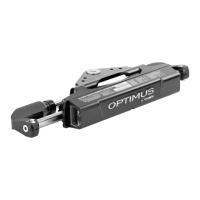
CANtrak Display

Details the functions of the CANtrak display for system status and settings.

CAN Networks

Explains the CAN protocol and its use in Optimus EPS systems.

Joystick (Optional)

Describes the function of the optional Optimus 360 joystick control system.

Using Your EPS System

Before First Use

Outlines essential steps to take before operating the boat for the first time.

System Inspection

Details the procedure for inspecting the steering system before each use.

Interference Check

Explains how to check for interference between system components.

System Operation

Describes the general operation of the Optimus EPS system.

First Time Operation

Guides the user through the initial sea trial and familiarization.

CANtrak Display

Introduces the features and purposes of the CANtrak display.

CANtrak Display Navigation

Explains how to navigate the menus and functions of the CANtrak display.

CANtrak Display Map - All Helms Active

Illustrates the screen flow and options within the CANtrak display.

All Helms Active Screen

Describes the 'All Helms Active' screen displayed during normal operation.

Steering Maintenance Screen

Details the steering maintenance screen for calibration and move functions.

Settings Screen*

Explains how to adjust steering effort and helm turns via the Settings screen.

Speed Sensitive Steering

Discusses how steering parameters change with boat speed.

Display Brightness

Guides on how to adjust the brightness of the CANtrak display.

Autopilot Operation

Covers compatibility and basic operation with autopilot systems.

Joystick Operation (If So Equipped)

Introduces the Optimus 360 joystick control system.

Joystick Fundamentals

Explains the basic functions and controls of the joystick.

Joystick Tips

Provides practical advice and best practices for using the joystick.

Joystick Operation Examples

Illustrates common joystick maneuvers for docking and maneuvering.

Returning to Conventional Operation

Details the procedure for switching back from joystick to conventional controls.

System Faults and Hazards

Fault Types

Defines and categorizes different types of system faults (Danger, Warning, Caution).

Fault Notification

Explains how the system alerts the user to faults via buzzer and display.

Danger Fault Handling

Outlines actions to take when a critical 'Danger' fault occurs.

Limp Home

Describes the 'Limp Home' mode for operating the boat with reduced functionality.

Emergency Manual Steering Override

Provides a procedure for manually repositioning the steering actuator.

Warning Fault Handling

Explains how to handle 'Warning' faults and proceed with caution.

Loss of CANtrak Display

Gives instructions on what to do if the CANtrak display is not working.

Installation

Before You Start

Preparation steps and general advice before beginning installation.

Electric Actuator

Lists available actuator configurations based on engine applications.

Planning

Considerations for harness routing and slack when installing the actuator.

Actuator Installation

Step-by-step instructions for physically installing the electric actuator.

Ground Strap Installation

Details the procedure for installing the ground strap on the actuator.

Actuator Harness

Discusses the selection and installation of the actuator harness.

Planning

Information on choosing the correct actuator harness based on system needs.

Bulkhead Installation

Instructions for installing the bulkhead plate and routing the harness.

Harness Protection

Methods for bundling and protecting the actuator harness.

Harness Connection to Actuator

Step-by-step guide for connecting the harness to the electric actuator.

Electronic Helm

Introduces the different types of electronic helm styles available.

Planning

Planning considerations for routing CAN1 harnesses to the helm.

Helm Installation

General instructions for installing the electronic helm.

Front Mount Helm (EH1512)

Installation details for the Front Mount Helm.

Sport Plus Tilt Helm (EH1532)

Installation details for the Sport Plus Tilt Helm.

Classic Tilt Helm (EH1552)

Installation details for the Classic Tilt Helm.

Rear Mount Helm (EH1572)

Installation details for the Rear Mount Helm.

CANtrak Display

Information on available CANtrak display models and their uses.

Planning

Planning considerations for selecting and mounting the CANtrak display.

Installation

Guidelines for mounting the CANtrak display for optimal visibility.

Electrical Connections

Overview of system connections made from the actuator harness bundle.

Power Connection

Details on making the 12V power connections for the system.

Special Considerations for Multi-Engine Applications

Specific advice for connecting batteries in multi-engine configurations.

Making Your 12 V Power Connections

Step-by-step instructions for making 12V power connections.

CAN1 Connection

Explains how to connect the CAN1 network for helms and displays.

Planning

Planning considerations for CAN1 harness lengths and extensions.

Installation

Details on routing CAN1 harnesses and securing connectors.

CAN2 Connection

Explains how to connect the CAN2 network for displays and autopilots.

Planning

Planning how to build the CAN2 network with tees and terminators.

Installation

Instructions for installing CAN2 network tees and securing connections.

CAN3 Connection (Engine RPM)

Details how to connect the CAN3 network for engine RPM signals.

Ignition Sensing

Explains the importance and connection of the ignition-sensing wire.

Setup and Configuration

First-Time Power-Up

Guides users through the initial system power-up and access to Dealer Menu.

Initial Setup

Outlines the steps for performing the initial system setup.

Select System Type

Guides the user to select the correct system type from the options.

Select Steering Type

Instructs on selecting the appropriate steering type for the installation.

Select Number of Devices

Explains how to configure the quantity of devices on the CAN network.

Select Device Locations

Details the process of 'instancing' devices to define their roles in the system.

Select RPM Source

Explains how to select the RPM source for the system.

Steering Setup

Details the steps required for setting up the steering system.

Configuration (Optional)

Optional configuration for engine wedge angle adjustments.

Calibrating the Electric Actuators

Guides on calibrating the steering actuators for proper operation.

Set Proportional Sensitivity

Explains how to adjust proportional sensitivity for helm response.

Check Installation

Final checks to ensure the installation is complete and correct.

Move Steering (Optional)

Describes the optional 'Move Steering' function for diagnostics.

Maintenance and Troubleshooting

Maintenance Schedule

Provides routine maintenance schedules for owners and mechanics.

Owner;Operator

Maintenance tasks to be performed by the boat owner/operator.

Qualified Marine Mechanic

Maintenance tasks to be performed by a qualified marine mechanic.

Troubleshooting Guide

Lists common faults, their causes, and solutions.

Appendix A

Helm Templates

Provides mounting templates for various electronic helm styles.

Front Mount Helm (EH1510;EH1512)

Mounting template for the Front Mount Helm.

Sport Plus Tilt Helm (EH1530;EH1532)

Mounting template for the Sport Plus Tilt Helm.

Classic Tilt Helm (EH1552)

Mounting template for the Classic Tilt Helm.

Rear Mount Helm (EH1572)

Mounting template for the Rear Mount Helm.

CANtrak Display Template

Mounting template for the Color CANtrak Display.

Bulkhead Fitting Template

Mounting template for the bulkhead fitting.

APPENDIX B

Bolt Torque Specifications

Recommended maximum torque values for various bolt sizes and types.

System Specifications

Lists key electrical and performance specifications for the EPS system.

Warranty

Statement of Limited Warranty

Details the terms and conditions of the product warranty.

Return Goods Procedure

Outlines the process for returning products for warranty or service.

Technical Support

Provides contact information for Dometic technical support.

Summary

Important Safety Information

Explanation of Symbols

Explains the meaning of various safety symbols used in the manual.

Safe Operation

Provides essential safety guidelines for operating the boat with Optimus EPS.

Safety Considerations for Installers

Lists crucial safety precautions for individuals installing the system.

Safety Decal

Reproduces the safety decal found on the electric actuator for reference.

System Overview

Electric Steering Actuator and Steering Control Unit (SCU)

Describes the function and purpose of the electric steering actuator and SCU.

Electronic Helm

Explains how the helm converts steering wheel movement into digital messages.

CANtrak Display

Details the functions of the CANtrak display for system status and settings.

CAN Networks

Explains the CAN protocol and its use in Optimus EPS systems.

Joystick (Optional)

Describes the function of the optional Optimus 360 joystick control system.

Using Your EPS System

Before First Use

Outlines essential steps to take before operating the boat for the first time.

System Inspection

Details the procedure for inspecting the steering system before each use.

Interference Check

Explains how to check for interference between system components.

System Operation

Describes the general operation of the Optimus EPS system.

First Time Operation

Guides the user through the initial sea trial and familiarization.

CANtrak Display

Introduces the features and purposes of the CANtrak display.

CANtrak Display Navigation

Explains how to navigate the menus and functions of the CANtrak display.

CANtrak Display Map - All Helms Active

Illustrates the screen flow and options within the CANtrak display.

All Helms Active Screen

Describes the 'All Helms Active' screen displayed during normal operation.

Steering Maintenance Screen

Details the steering maintenance screen for calibration and move functions.

Settings Screen*

Explains how to adjust steering effort and helm turns via the Settings screen.

Speed Sensitive Steering

Discusses how steering parameters change with boat speed.

Display Brightness

Guides on how to adjust the brightness of the CANtrak display.

Autopilot Operation

Covers compatibility and basic operation with autopilot systems.

Joystick Operation (If So Equipped)

Introduces the Optimus 360 joystick control system.

Joystick Fundamentals

Explains the basic functions and controls of the joystick.

Joystick Tips

Provides practical advice and best practices for using the joystick.

Joystick Operation Examples

Illustrates common joystick maneuvers for docking and maneuvering.

Returning to Conventional Operation

Details the procedure for switching back from joystick to conventional controls.

System Faults and Hazards

Fault Types

Defines and categorizes different types of system faults (Danger, Warning, Caution).

Fault Notification

Explains how the system alerts the user to faults via buzzer and display.

Danger Fault Handling

Outlines actions to take when a critical 'Danger' fault occurs.

Limp Home

Describes the 'Limp Home' mode for operating the boat with reduced functionality.

Emergency Manual Steering Override

Provides a procedure for manually repositioning the steering actuator.

Warning Fault Handling

Explains how to handle 'Warning' faults and proceed with caution.

Loss of CANtrak Display

Gives instructions on what to do if the CANtrak display is not working.

Installation

Before You Start

Preparation steps and general advice before beginning installation.

Electric Actuator

Lists available actuator configurations based on engine applications.

Planning

Considerations for harness routing and slack when installing the actuator.

Actuator Installation

Step-by-step instructions for physically installing the electric actuator.

Ground Strap Installation

Details the procedure for installing the ground strap on the actuator.

Actuator Harness

Discusses the selection and installation of the actuator harness.

Planning

Information on choosing the correct actuator harness based on system needs.

Bulkhead Installation

Instructions for installing the bulkhead plate and routing the harness.

Harness Protection

Methods for bundling and protecting the actuator harness.

Harness Connection to Actuator

Step-by-step guide for connecting the harness to the electric actuator.

Electronic Helm

Introduces the different types of electronic helm styles available.

Planning

Planning considerations for routing CAN1 harnesses to the helm.

Helm Installation

General instructions for installing the electronic helm.

Front Mount Helm (EH1512)

Installation details for the Front Mount Helm.

Sport Plus Tilt Helm (EH1532)

Installation details for the Sport Plus Tilt Helm.

Classic Tilt Helm (EH1552)

Installation details for the Classic Tilt Helm.

Rear Mount Helm (EH1572)

Installation details for the Rear Mount Helm.

CANtrak Display

Information on available CANtrak display models and their uses.

Planning

Planning considerations for selecting and mounting the CANtrak display.

Installation

Guidelines for mounting the CANtrak display for optimal visibility.

Electrical Connections

Overview of system connections made from the actuator harness bundle.

Power Connection

Details on making the 12V power connections for the system.

Special Considerations for Multi-Engine Applications

Specific advice for connecting batteries in multi-engine configurations.

Making Your 12 V Power Connections

Step-by-step instructions for making 12V power connections.

CAN1 Connection

Explains how to connect the CAN1 network for helms and displays.

Planning

Planning considerations for CAN1 harness lengths and extensions.

Installation

Details on routing CAN1 harnesses and securing connectors.

CAN2 Connection

Explains how to connect the CAN2 network for displays and autopilots.

Planning

Planning how to build the CAN2 network with tees and terminators.

Installation

Instructions for installing CAN2 network tees and securing connections.

CAN3 Connection (Engine RPM)

Details how to connect the CAN3 network for engine RPM signals.

Ignition Sensing

Explains the importance and connection of the ignition-sensing wire.

Setup and Configuration

First-Time Power-Up

Guides users through the initial system power-up and access to Dealer Menu.

Initial Setup

Outlines the steps for performing the initial system setup.

Select System Type

Guides the user to select the correct system type from the options.

Select Steering Type

Instructs on selecting the appropriate steering type for the installation.

Select Number of Devices

Explains how to configure the quantity of devices on the CAN network.

Select Device Locations

Details the process of 'instancing' devices to define their roles in the system.

Select RPM Source

Explains how to select the RPM source for the system.

Steering Setup

Details the steps required for setting up the steering system.

Configuration (Optional)

Optional configuration for engine wedge angle adjustments.

Calibrating the Electric Actuators

Guides on calibrating the steering actuators for proper operation.

Set Proportional Sensitivity

Explains how to adjust proportional sensitivity for helm response.

Check Installation

Final checks to ensure the installation is complete and correct.

Move Steering (Optional)

Describes the optional 'Move Steering' function for diagnostics.

Maintenance and Troubleshooting

Maintenance Schedule

Provides routine maintenance schedules for owners and mechanics.

Owner;Operator

Maintenance tasks to be performed by the boat owner/operator.

Qualified Marine Mechanic

Maintenance tasks to be performed by a qualified marine mechanic.

Troubleshooting Guide

Lists common faults, their causes, and solutions.

Appendix A

Helm Templates

Provides mounting templates for various electronic helm styles.

Front Mount Helm (EH1510;EH1512)

Mounting template for the Front Mount Helm.

Sport Plus Tilt Helm (EH1530;EH1532)

Mounting template for the Sport Plus Tilt Helm.

Classic Tilt Helm (EH1552)

Mounting template for the Classic Tilt Helm.

Rear Mount Helm (EH1572)

Mounting template for the Rear Mount Helm.

CANtrak Display Template

Mounting template for the Color CANtrak Display.

Bulkhead Fitting Template

Mounting template for the bulkhead fitting.

APPENDIX B

Bolt Torque Specifications

Recommended maximum torque values for various bolt sizes and types.

System Specifications

Lists key electrical and performance specifications for the EPS system.

Warranty

Statement of Limited Warranty

Details the terms and conditions of the product warranty.

Return Goods Procedure

Outlines the process for returning products for warranty or service.

Technical Support

Provides contact information for Dometic technical support.

Dometic Optimus EA1000 Specifications

General IconGeneral
ModelOptimus EA1000
Operating Temperature-20 °C to +60 °C
TypeController
CategoryController
Power Supply12V DC

Related product manuals