CoolAir RTX1000, RTX2000 Operation
11
6.3 Remote control
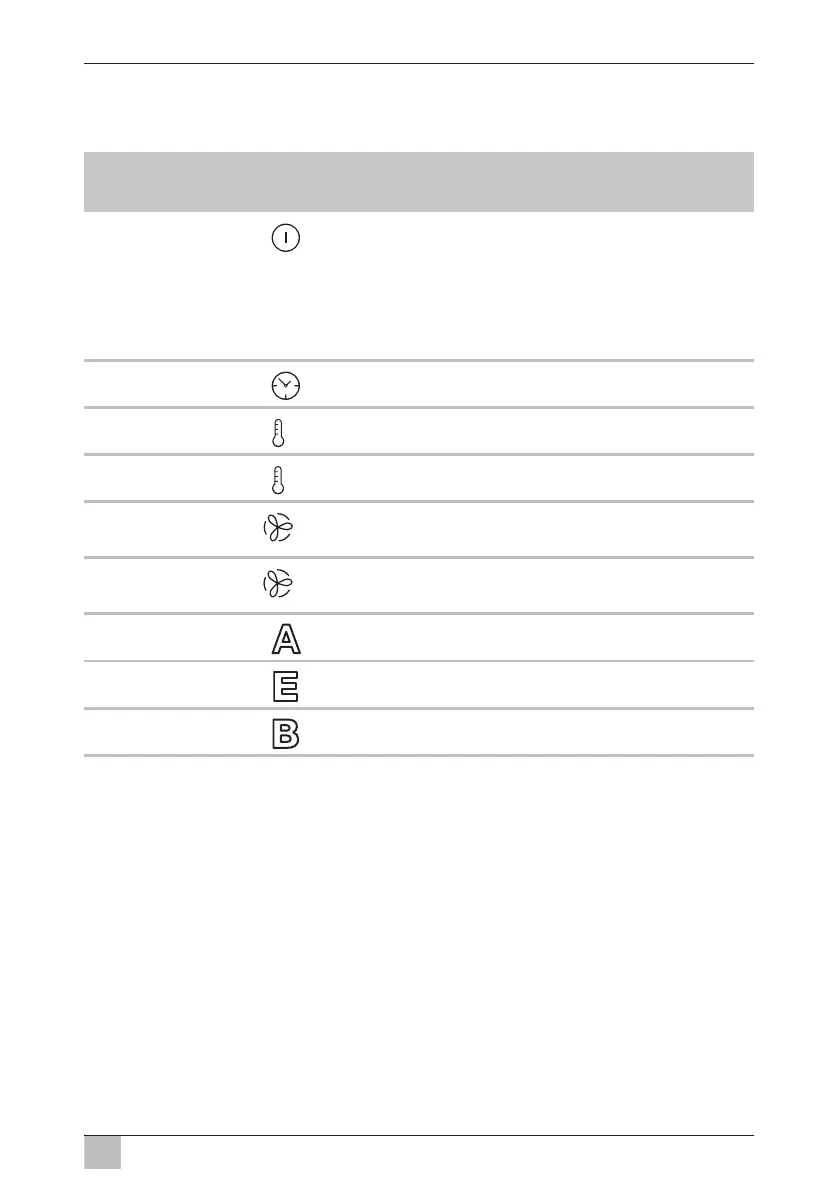
The remote control contains the following operating elements:
No. in
fig. 3, page 4
Symbol Description
1 Press button briefly: Switches the parking cooler
to standby mode or on again, if it is in standby mode
Press button longer than 3 s: Switches the
parking cooler off
The parking cooler only can be switched on at the
control panel.
2 Increases the timer running time by 10 minutes.
3
–
Reduces the set point by 1 °C/2 °F.
4
+
Increases the set point by 1 °C/2 °F.
5
–
Switches the parking cooler to MANUAL mode and
reduces the speed of the fan.
6
+
Switches the parking cooler to MANUAL mode and
increases the speed of the fan.
7 Switches the parking cooler to AUTO mode.
8 Switches the parking cooler to ECO mode.
9 Switches the parking cooler to BOOST mode.







 To Next Page