Operation CoolAir RTX1000, RTX2000
12
6.4 Display
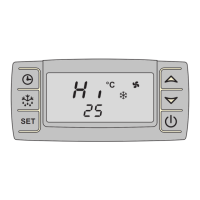
The display has the following indicators:
I
No. in
fig. 4, page 4
Description
1 The symbol shows the current menu selected (see chapter
“Using menus” on page 16).
2 Depending on the current menu, shows:
– the required temperature
– the current fan speed
– the remaining running time of the timer
3 Shows the current fan speed.
4 Setting: Lights up when the setting menu has been activated.
5 ERROR: Lights up when the supply voltage falls below a set
value.
Additionally the display flashes.
6 Battery: Displays problems with the supply voltage.
7 °C: Lights up when the temperature is shown in °C.
°F: Lights up when the temperature is shown in °F.
8 SET: Indicates that the set temperature is being shown.
9 MIN: Lights up when the timer has been set.
10 Shows the current mode (see chapter “Menu mode” on
page 17)
NOTE
You can find full details of the display messages in the chapter
“Display messages” on page 21.






 To Next Page