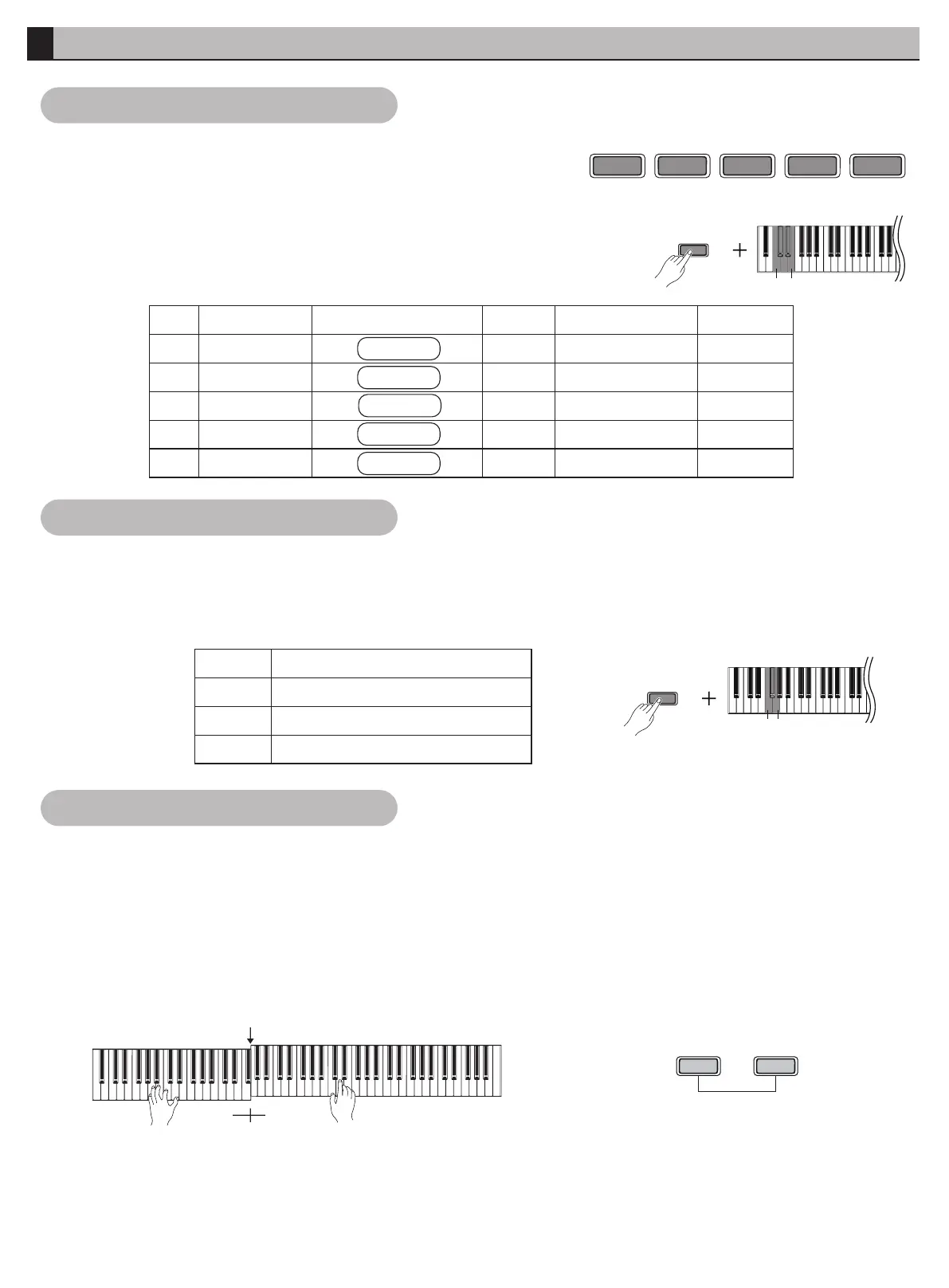
l This piano has 10 pre-set authentic tones. (See Appendix for details-
Timbre Sheet)
l In standby mode, press [FUNCTION] and [ C-E ] simultaneously to
select the timbre.
l Press the direct selection buttons [PIANO], [E. PIANO], [ROCK
ORGAN], [STRINGS], [BASS] on control panel.
l Press the desired timbre button, play & enjoy the pleasant music.
FUNCTION
C
1
E
1
PIANO
E.PIANO
ROCK
ORGAN
STRINGS
BASS
NO.
1
2
3
4
5
Key to Choose TimbreTimbre
Grand Piano
Electric Piano
Rock Organ
Strings
Bass
Key
C
#C
D
#D
E
Timbre
Brite Piano
Harpsichord
Church Organ
Guitar
Pad
PIANO
E.PIANO
ROCK ORGAN
STRINGS
BASS
NO.
6
7
8
9
10
l When the timbre is enabled, conduct related operation on Timbre Demo.
l Press the [FUNCTION] and [ F ] simultaneously to play the previous timbre demo.
l Press the [FUNCTION] and [ #F ] simultaneously to play the next timbre demo.
l Press the [FUNCTION] and [ G ] simultaneously to play/stop the timbre demo.
G
1
F
1
Key
F
#F
G
FUNCTION
Description
Change the previous demo
Change the next demo
Play/Stop the Timbre demo
l When this function is turned on, the keyboard can be separated into two individual playing segments that have
different tones.
l In standby mode, press the [FUNCTION] and [METRONOME] simultaneously to turn on or off the split timbre.
l Press the desired timbre with direct selection buttons.
l Taking #f as split point, you can hear different effects of timbre on the left & right section.
l When it is turned on, press the [FUNCTION] and [METRONOME] simultaneously to turn off the split timbre.
l The main timbre is turned on by default and cannot be turned off. Split timbre can be turned on and off at will.
#f
FUNCTION
METRONOME
SPLIT
l Split Point: The position that separates the Keyboard to left & right hand segment called split point. The default
split point is #f (34).
l When split timbre is turned on, press the [METRONOME] and any key simultaneously to change the split point.
l When it is enabled, the left keyboard is 8 key higher than usual.
Function Introduction
Selecting & Playing Timbre
Key to Choose Timbre
Timbre Demo
08
Split Timbre



 To Next Page