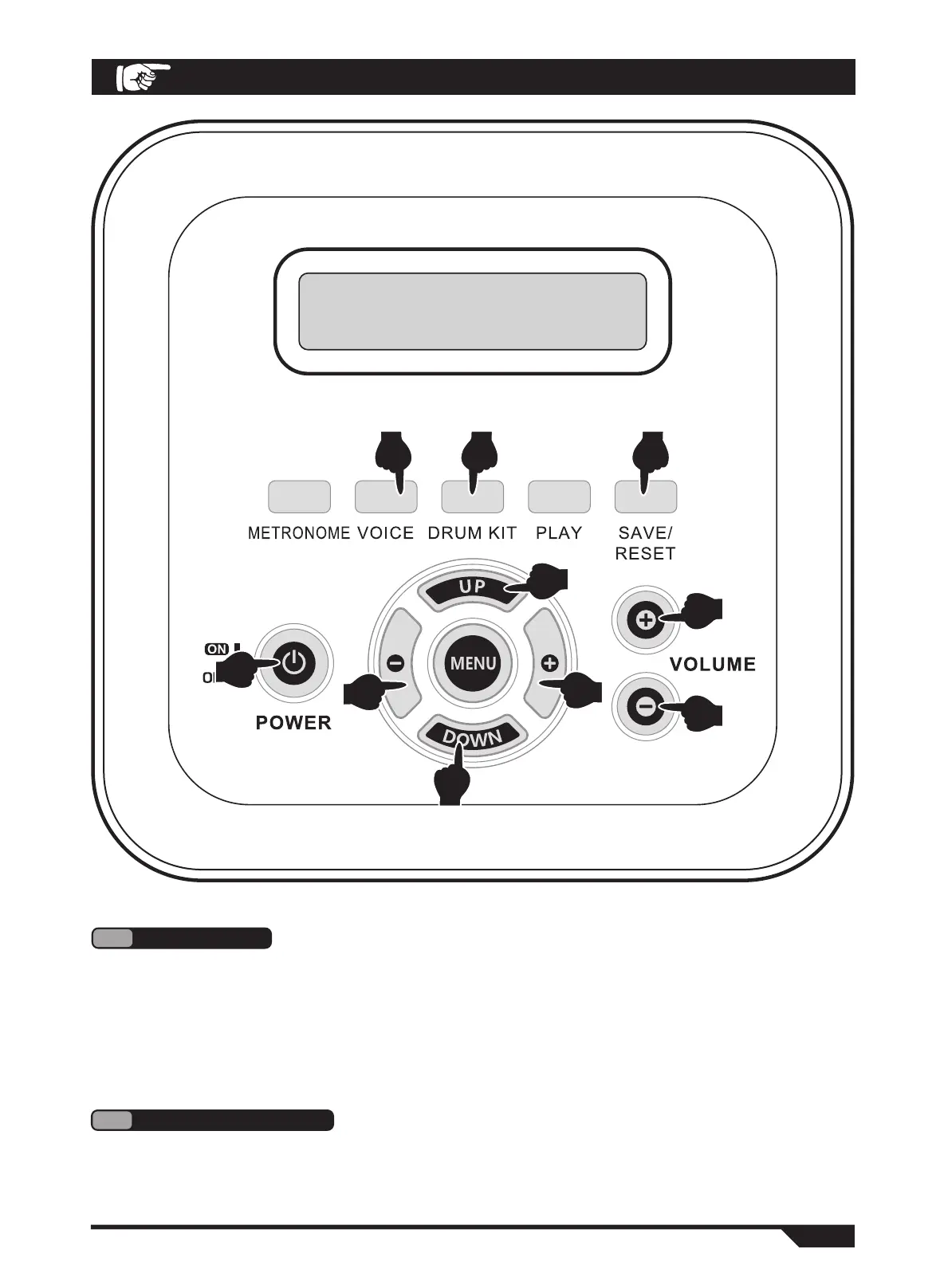
Use the "VOLUME +-" button to increase or decrease the total volume. Please adjust the volume to
a satisfactory position. (Fig. 2)
2
MASTER VOLUME
2
4
2
5
1
5
4
3 7 6
1. Turn on the "POWER" switch, and you can enter the playing state. (Fig. 1)
2. Please turn off the power when not in use.
● Processor chips of this product are complex, similar to computer systems. Sometimes they can
not respond. Please turn off the power switch and then turn it on to work properly.
1
POWER ON
OPERATION GUIDE
10
MY ELECTRONIC DRUM


 To Next Page