12
MY ELECTRONIC DRUM
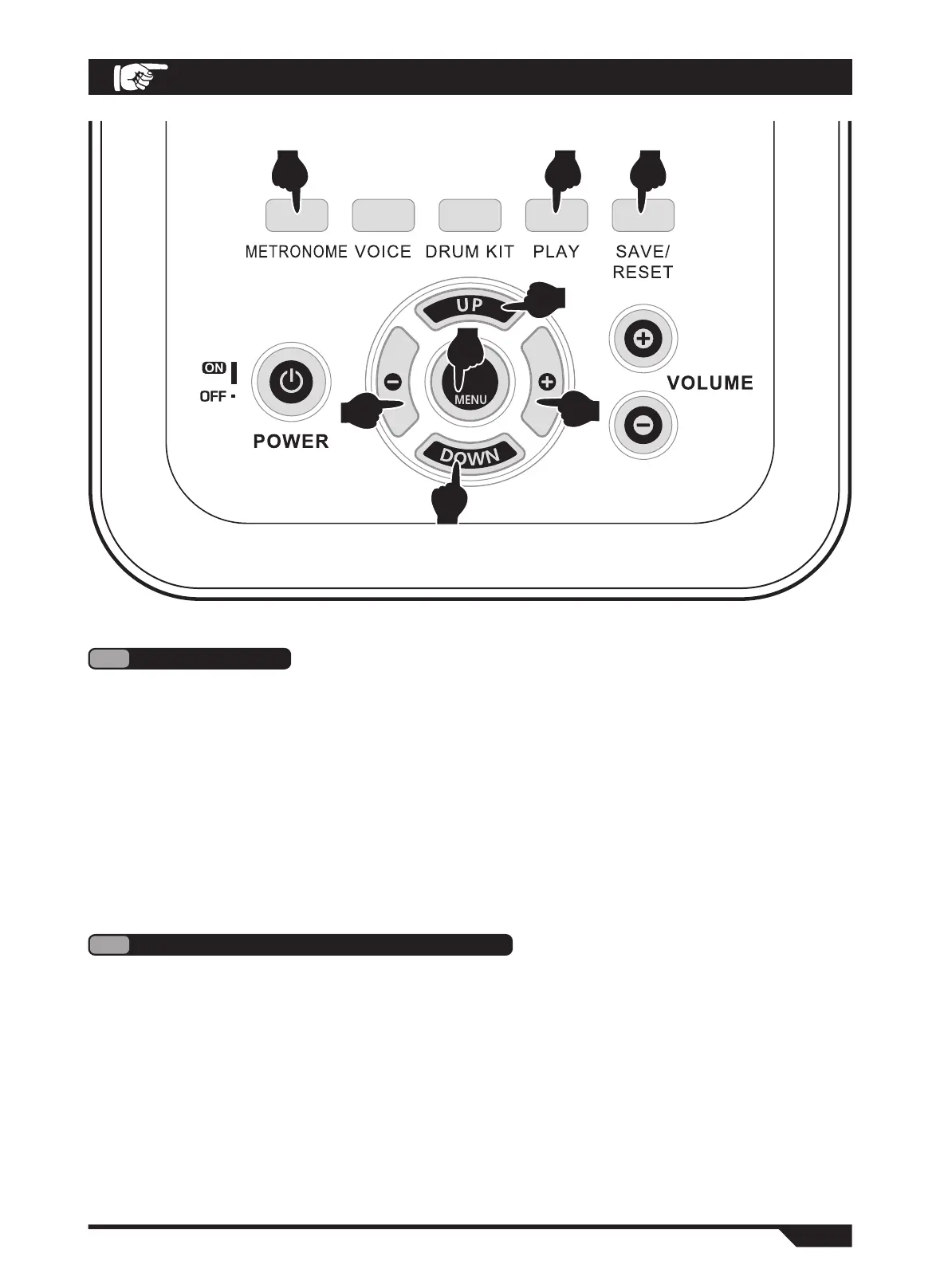
1. Press the "METRONOME" button and display (Metro) on the screen. (FIG. 8)
2. Using the "UP/DOWN" button, you can choose the following options as an adjustment. (Fig. 4)
Display screen display:
●(Time 002-016):Metrometer Speed - A total of 4 levels of standard speed can be adjusted.
●(Beat 001-009):Metrometer type - 9 types can be adjusted.
●(MetroVol 000-127):Metrometer volume - 128 levels adjustable.
3. Use the "+/-" button to adjust the parameters of the above options. (Fig. 5)
4. Press the "PLAY" button to start playing the metronome and press again to stop. (Fig. 9)
5
METRONOME
1. Press the "MENU" button several times until the display screen (Song) enters the sub-option
music mode. (FIG. 10)
2. Using the "UP/DOWN" button, you can choose the following options as an adjustment. (Fig. 4)
Display screen display:
●(Num 001-030): Music Selection - A total of 30 built-in pieces.
●(GmVol 000-127): Chord accompaniment volume - 128 levels adjustable.
●(DrmVol 000-127: Volume of drum group - 128 levels adjustable.
3. Use the "+/-" button to adjust the parameters of the above options. (Fig. 5)
4. Press the "PLAY" button to start playing the music and press again to stop. (Fig. 9)
6
DEMONSTRATION MUSIC PLAYING
4
5
5
4
8
10
9 6
OPERATION GUIDE


 To Next Page