Operating the Machine
1. Poor your so serve mix into the hopper. Do not connue to
add mix past the maximum capacity indicang line inside of
the hopper.
2. With the Main POWER switch in the on posion, the screen
will display 00 on the le side of the display, and the current
hardness seng on the right.
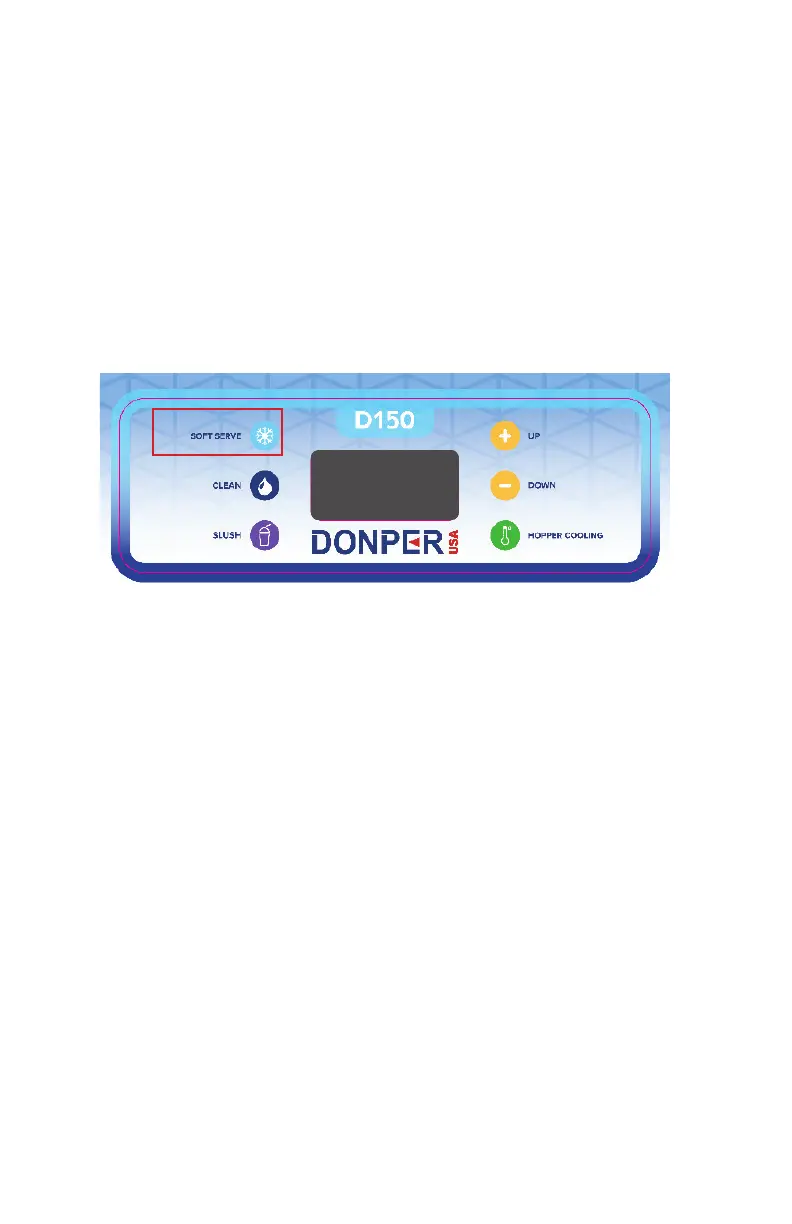
3. Press the So Serve buon to enter into So Serve Mode.
Once in So Serve Mode, the drive moter and compressor
will turn on and begin running.
Operang the D150 is all done through the control board. On the control
board there are 6 buons, each of which has its own funcon. Pressing
and holding dierent combinaons of the buons unlocks dierent set-
ngs which the user can adjust to t their needs.
SOFT SERVE MODE


 To Next Page