a. Install backplate onto tower and allow the scale to warm up and stabilize
for one hour.
b. Remove the calibration access cover.
c. Place full capacity on the scale.
d. Adjust VR1 (bottom pot) for exact scale reading.
e. Remove the weight and zero the scale by pressing the ZERO switch.
f. Place weights on scale and check reading. Readjust if necessary.
9. Final ZERO calibration:
a. Remove weight from the scale and zero by pressing the ZERO switch.
b. Place weight on the scale that is 105% of capacity.
c. Scale display should blank out between 103% and 105% indicating an
overload condition.
d. Adjust VR2 (top pot) so that the scale display blanks out between 103%
and 105%.
e. Reinstall the calibration cover.
10. If you cannot obtain proper scale calibration, the scale or load cell may be
defective. Contact the Doran Scales factory for further assistance in this case.
11. For 4100-RSS Remote Indicators, simply open the 4100-RSS door and proceed
with the calibration.
VI. DIP SWITCH PROGRAMMING: Dip Switch SW3.
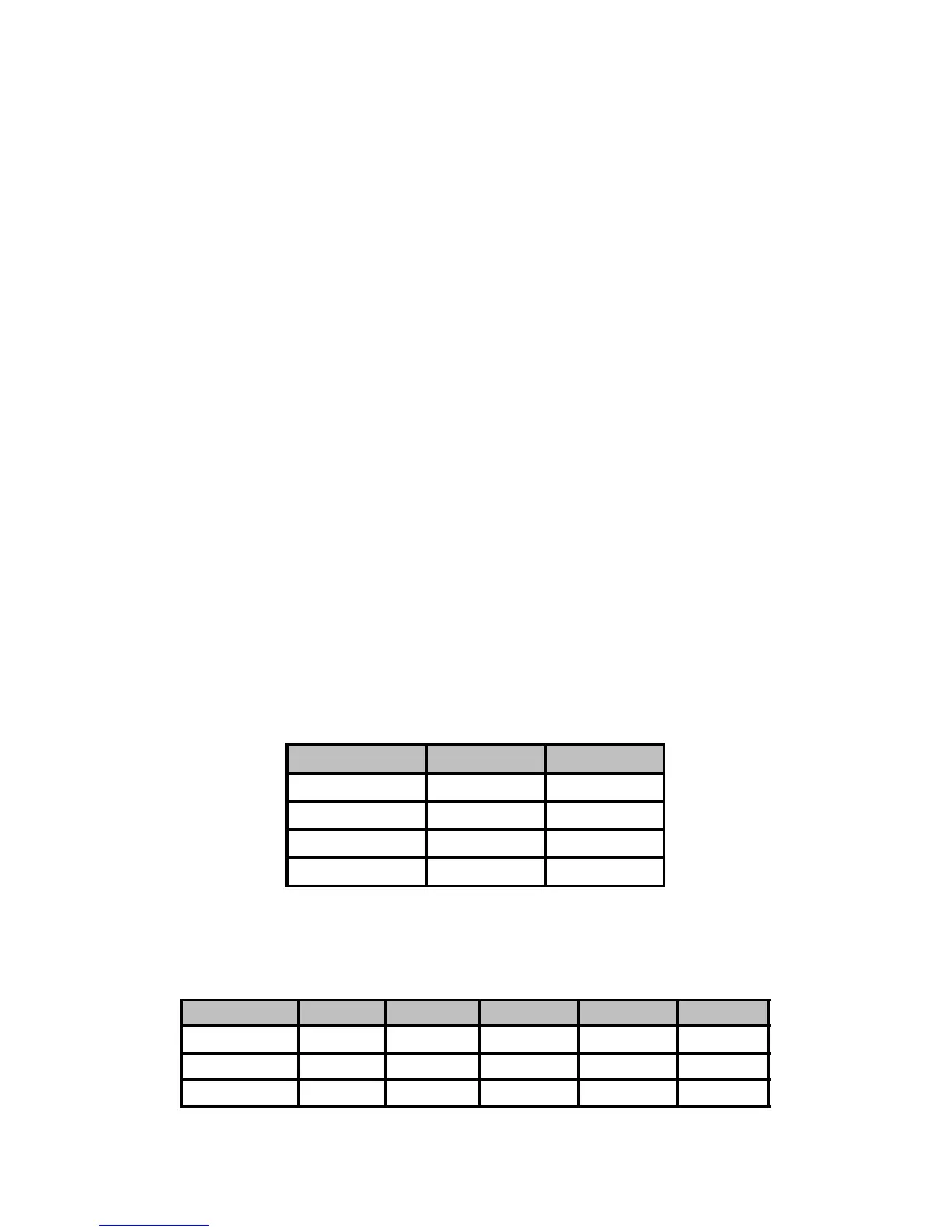
1. Weight display units:
Display Units SW3-1 SW3-2
LB 0 0
KG 1 0
OZ 0 1
LB & OZ 1 1
0 = open or off 1 = closed or on
2. Over and Under Tolerances:
± 0 div. 0 0 0 0 0
± 1 div. 0 0 0 0 1
± 2 div. 0 0 0 1 0
DORAN MODEL 4100 OPERATING AND SERVICE MANUAL
MAN001R2
7



 To Next Page