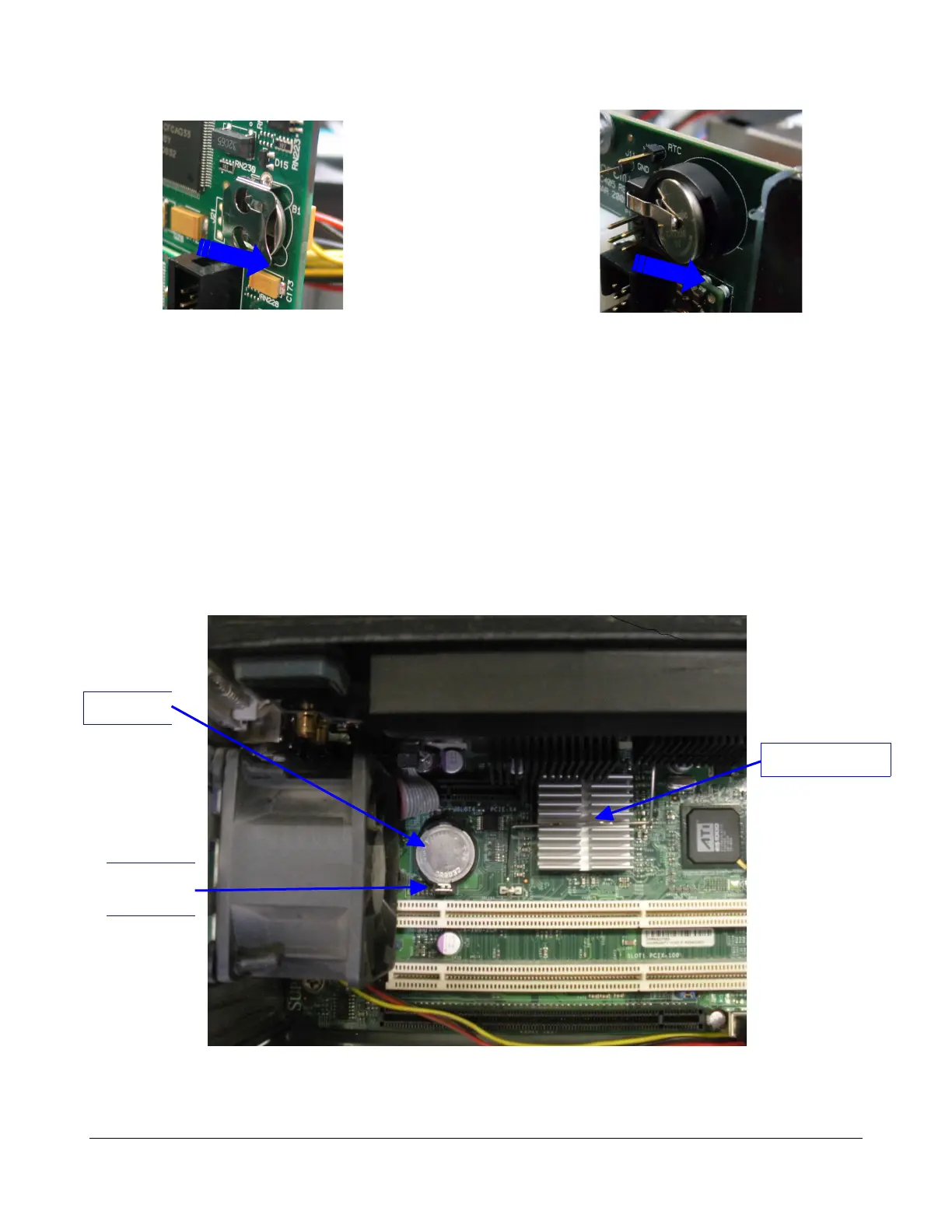
Figure 24: 1.0 Dolphin Battery Removal Figure 25: 1.2 Dolphin Battery Removal
◦ Insert the new battery inside the Dolphin board battery holder with the positive side up.
5.2.3 Motherboard Battery Replacement
To replace an X7SBE motherboard battery (that is defective/depleted or as a preventive
maintenance), do the following:
• Unplug the unit from the AC power.
• Place the unit on a EDS safe table where you can perform this operation.
• Open the unit lid by removing the six screws that hold it in place.
• Locate the battery on the motherboard. It is close to the South Bridge (Figure 26).
Figure 26: Battery Location
D2K.DP.000255.DRM Page 21 Version 1.6
Doremi Cinema LLC
Battery
Battery
Tab
Southbridge



 To Next Page