851-953 Rev. A 9 Dorner Mfg. Corp.
Variable Speed VFD Controllers
Installation
8. Install end cap (Figure 12, item 1) onto each end of
mounting rail (Figure 12, item 2).
Figure 12
Figure 12
9. Repeat to install remaining end caps (Figure 13).
Figure 13
Figure 13
7200 and 7300 Series Controller
Mounting
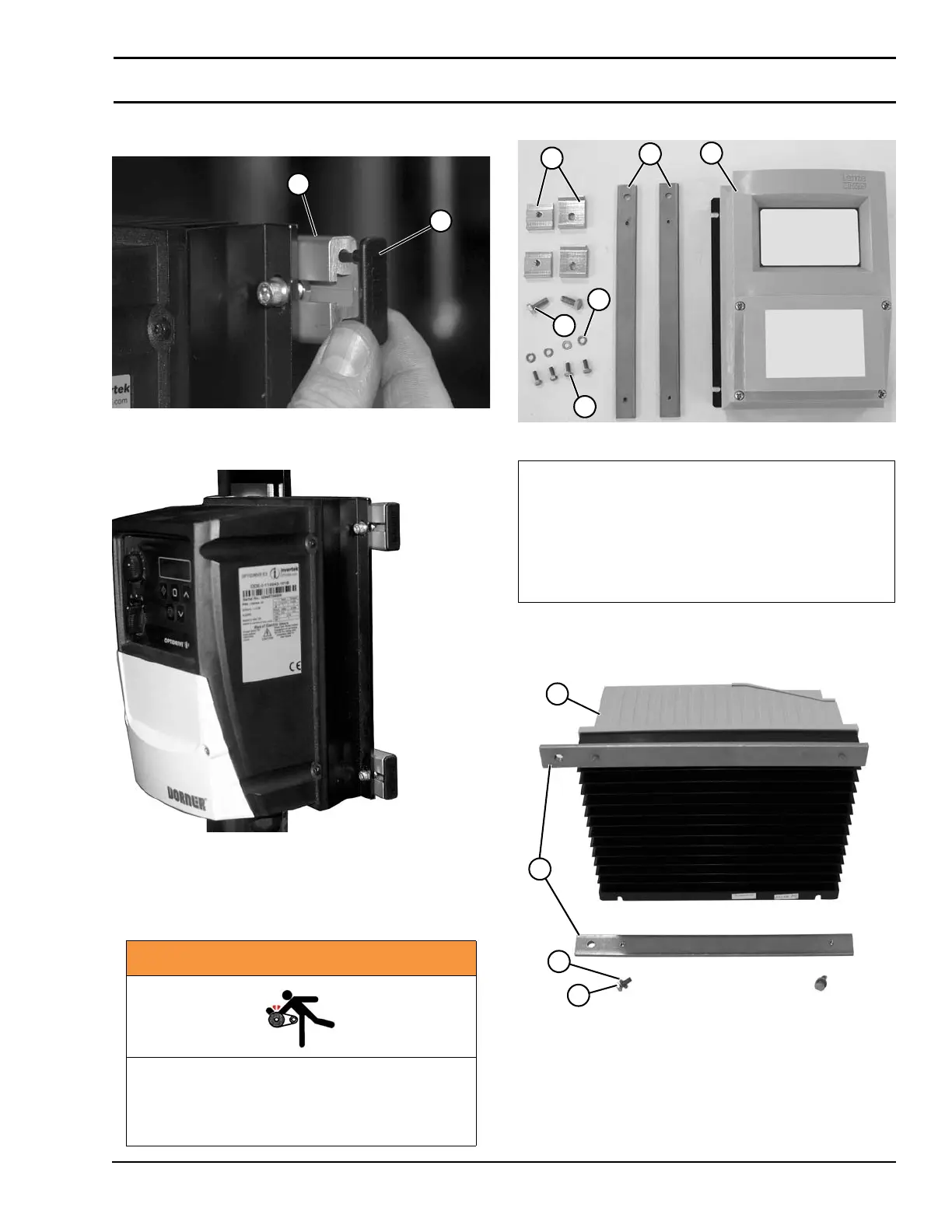
Installation Component List (Figure 14):
Figure 14
Figure 14
1. Attach mounting plates (Figure 15, item 1) to controller
(Figure 15, item 2) with washers (Figure 15, item 3)
and screws (Figure 15, item 4).
Figure 15
Figure 15
WARNING
Exposed moving parts can cause severe
injury.
LOCK OUT POWER before removing guards
or performing maintenance.
1
2
1 Accessory Mounting Clips (2x)
(Shipped with gearmotor mount package)
2 Mounting Plate (2x)
3 VFD Controller
4 Hex Head Screws (4x)
5 Hex Head Screws (2x)
6 Washers (4x)
2
3
5
4
6
1
3
4
1
2


 To Next Page
 Loading...