EasyManua.ls Logo

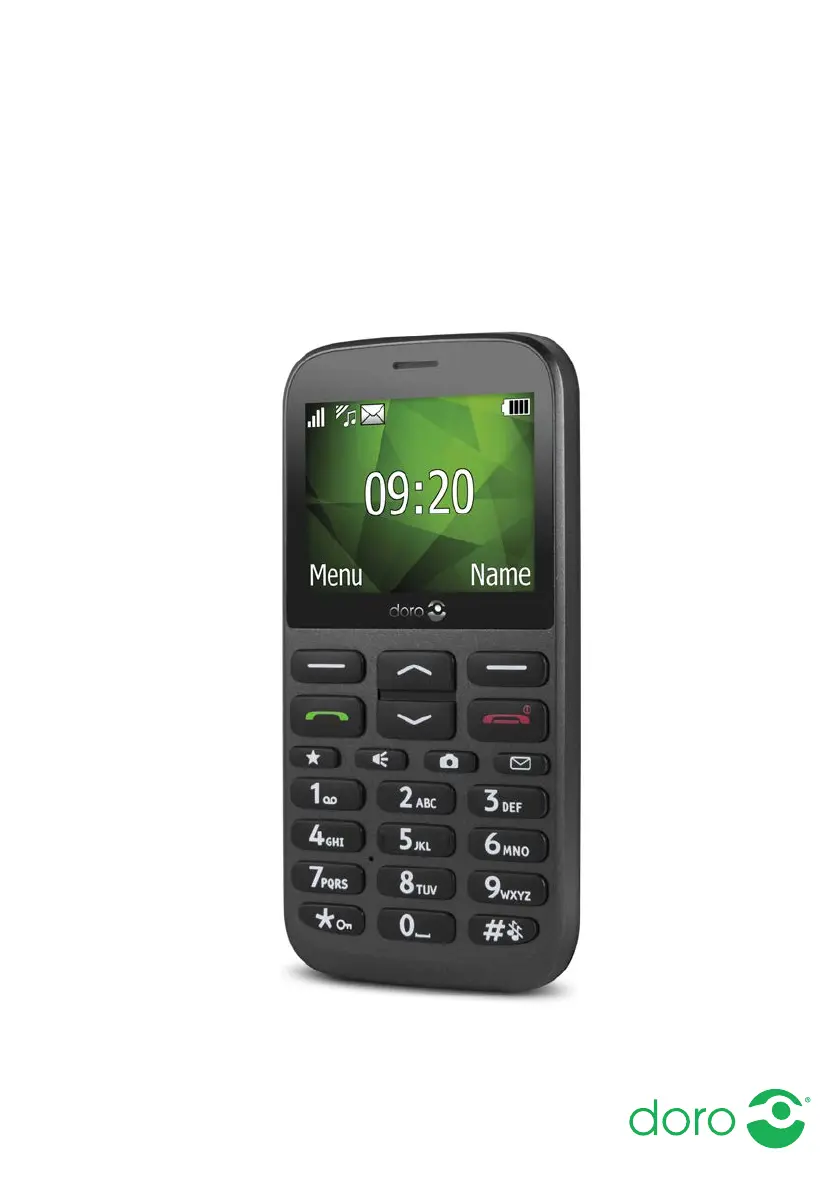
Doro 1372 - User Manual

Doro 1372
60 pages
Print Icon
To Next Page IconTo Next Page
Loading...
English
Doro 1372

Table of Contents

Other manuals for Doro 1372

Questions and Answers

  • M
    Mariah MartinAug 16, 2025
    How to fix a Doro 1372 that cannot be switched on?
    • S
      schwartzdonnaAug 16, 2025
      If your Doro Cell Phone won't switch on, it could be due to a low battery. Connect the power adapter and charge the battery for 3 hours. Note that full battery capacity is reached after the battery has been charged 3–4 times. Alternatively, the battery might be incorrectly installed, so check its installation.
  • F
    Francisco RodriguezAug 19, 2025
    Why can't I add a contact on my Doro 1372?
    • D
      donald27Sep 12, 2025
      If you are unable to add a contact on your Doro Cell Phone, it is likely that the phonebook memory is full. Delete contacts to free up memory.
  • M
    Mr. Ryan JenkinsAug 22, 2025
    What to do if my Doro 1372 Cell Phone is failing to charge?
    • W
      William StarkAug 22, 2025
      If your Doro Cell Phone battery isn't charging, there are a few potential reasons. First, the battery or charger might be damaged, so check them for any visible issues. Second, ensure that you are charging the battery in temperatures between 0 °C and 40 °C. Finally, verify that the charger is correctly connected to both the phone and the power socket.
  • J
    Joshua WaltonAug 25, 2025
    How to fix SIM card error on Doro Cell Phone?
    • S
      Suzanne CordovaAug 26, 2025
      If you're encountering a SIM card error on your Doro Cell Phone, first check the condition of the SIM card for any damage. If it appears fine, ensure the SIM card is correctly installed by removing it and reinstalling it. Also, try wiping the contact surfaces of the SIM card with a clean cloth, as it might be dirty or damp.
  • K
    katieguzmanAug 28, 2025
    Why is the signal weak on my Doro 1372?
    • L
      leetoddAug 28, 2025
      If your Doro Cell Phone has a weak signal, it could be due to being too far from the base station. Try moving to another location to see if the signal improves. Network congestion could also be the cause, so try calling again at a later time.
  • J
    Julie PittmanAug 31, 2025
    Why does standby time decrease on my Doro Cell Phone?
    • D
      David CraigAug 31, 2025
      If the standby time of your Doro Cell Phone is decreasing, it may be due to a low battery charge capacity, consider installing a new battery. Another possibility is that you are too far from the base station, causing the phone to constantly search for a signal, which consumes battery power. Find a place with a stronger signal, or temporarily turn off the phone.
  • M
    Mr. Timothy Marsh IISep 3, 2025
    What to do if my Doro 1372 fails to send or download MMS?
    • C
      Carol LopezSep 3, 2025
      If your Doro Cell Phone fails to send or download MMS messages, it could be due to the phone memory being full. Delete received MMS messages. Alternatively, it could be due to an incorrect MMS profile being selected; for some service providers, the MMS profile has to be selected manually.
  • B
    Brandon AllisonSep 6, 2025
    What to do if my Doro 1372 is failing to place or receive calls?
    • B
      Brandon MckenzieSep 6, 2025
      If your Doro Cell Phone is failing to place or receive calls, check if call barring is activated and deactivate it. If this does not solve the problem, contact your service provider.
  • M
    Mr. Marco HarrisSep 9, 2025
    Why is there echo or noise on my Doro 1372 calls?
    • D
      Desiree JonesSep 9, 2025
      If you are experiencing echo or noise on your Doro Cell Phone, it may be a regional problem from a bad network relay. Hang up and redial; this may switch you to another network relay.
  • B
    Brittany GarciaSep 12, 2025
    What to do if my Doro Cell Phone PIN code is not accepted?
    • T
      Tracy WhiteSep 12, 2025
      If your Doro Cell Phone is not accepting the PIN code, it may be because the wrong PIN code was entered too many times. Enter the PUK code to change the PIN code, or contact your service provider.

Summary

Getting Started with Your Doro Phone

Understanding Your Doro Phone Basics

Making and Receiving Phone Calls

Making a Phone Call

Steps for dialling numbers directly or via the phonebook.

Receiving and Ending Calls

How to answer, reject, or end incoming and ongoing calls.

Managing Phone Contacts

Adding and Editing Contacts

Instructions for adding new contacts and managing existing entries.

Using Messaging Features

Sending Text Messages (SMS)

Guide for composing, sending, and managing SMS messages.

Sending Picture Messages (MMS)

How to create and send MMS messages with media content.

Camera and Photo Features

Taking and Adjusting Photos

Steps to take pictures and adjust camera settings like zoom and flash.

Connectivity and Network Settings

Sound and Display Settings

Troubleshooting and Device Care

Common Troubleshooting Solutions

Solutions for issues like battery problems, call failures, and network connectivity.

Care, Maintenance, and Safety

Guidelines for proper device care, safety precautions, and operating environment.

Doro 1372 Specifications

General IconGeneral
Display Size2.4 inches
Display TypeTFT
Resolution240 x 320 pixels
Battery Capacity1000 mAh
RAM8 MB
Dimensions125 x 61.5 x 12.6 mm
SIM TypeMini-SIM
SIM cardSingle SIM
Bluetooth3.0
Headphone jack3.5 mm
NetworkGSM
Display2.4 inches
Memory8 MB RAM
Battery1000 mAh
ColorsBlack

Related product manuals