EasyManua.ls Logo

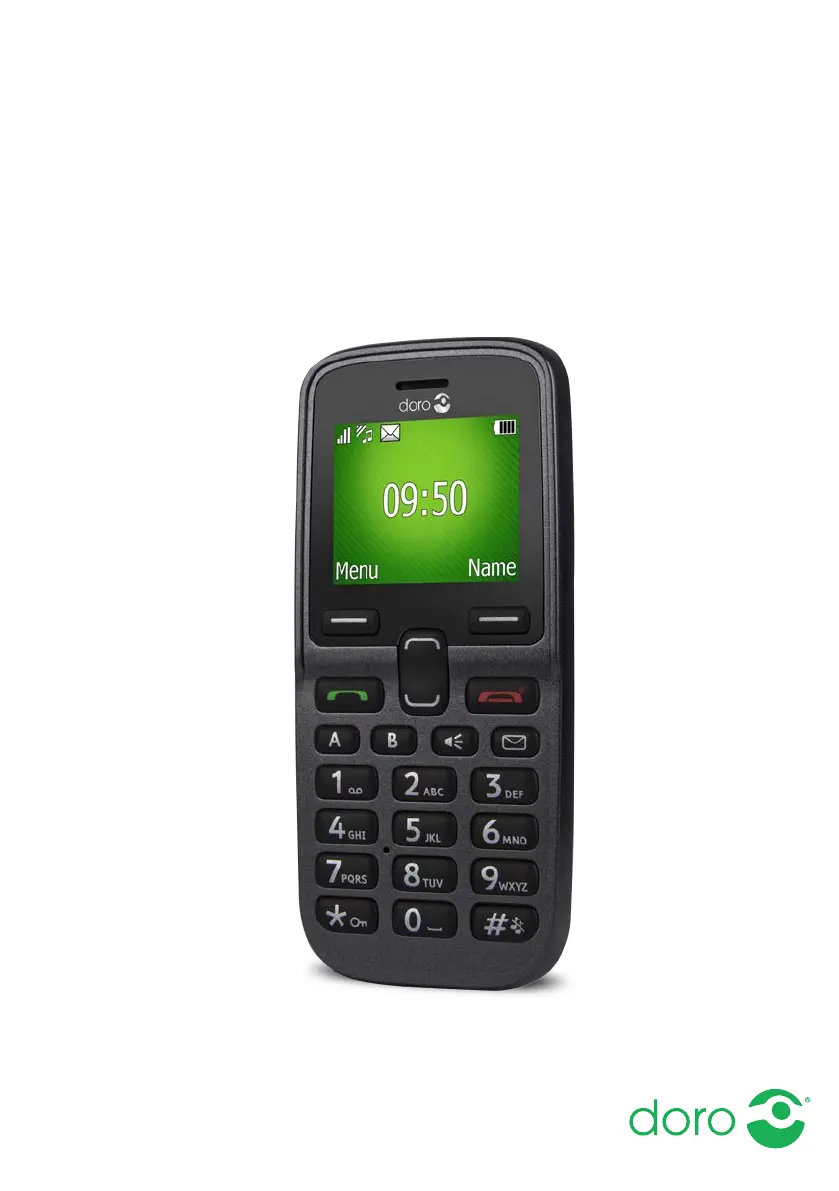
Doro 5030 - User Manual

Doro 5030
50 pages
Print Icon
To Next Page IconTo Next Page
Loading...
English
Doro 5030

Table of Contents

Other manuals for Doro 5030

Questions and Answers

  • D
    Dr. Gregory Hubbard MDAug 20, 2025
    What to do if my Doro 5030 cannot be switched on?
    • P
      Patrick BlackwellAug 20, 2025
      If your Doro Cell Phone won't switch on, the battery charge may be low. Connect the power adapter and charge the battery for 3 hours. Note that full battery capacity is reached after the battery has been charged 3–4 times. Alternatively, the battery might be incorrectly installed, so check its installation.
  • B
    Billy LeeAug 22, 2025
    What to do if I cannot add a contact on my Doro Cell Phone?
    • R
      robert55Aug 22, 2025
      If you cannot add a contact on your Doro Cell Phone, it might be because the phonebook memory is full. Delete contacts to free up memory.
  • K
    kramerrobertAug 25, 2025
    Why does my Doro Cell Phone standby time decrease quickly?
    • L
      Leon GutierrezAug 25, 2025
      If your Doro Cell Phone standby time decreases quickly, it may be due to a low battery charge capacity, in which case you should install a new battery. Another reason might be that you are too far from the base station, and the phone is constantly searching for a signal, which consumes battery power. Try to find a place with a stronger signal, or temporarily turn off the phone.
  • A
    alexis38Aug 26, 2025
    What to do if I cannot place or receive calls on my Doro 5030 Cell Phone?
    • W
      woodedwardAug 26, 2025
      If you cannot place or receive calls on your Doro Cell Phone, deactivate call barring. If this does not solve the problem, contact your service provider.
  • C
    Courtney Stevens MDAug 28, 2025
    What to do if my Doro Telephone SIM card is damaged?
    • S
      Stephanie JohnsonAug 28, 2025
      If the SIM card in your Doro Telephone is damaged, check its condition. If it is indeed damaged, contact the service provider.
  • M
    Mark RussellAug 29, 2025
    What to do if my Doro Telephone says the phonebook memory is full?
    • F
      Frances WilliamsAug 30, 2025
      If your Doro Telephone indicates that the phonebook memory is full, delete contacts to free up memory.
  • E
    Evan KimAug 31, 2025
    What to do if my Doro Telephone SIM card is incorrectly installed?
    • R
      Ronald ScottAug 31, 2025
      If the SIM card in your Doro Telephone is incorrectly installed, check the installation of the SIM card. Remove the card and reinstall it.
  • M
    Martin SmithSep 3, 2025
    What to do if my Doro 5030 battery is not charging?
    • H
      Haley BurnsSep 3, 2025
      If your Doro Cell Phone battery isn't charging, check the charger connections to ensure they are correctly connected to the phone and power socket. The battery should only be charged in temperatures between 0 °C and 40 °C, so improve the charging environment if needed. Also, the battery or charger might be damaged, so check them.
  • J
    johnsonchrisSep 4, 2025
    What to do if my Doro 5030 Cell Phone shows SIM card error?
    • M
      Mark YoderSep 5, 2025
      If your Doro Cell Phone displays a SIM card error, check the installation of the SIM card by removing it and reinstalling it. Also, wipe the contact surfaces of the SIM card with a clean cloth, as the SIM card might be dirty or damp. If the SIM card is damaged, contact your service provider.
  • J
    James MckinneySep 6, 2025
    What to do if my Doro 5030 has a weak signal?
    • R
      rdeleonSep 7, 2025
      If your Doro Cell Phone has a weak signal, it could be because you are too far from the base station. Try again from another location. Alternatively, there may be network congestion, so try calling at a later time.

Doro 5030 Specifications

General IconGeneral
Display TypeTFT
Resolution128 x 160 pixels
Battery Capacity800 mAh
Talk timeUp to 8 h
SIMMini-SIM
RadioFM radio
TorchYes
2G NetworkGSM 900 / 1800
PhonebookYes
Call recordsYes
Alert typesVibration, Polyphonic
LoudspeakerYes
3.5mm jackYes
MessagingSMS
GamesYes
LanguagesMultiple
Card slotmicroSD
USBmicroUSB
Dimensions117 x 53 x 13 mm

Related product manuals