English
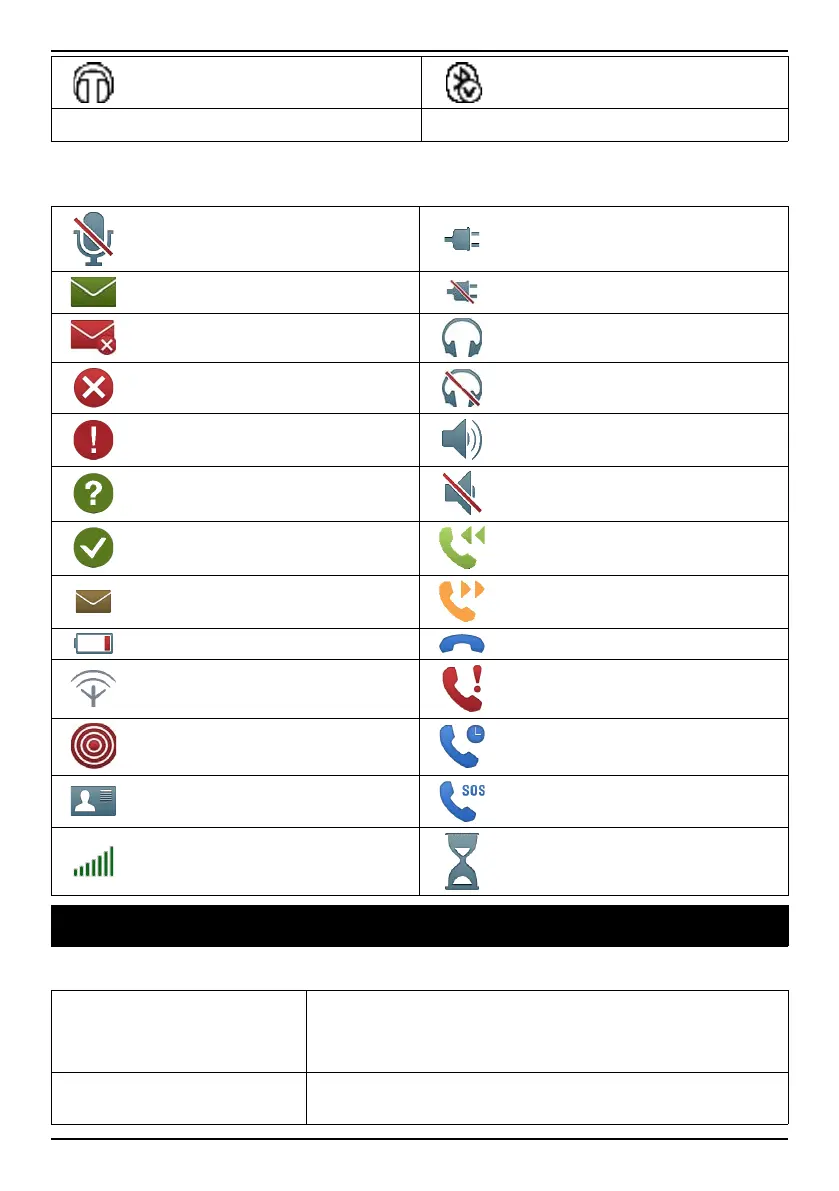
Headset connected Bluetooth connected
5
Unread text message/SMS
Display main symbols
Mute
Charger connected
Message sending success Charger removed
Message sending failed
Headset in
Error
Headset out
Warning
Speaker on
Query
Speaker off
Done (confirmed)
Incoming call
New message
Outgoing call
Battery level low
Call ended
Searching
Missed call. Press Read to
see the missed calls.
Assistance button call Call on-hold
vCard message Outgoing SOS call
Volume control
Processing, please wait
Troubleshooting
Phone cannot be switched on
Battery charge low
Connect the power adapter and charge the bat-
tery for 3 hours. Full battery capacity is reached
after the battery has been charged 3–4 times.
Battery incorrectly
installed
Check the installation of the battery.
33



 To Next Page