English
Tip: You can run the start-up wizard later if you want. From standby mode,
press Menu
Settings General Start-up wizard.
Phone indicators
Lights on the phone will:
• Flash green when you have a new message or a missed call. After
reading the new message/missed call, the flashing will stop.
• Flash red when the battery is running low and during charging.
How to navigate the phone
Standby (idle mode)
When the phone is ready to use, and you have not keyed in any characters,
the phone is in standby.
Tip: You can always press
to return to standby.
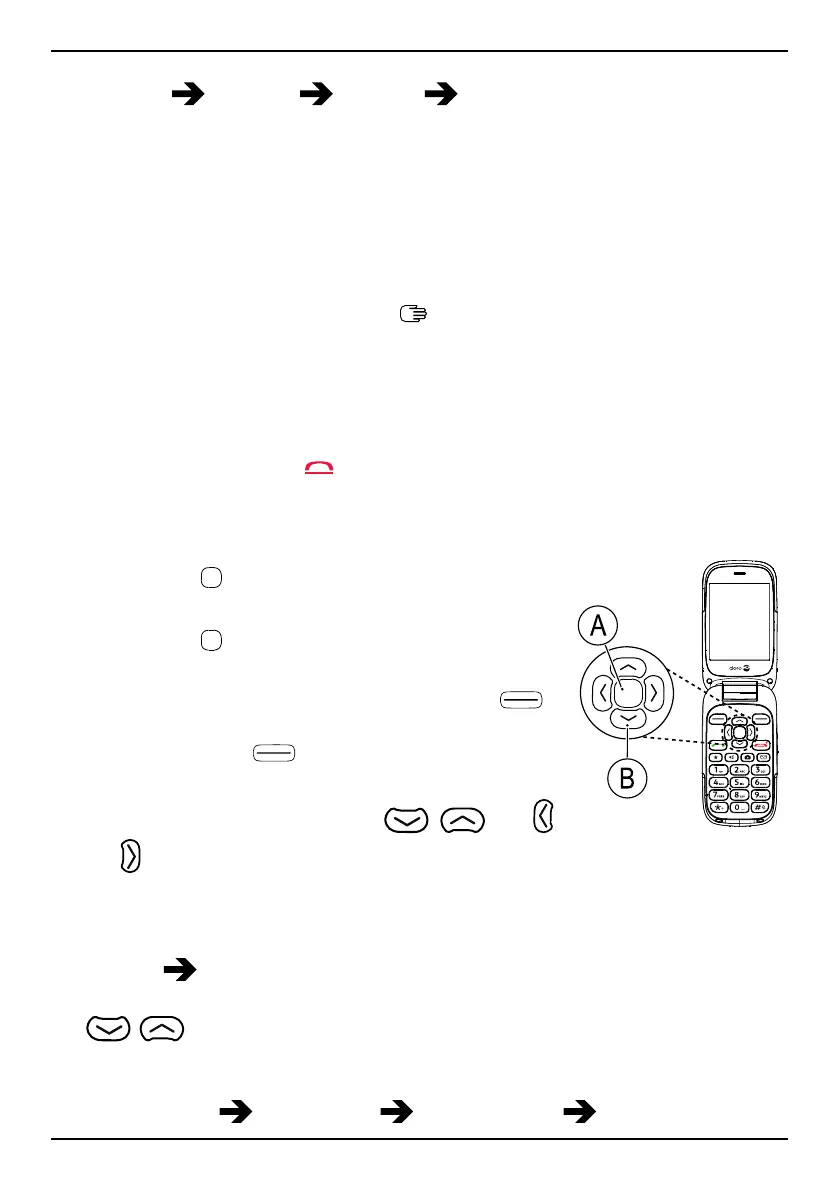
Navigation buttons
• Press (A)
to confirm.
• Alternatively press selection button OK.
• Press (A)
from standby to open the phone
menu.
• Alternatively press left selection button
Menu to access the phone menu or right se-
lection button
Name to access your
saved contacts in the phonebook.
• Press the arrow buttons (B)
, and
, to scroll and to select.
Step-by-step instructions
The arrow ( ) indicates next action in step-by-step instructions. To con-
firm an action, press OK. To select an item, scroll or highlight the item us-
ing
/ and then press OK.
Example:
• Press Menu
Phonebook -New contact- Add.
4



 To Next Page