English
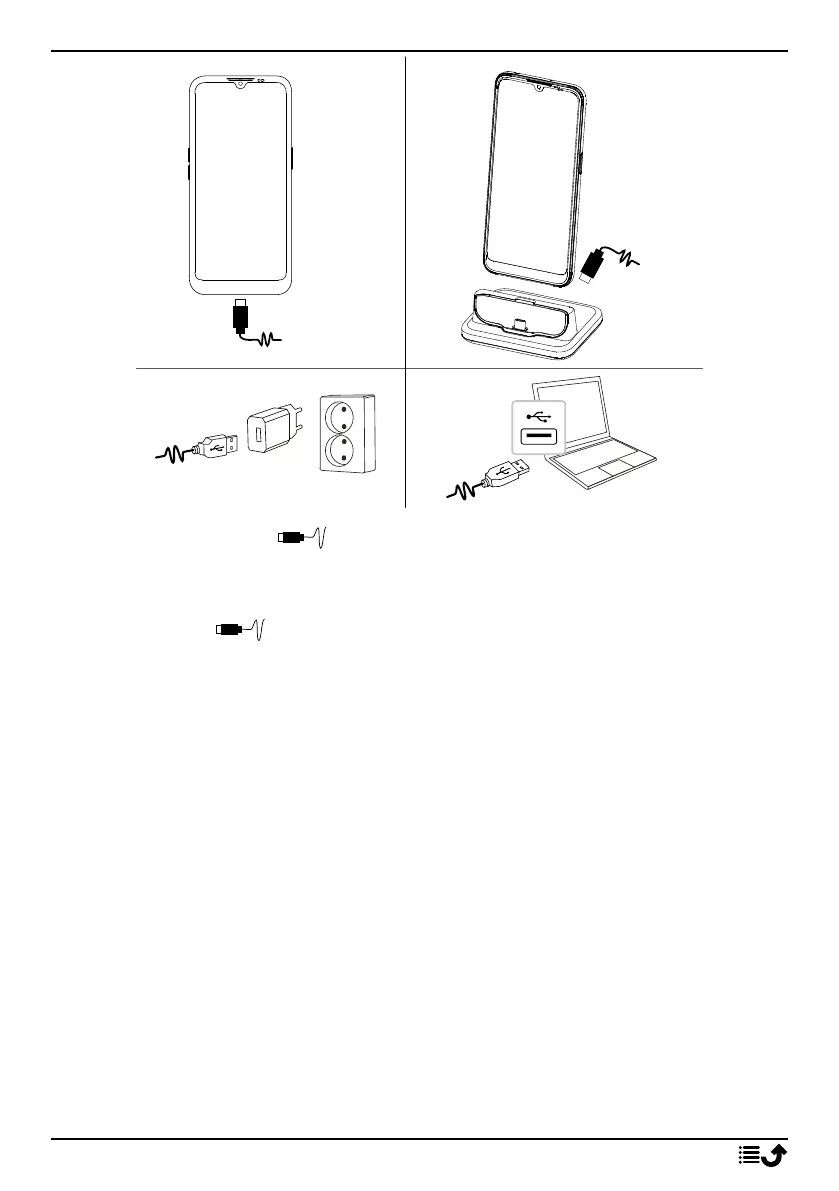
A. Insert the small end of the included USB cable into the charging
port on the phone.
B. If included, you can charge the phone using the charging cradle. Insert
the small end of the included USB cable into the charging port on
the backside of the cradle and place the phone in the cradle.
C. Insert the other end of the included USB cable into the wall charger that
you plug into to a wall socket.
D. You can also plug the included USB cable into a USB port on your com-
puter. Generally charging is quicker if plugged into the wall socket.
If the phone is turned off during charging, the phone is still charging. Press
the Power button to view charging status.
Save energy
When you have fully charged the battery and disconnected the charger
from the device, unplug the charger from the wall socket.
5



 To Next Page