EasyManua.ls Logo

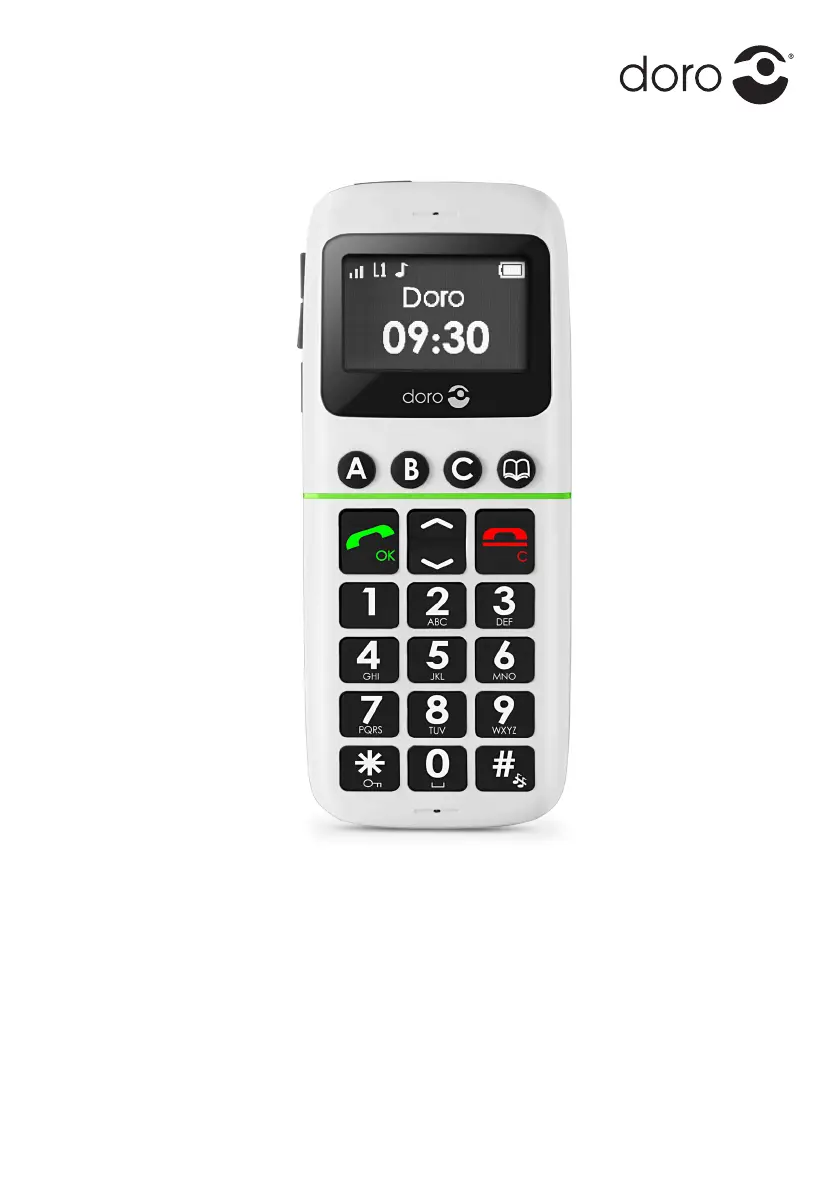
Doro PhoneEasy 338gsm - User Manual

Doro PhoneEasy 338gsm
136 pages
Print Icon
To Next Page IconTo Next Page
Loading...
Doro PhoneEasy
®
338gsm

Table of Contents

Other manuals for Doro PhoneEasy 338gsm

Questions and Answers

  • D
    David WestSep 9, 2025
    What to do in case of regional problem from bad network relay on my Doro PhoneEasy 338gsm?
    • L
      Lisa RobertsSep 9, 2025
      If you suspect a regional problem from a bad network relay on your Doro Cell Phone, hang up and redial. This may switch to another network relay.
  • T
    tonya42Aug 23, 2025
    What to do if my Doro Cell Phone is failing to add a contact?
    • L
      Lori WashingtonAug 23, 2025
      If you are unable to add a contact to your Doro Cell Phone, it is possible that the phonebook memory is full. To fix this, delete some contacts to free up memory.
  • M
    Mario BowenAug 25, 2025
    How to reinstall SIM card on my Doro PhoneEasy 338gsm Cell Phone?
    • A
      Alexander EstesAug 25, 2025
      If your Doro Cell Phone's SIM card is incorrectly installed, check the installation of the SIM card. Remove the card and reinstall it.
  • D
    David TaylorAug 27, 2025
    Why is my Doro PhoneEasy 338gsm failing to connect to the network?
    • J
      Joseph RosalesAug 27, 2025
      If your Doro Cell Phone is failing to connect to the network, it could be due to a few reasons. The SIM card might be invalid, in which case you should contact the network operator. Alternatively, there may be no GSM service coverage in your area, so you should contact the network operator to confirm. A weak signal could also be the cause.
  • B
    brandonmarquezAug 27, 2025
    What to do if my Doro PhoneEasy 338gsm doesn't accept the PIN code?
    • L
      Laura MartinAug 27, 2025
      If the PIN code is not accepted on your Doro Cell Phone, it's likely because the wrong PIN code was entered too many times. To resolve this, enter the PUK code to change the PIN code, or contact your network operator for assistance.
  • W
    William LeeAug 29, 2025
    How to fix low battery charge on Doro Cell Phone?
    • S
      stephanielinAug 29, 2025
      If your Doro Cell Phone indicates a low battery charge, connect the power adapter and charge the battery for 12 hours.
  • F
    faulknervalerieSep 17, 2025
    How to stop echo or noise on Doro Cell Phone calls?
    • N
      Nancy Henderson MDSep 18, 2025
      If you experience echo or noise during calls on your Doro Cell Phone, it may be due to a regional problem with a bad network relay. Try hanging up and redialing; this may switch you to another network relay.
  • W
    watsonlisaSep 18, 2025
    Why is my Doro PhoneEasy 338gsm Cell Phone failing to set a function?
    • Z
      zroseSep 18, 2025
      If you are experiencing a failure to set a function on your Doro Cell Phone, it could be that the function is not supported or subscribed to by your network. In this case, contact the network operator.
  • K
    Kenneth NorrisSep 8, 2025
    What to do if SIM card is dirty on my Doro Cell Phone?
    • S
      Stephanie PhillipsSep 8, 2025
      If your Doro Cell Phone's SIM card is dirty or damp, wipe the contact surfaces of the SIM card with a clean cloth.
  • D
    Diana MerrittSep 4, 2025
    What to do if my Doro PhoneEasy 338gsm Cell Phone phonebook memory is full?
    • L
      leonhuntSep 4, 2025
      If your Doro Cell Phone's phonebook memory is full, delete contacts to free up memory.

Summary

Installation

Installing the SIM card and battery

Instructions for inserting the SIM card and battery into the phone.

Charging

Operation

Activating the phone

Steps to turn the phone on/off and handle PIN/PUK codes.

Making a call

Instructions for dialling numbers and ending calls.

Additional functions

Phonebook

Creating, managing, and viewing contact entries.

SOS calls and Emergency Call

Emergency Call key

Using the dedicated key for emergency calls.

SMS messaging

Settings

Emergency

Configuring the Emergency Call key function.

Add a new contact in the numbers list

Adding emergency contacts for the SOS function.

Security settings

Managing SIM lock, phone lock, and auto key lock.

Safety instructions

Pacemakers

Recommendations for users with pacemakers.

Areas with explosion risk

Precautions in potentially explosive environments.

Emergency calls

Important notes on making emergency calls.

Troubleshooting

Phone cannot be switched on

Solutions for power-on issues.

Failure to charge the battery

Troubleshooting battery charging problems.

SIM card error

Troubleshooting SIM card detection and validity issues.

Failure to connect to network

Solutions for network connectivity problems.

Care and maintenance

Doro PhoneEasy 338gsm Specifications

General IconGeneral
Network TechnologyGSM
2G bandsGSM 900 / 1800
SIMMini-SIM
Card slotNo
PhonebookYes
Call recordsYes
LoudspeakerYes
3.5mm jackNo
MessagingSMS
RadioFM radio
GamesYes
GPSNo
JavaNo
Battery TypeRemovable Li-Ion 800 mAh battery
CameraNo
ColorsBlack
Display TypeTFT
Alert typesVibration; Polyphonic ringtones

Related product manuals