MACHINE FOR BINDING BANKNOTES AND SECURITIES (BANDING MACHINE) DORS 500
9
6. In case there is no loop on the devi
ce, nL X (where 'X' is the number of
the setting in agreement with which
the loop will be created) is displayed
after switching the device on. To
create the loop press button
"START". If it is necessary to chan
ge the setting before creating the
first loop, press the "SELECT" but
ton, as a result the device will switch
over in a HAND mode, then change
the setting for the required one (see
section "OPERATION MODES").
Note
: a loop may be produced
during the operation by pressing
the button "SELECT" and then
button "START".
7. Place a pack (a bundle, a stack)
inside the loop.
8. Put down the pack (the bundle, the
stack) on the table surface so that
it rested on the back and side stops.
A PACK (A BUNDLE, A STACK)
SHALL BE LEVELED IN A STRICT
ACCORDANCE TO THE STOPS;
THIS DETERMINES THE QUALITY
OF PACKING.
9. In case the "AUTO" mode has been
selected, the process of wrapping
will start after covering of proxim
ity sensors No. 1 and No. 2. To
start wrapping in the "HAND"
mode, press the button "START".
In the course of wrapping the
ready indicator isn't alight, there is
displayed "PAC" (packing) on the
control panel.
Note
: The unit may operate in the
binding mode with only one edge
sensor locked. This allows binding
the edges immediately next to
one of the edges.
10. As soon as wrapping is completed,
a sound signal is heard and there
flashes "rd" (ready) on the con
trol panel. Make a pull movement
to take off the pack (the bundle,
the stack) from the rotary grip.
WHEN TAKING
OFF THE WRAPPED OBJECTS
OF A MAXIMUMSIZE,
FOR EXAMPLE,
A STACK OF A4 SHEETS,
HOLD SLIGHTLY THE LOOP
ON THE OBJECT WITH TWO HANDS.
11. As soon as proximity sensor No. 2
opens, the new loop shall be pro
duced and it will be possible to
wrap a new pack (a bundle, a
stack). The process of a new loop
creation being over, the readiness
indicator lights continuously.
12. The work being completed, switch
off the device power switch.
HIGH ILLUMINATION MAY CAUSE
THE "nL" ("NO LOOP") MESSAGE
TO BE DISPLAYED EVEN WHEN
THE LOOP IS THERE. THIS HAPPENS
AS A RESULT OF THE SENSOR LIGHT
OVEREXPOSURE. IN THIS CASE,
PRESS "SELECT" TO SWITCH
TO THE OPERATE MODE.
MACHINE FOR BINDING BANKNOTES AND SECURITIES (BANDING MACHINE) DORS 500
8
OPERATION
1. Use a power cord to connect the
device to the power network.
2. Install the loop holders 6 (Fig. 1)
into the corresponding cutouts in
table 4 (Fig. 1).
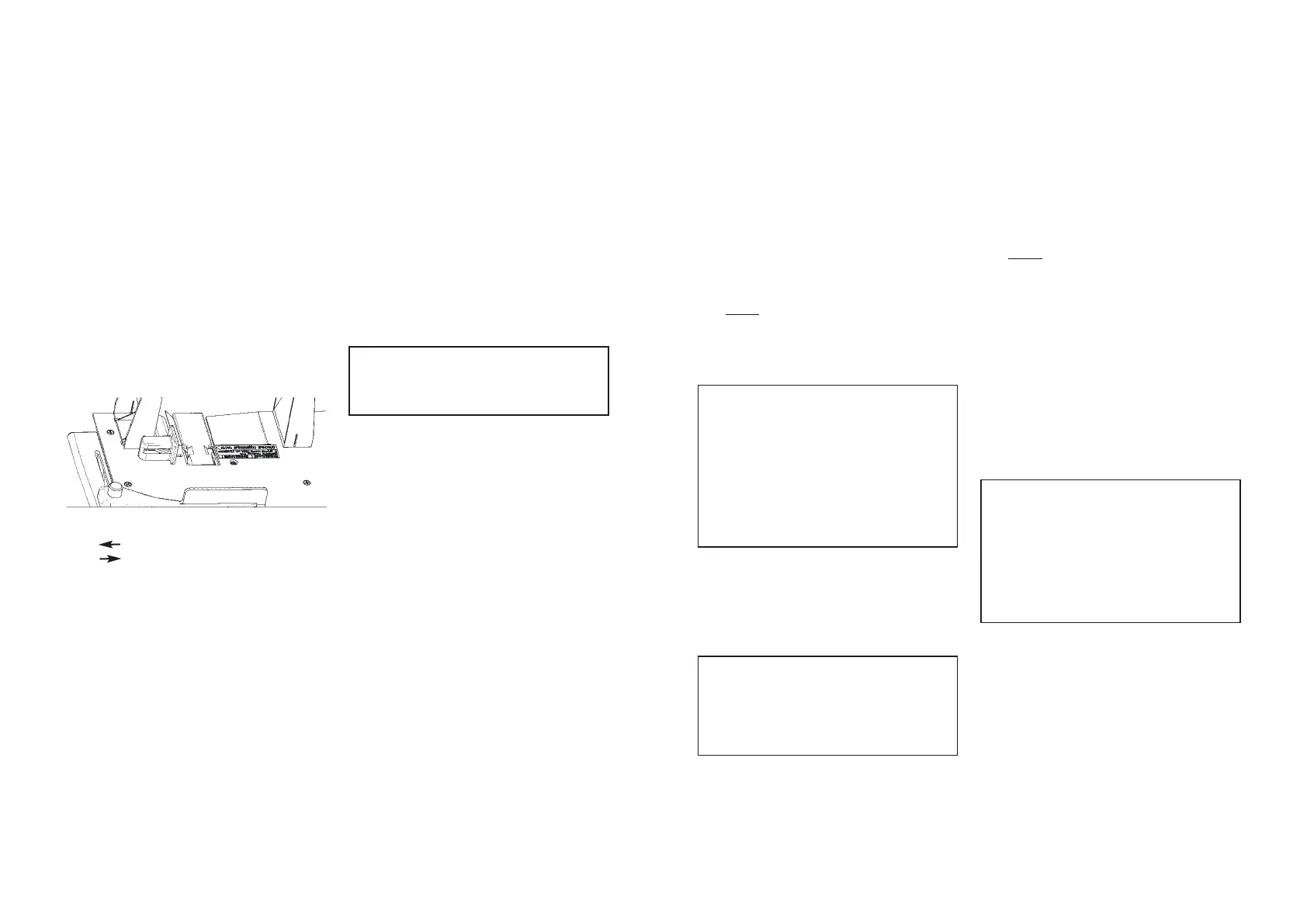
3. Install rear guide 7 (Fig. 1) into the
designated slot of tray 4 (Figure
1), secure the guide with screw 9
as fitting the batch size. Loosen
side guide nut 8 (Fig. 1), install the
side guide as fitting the batch size
and tighten it with a nut. The side
guide position determines the
batch retention strength;
4. Install the binding tape. In order to
do it:
a. make a pull movement to
open front cover 14 (Fig. 1);
b. remove the cover of roll 7
(Fig. 6);
c. open path 5 (Fig. 5, 7) reloca
ting down the lifter of roller 3
(Fig. 5, 7);
d. cut a jammed or uneven tape
edge across at the 90
o
angle.
Install roll 6 (Fig. 6, 7) onto
axis 1 (Fig. 5);
e. pass the tape around tensio
ner 2 (Fig. 5, 7), here the tape
shall face the tensioner with
its marked side;
f. place the tape in path 5 (Fig. 5, 7),
here the tape edge shall overlap
the sensor of tape end 4 (Fig. 5);
g. close path 5 (Fig. 5, 7) relocating
up the lifter of roller 3 (Fig. 5, 7);
h. fix roll 6 (Fig. 6, 7) with roll
cover 7 (Fig. 6);
i. close front cover 14 (Fig. 1).
CLOSE THE FRONT COVER
FROM THE RIGHT SIDE TILL YOU
HEAR A TYPICAL CLICK.
5. Switch on the device power switch.
The device warmup time shall not
exceed 5 seconds, the process of
selfchecking is simultaneous with
displaying the caption with the
software version number. If any of
the tests is failed, there is a diag
nostics message indicating the er
ror type and its description instead
of the caption (see section "ERROR
CODES AND DIAGNOSTIC MESSA
GES"). If selfchecking has been
successfully completed, there is
heard a sound signal and the devi
ce switches to the mode of manual
start "HAND" (see section "OPERA
TION MODES") the indicator dis
plays "nL X" where Х is the con
figuration setting number. If it is
necessary, the automatic start mo
de may be switched on by pressing
the button "AUTO".
The side guide position:
retention strength higher
retention strength lower


 To Next Page
 Loading...