MACHINE FOR BINDING BANKNOTES AND SECURITIES (BANDING MACHINE) DORS 500
11
holder shall be set in the left end posi
tion).
Settings 4 to 8 the user's settings, in
which probably to change parameters.
FOR BETTER TAPE (ROLL)
PHYSICAL STATE MONITORING
OF A REPLACEMENT TAPE (ROLL) TYPE,
SELECT APPROPRIATE BINDING MODE
(HUMIDITY, ADHESION, DENSITY, etc.)
The right display digit shows the
setting number (for example, "H 1"
a manual mode, setting No. 1; "A 2"
an automatic mode, setting No. 2). To
change the number of the setting
used at wrapping in a manual or auto
matic mode, use buttons +/. Table 1
contains the setting parameters (see
table 2 for the description of the
parameters).
The current mode ("AUTO"/"HAND")
and the setting number are displayed
during binding.
3. Pressing the "SELECT" button calls
the "SET" mode and affords to
change some parameters of the
device operation (table 2).
There are three main modes of the de
vice operation:
1. Mode "HAND" is set just after
switching on the device or after
pressing the button "AUTO" (if
the device was in the "AUTO" mo
de). In this case, the left display
digit will show "H" symbol.
In this mode, to start wrapping at
the correctly placed pack (bundle,
stack), press the "START" button.
2. To call the "AUTO" mode, press
the "AUTO" button. Here the left
display digit will show "A" symbol.
In this mode, wrapping starts au
tomatically at the pack placed cor
rectly (bundle, stack).
When wrapping the packs (bundles,
stacks) of different sizes, there may
be selected one of 3 presets of the de
vice in the "HAND" and "AUTO" modes:
Setting 1 wrapping of the single
narrow packs.
Setting 2 wrapping of bundles (10
packs).
Setting 3 wrapping of the objects of
the maximum size (here the left loop
OPERATION MODES
MACHINE FOR BINDING BANKNOTES AND SECURITIES (BANDING MACHINE) DORS 500
10
1
6
7
3
4
2
2
3
5
4
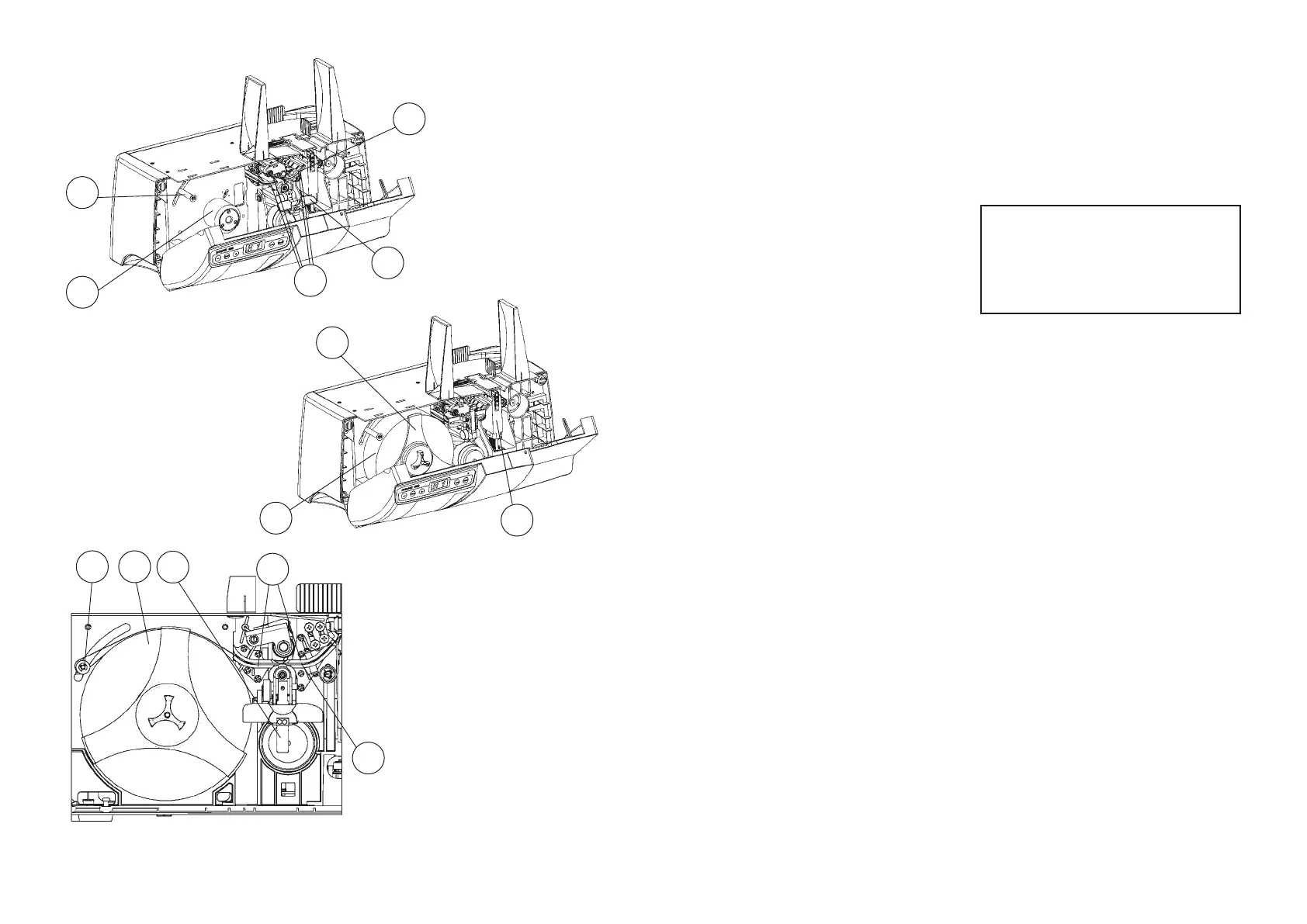
Fig. 6
Fig. 7
6
5
3
Fig. 5


 To Next Page
 Loading...