OPERATION:
SERVICE FLOW: Water drawn down stream from the injector will automatically cause the injec-
tor to “click” and inject the set amount of solution into the water line. The higher the ow rate the
more frequent the clicking, as the injector is designed to inject solution at the same set ratio irre-
gardless of water ow.
Water ow and pressure must be within the established specications. See the specication section
on page 13 for your model.
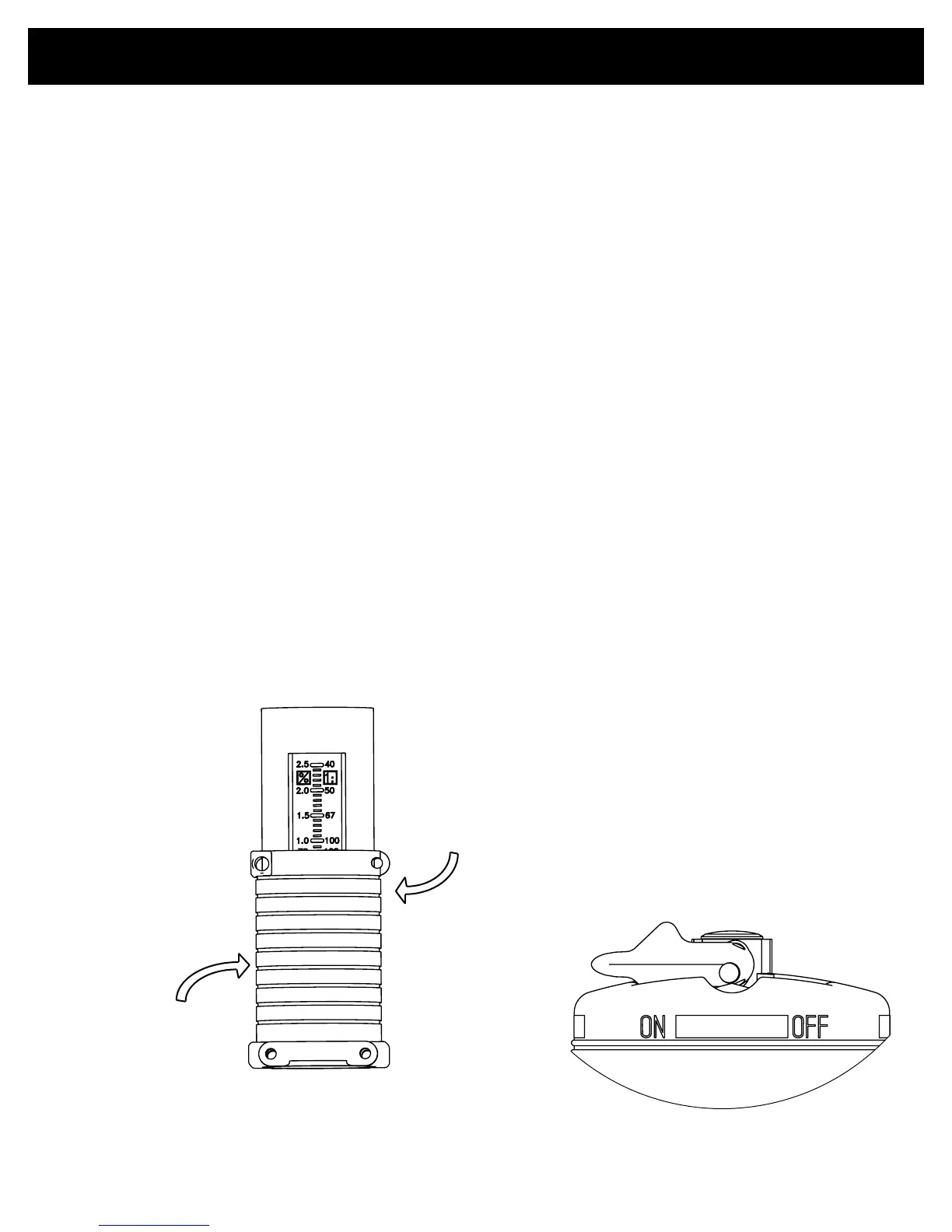
CHANGE FEED RATE: The feed rate on the injector is adjustable EVEN WHILE OPER-
ATING AND UNDER PRESSURE. Rotate the “Ratio Adjustment Sleeve” (61) to change the
solution injection ratio. See g. 5,. The setting indicator mark in the sleeve opening indicates the
approximate ratio of injection setting. Check outlet water for chemical to assure desired feed rate is
being delivered.
NOTE: Do not screw Ratio Adjuster below lowest setting line on decal. This can cause the injector
to lock.
BYPASS OPERATION: Injecting solution into the water line can be TEMPORARILY stopped
with the optional bypass feature. Moving the “Bypass Lever” to the “OFF” position allows service
water to pass through the injector without injecting chemical. With the bypass lever set on the “ON”
position the injector will operate as normal and “clicking” will be heard when water is owing. It is
recommended to use the three valve bypass valves in Fig. 2, for continued bypassing or servicing of
the injector.
Optional Bypass Lever
Run Position
Setting Indicator
Mark
→
Decrease
Increase
Fig.5
7



 To Next Page