13
6 Electrical Connection
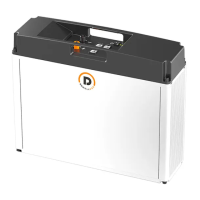
IPack C6.5 can work in single mode and parallel mode. To make the battery work properly, follow the
instructions below to correctly connect it.
This chapter describes how to make cable and wires, and connect one battery and multiple batteries. If you
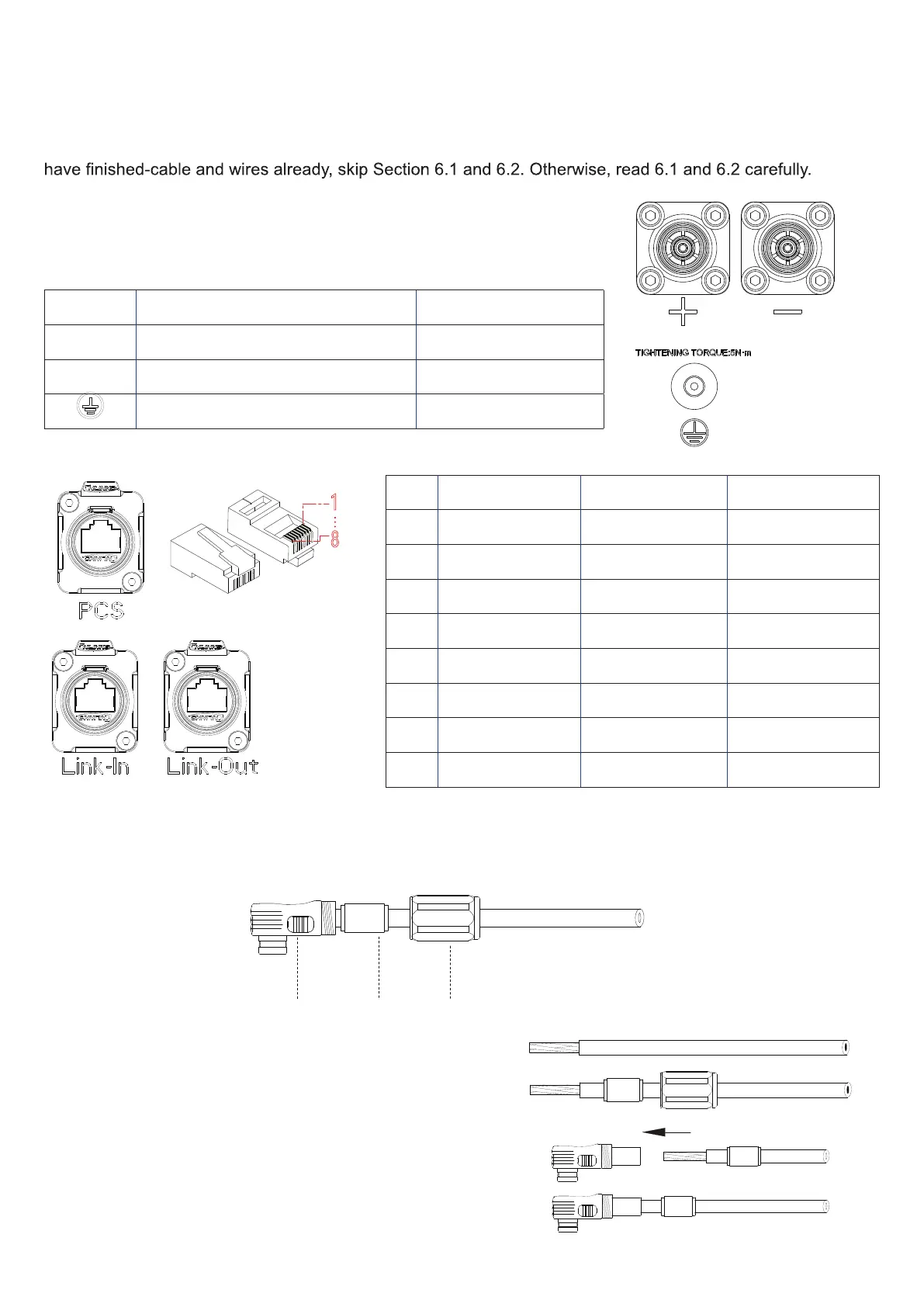
6.1 Power Terminals and Network Ports
Terminal Model Cable Cross-Section
+ Amphenol, C10-752799-010 25 mm²
- Amphenol, C10-752799-110 25 mm²
M6 HEX socket head cap screw 16 mm²
No. PCS Link-Out Link-In
1 PCS-RS485-B PACK-CANH PACK-CANH
2 PCS-RS485-A PACK-CANL PACK-CANL
3 NC/GND-ISO Encode-OUT+ Encode-IN+
4 PCS-CANH GND-ISO GND-ISO
5 PCS-CANL Slave-Last Master-Select
6 NC/GND-ISO GND-ISO GND-ISO
7 PCS-WAKE- GND-ISO NG/GND-ISO
8 PCS-WAKE+ COM-WKP-OUT COM- WKP-OUT
6.2 Prepare Cables
Step 1.
Make power cables.
Sealing
1.
Strip cable sheaths for 20±0.5mm and insert sealing
and sealing nut along the cable.
Orange: positive cable
Black: negative cable
2.
Insert the copper wires all into the joint sleeve.
18
18
18
1
8


 To Next Page