14
3.
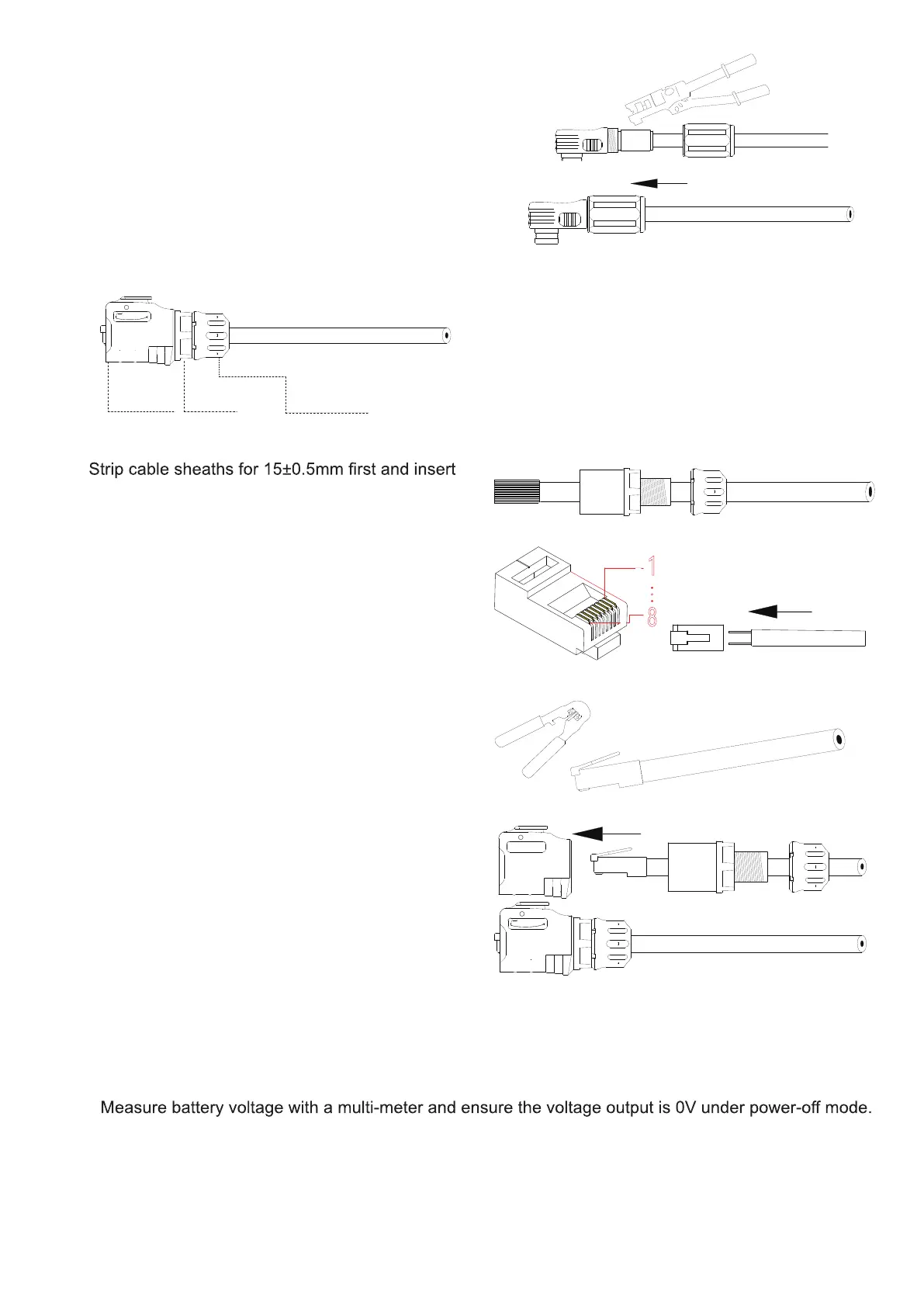
Press connecting part with a hydraulic clamp.
4.
Tighten up sealing, sealing nut and joint sleeve.
Step 2.
Make network cables.
Joint Sleeve
Sealing
Sealing Nut
1.
sealing and sealing nut along the cable.
2.
Insert eight wires into RJ45 plug.
Network cable adopts standard 8-core cable.
Ensure all wires stay well aligned.
For Network Cable B that is used for parallel
connection, ensure that the wire colors are pin-to-
pin consistent at two ends.
1
8
3.
Crimp the RJ45 plug with a wire crimper.
4.
Connect RJ45 plug with joint sleeve, and tighten up
sealing, sealing nut and joint sleeve.
When making Network Cable B, process the other end
in the same way.
6.3 Connect One Battery
Step 1.



 To Next Page