15
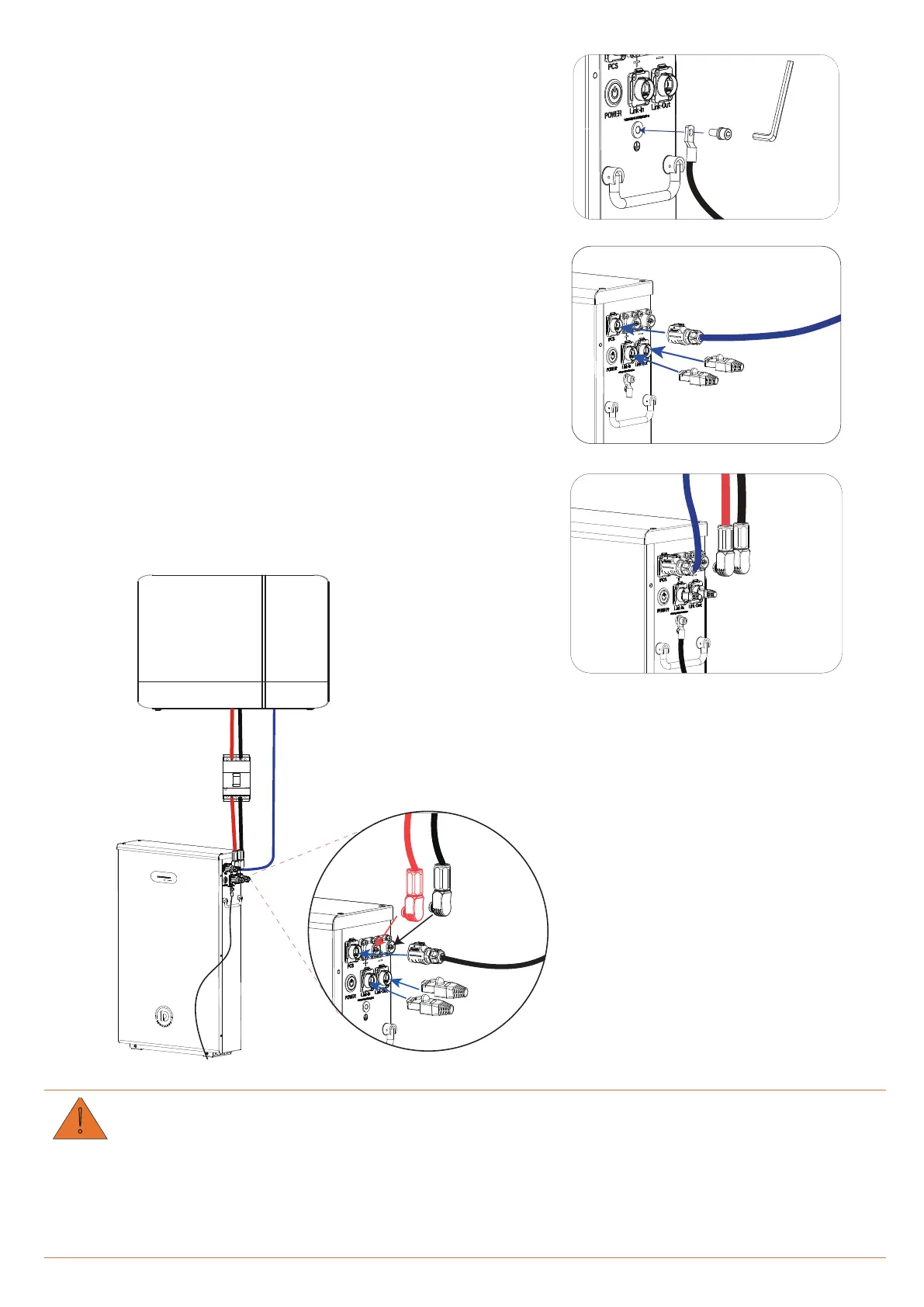
Step 3.
Ground the battery.
Fasten the grounding wire to the terminal of the battery
with an M6 screw.
Step 4.
Connect network cable.
1.
Plug one end of Network Cable A into the PCS port of the
battery and the other end into the network port of PCS.
2.
Insert two terminators into Link-In and Link-Out of the
battery respectively.
Step 5.
Connect power cables.
Plug one end of the power cables into DC breaker, and
plug the other end into the battery terminals.
W
• A manually operating breaker should be installed between battery and PCS to control the main circuit
during installation, wire connection and maintenance.
• The breaker can be operated manually without using any tool and should be located near the battery.
• The distance between battery and the breaker should comply with local regulations.
Terminator
Network Plug
Negative Plug
Positive Plug



 To Next Page