Using Leaf Mode
Fill the Glass Percolator Attachment while removed from the unit with a few ounces of water (test the
attachment before putting it back on the unit to ensure water does not splash into the mouthpiece).
Secure the Glass Percolator Attachment onto the SWITCH glass top.
Be sure the power switch is on the leaf setting (LEAF).
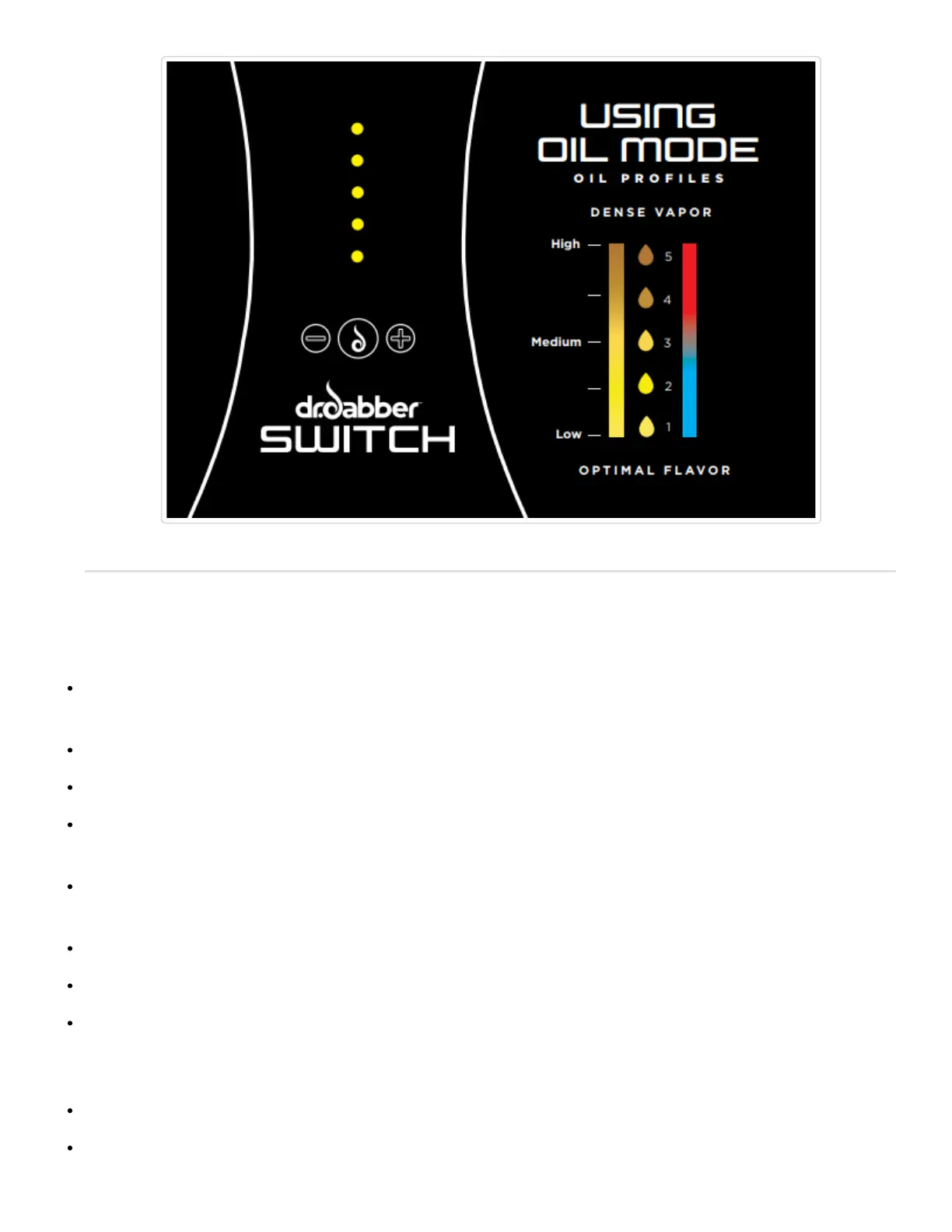
Set to the desired power setting by using the (+) or (-) buttons. 1 GREEN LED is calibrated for maximum flavor
profile and5 GREEN LEDs is calibrated for optimal vapor density.
Fully pack and compress the Ceramic Induction Cup with your leaf material. The Ceramic Induction Cup can
hold approximately 0.35 grams.
Place the Ceramic Induction Cup into the glass top and cover with the Ceramic Leaf Filter. (prongs facing up)
Press the (Go) Button, and place the carb cap atop the Glass Percolator Attachment.
The SWITCH LEDs will escalate Red when heating then turn Green when the unit has reached temperature.
Once the lights turn green, you may use the device.In standard mode the device will hold the heat profile for 15
seconds which is then followed by a cooldown mode indicated by cascading Blue LEDs.
Press the (Go) button at any time to cancel the heating cycle.
When the unit returns to the standby mode it is ready for the next heating cycle.


 To Next Page