Mach LED 150F / 150 / 150FP
59320002 Edition 12 08.08.2018 / Bak We page 8/26
3.
Operating the light MACH LED 150F / 150 / 150FP
3.1
ON/OFF switch
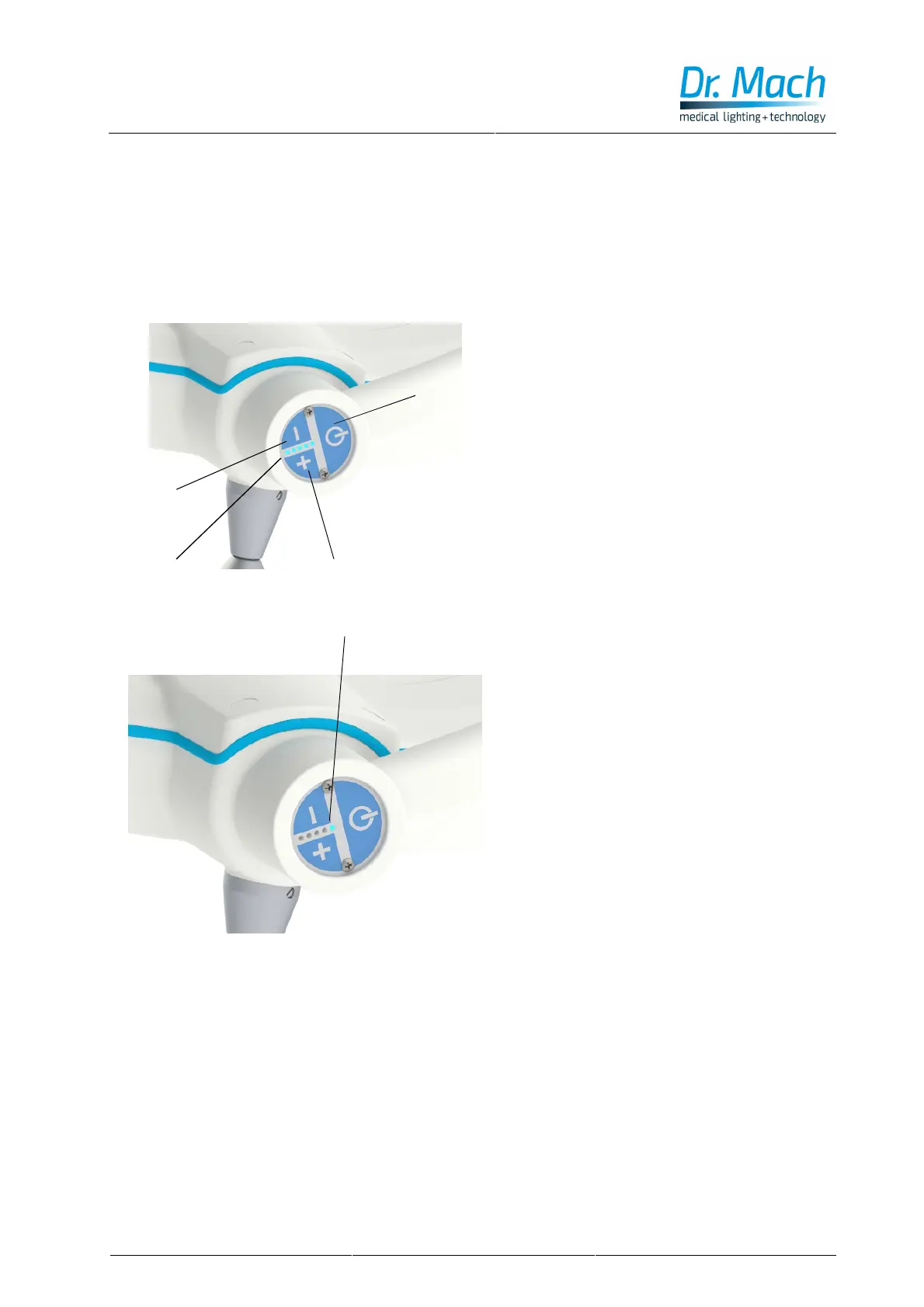
The push button 1 on the control panel turns
the light MACH LED 150F/150/150 FP ON and
OFF.
3.2
Light intensity control
The lights Mach LED 150F/150/150 FP offer the
facility of light intensity control.
The adjustment range of the light intensity is
from 50 % to 100 %.
The light intensity can be adjusted according to
the requirements of the surgeon / physician.
The light intensity can be decreased by
pressing push button 2.
The light intensity can be increased by pressing
push button 3.
The set light intensity is shown by the display 4.
3.3 Endo – Light (Mach LED
150/150F/150FP with 4500 Kelvin)
In case of endoscopic intervention the light of
the OT- lamp with 4500 Kelvin (optional) can be
dimmed.
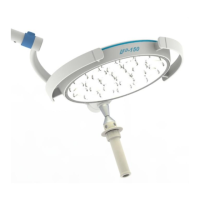
The Endo mode is activated by repeated press-
ing of the – key, until only LED 4 is on. When
pressing the – key again, LED 4 goes off and
LED 5 turns on automatically.
The Endo mode is now active.
This mode can be deactivated by pressing the +
key.
1
2
3
4
5


 To Next Page