UNDERSTANDING THE CONTROL PANEL AND INDICATORS CONNECTING TO AN AC OUTLET
This appliance should be properly grounded for your safety.1.
Plug the appliance directly into an appropriate 120V AC outlet that is properly installed and ground-
ed in accordance with all local codes and ordinances.
2.
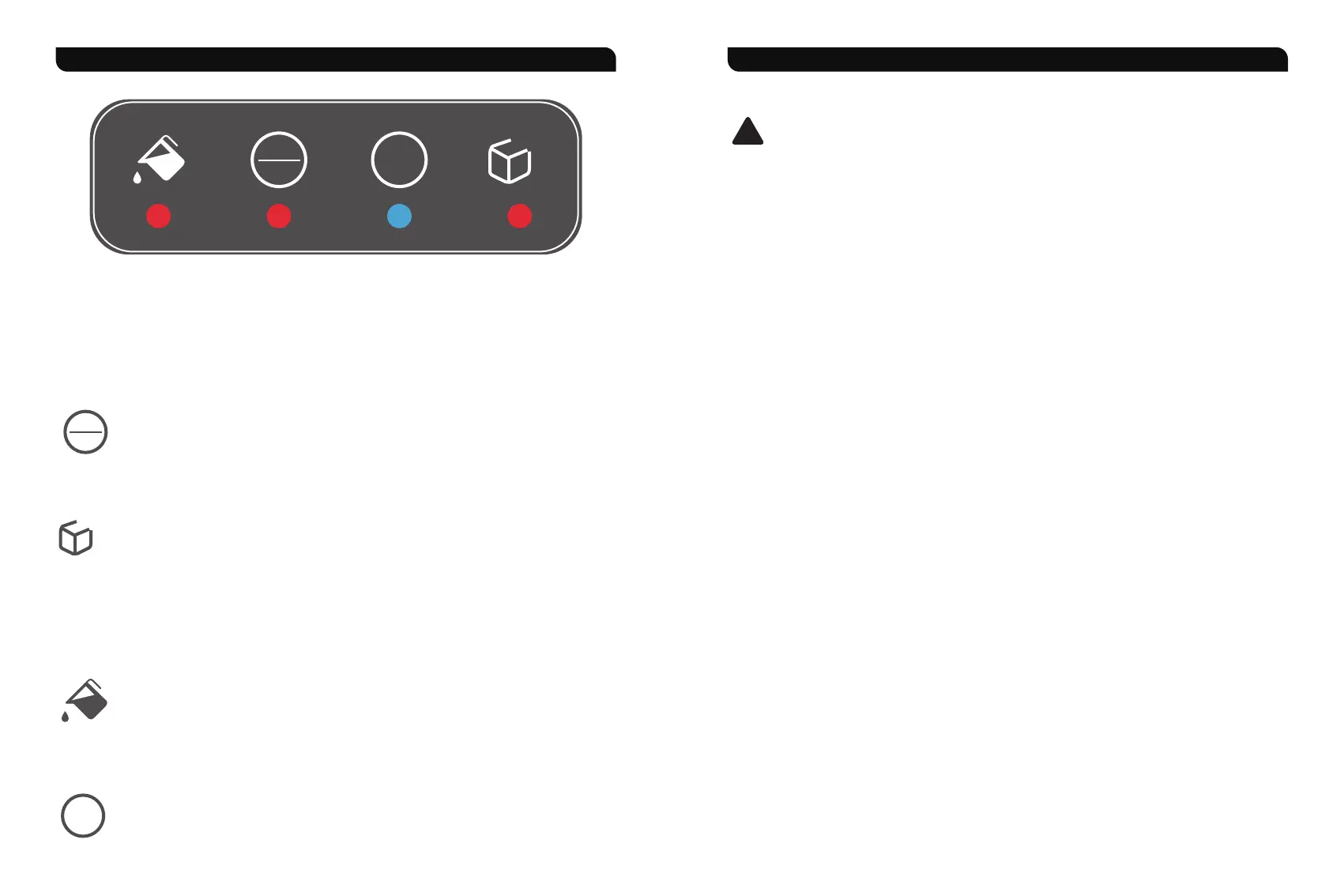
1. Standby Mode
When the ice maker is powered on (plugged into an AC 110-120V/60Hz power socket), all indica-
tors on the control panel will light up for 3 seconds, and then the "ON/OFF" indicator will turn RED
steadily while other indicators are off. The ice maker is in standby mode.
2. Turn ON/OFF
In standby mode, tap the "ON/OFF" power button to turn on the ice maker, and the
"ON/OFF" indicator goes blue. Tap again to shut it off, and the indicator will turn red. At the
same time, the compressor and pump stop working immediately. Around 30 seconds later,
the ventilating fan stops working, and 60 seconds later, the extrusion motor stops working.
3. Ice Full
A. When the infrared probe continuously detects ice particles or other objects blocking its
path for more than 5 minutes, it enters the "Ice Full" protection program, and the "Ice Full"
indicator turns red.
B. When no object is detected continuously for more than 30 seconds, the "Ice Full" protec-
tion program will be unlocked, the indicator will go off, and the ice maker will automatically
start working again.
4. Add Water
When the "Add Water" indicator lights up, the ice maker will automatically turn off, and you
need to refill water into the water reservoir below the ice bin, and then tap the power button
twice to restart the ice production process.
5. Clean (Self-Cleaning)
In power-on standby mode, tap the "CLEAN" button once, the ice maker enters the
self-cleaning program and lasts for 5 minutes, and the indicator lights blue. During the
self-cleaning process, tap the "CLEAN" button again to stop and then go back to standby
mode.
Improper use of the grounded plug will result in the risk of electrical shock. If the power cord
is damaged, please do not attempt to use the appliance, and contact the customer service
team for assistance.
!
CLEAN
ON
OFF
FULL
CLEAN
ON
OFF
FULL
- 07 - - 08 -


 To Next Page