EasyManua.ls Logo

Dräger Alcotest 5510 - User Manual

Dräger Alcotest 5510
20 pages
Print Icon
To Next Page IconTo Next Page
Loading...
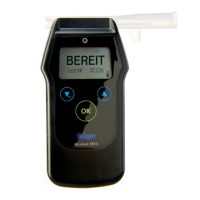
Dräger Alcotest
®
5510
Breath Alcohol Monitor
Instructions for Use
WARNING
Strictly follow the Instructions for Use.
The user must fully understand and strictly
observe the instructions. Use the product
only for the purposes specified in the
Intended use section of this document.
!
i

Questions and Answers

  • M
    Micheal WilliamsAug 16, 2025
    Why does my Dräger Alcotest 5510 device switch off automatically?
    • R
      Ryan HutchinsonAug 16, 2025
      Your Dräger Test Equipment device may be switching off automatically because it has been ready to measure for longer than 4 minutes, in which case you should switch the device back on. Alternatively, the rechargeable batteries may be drained; in this case, replace the batteries.
  • M
    Michelle BrownAug 19, 2025
    How to fix the Dräger Alcotest 5510 error message "Calibration Test incorrect"?
    • J
      Jennifer BrownAug 19, 2025
      If your Dräger Test Equipment displays the error message 'Calibration Test incorrect', it means the calibration test was not successful. Repeat the calibration test.
  • M
    Michael OlsonAug 22, 2025
    What to do if Dräger Test Equipment shows accuracy check error?
    • N
      Nicole RivasAug 22, 2025
      If the Dräger Test Equipment displays an accuracy check error, repeat the accuracy check. If the error persists, contact DrägerService.
  • S
    Susan JacksonAug 26, 2025
    What to do if Dräger Test Equipment does not power up?
    • C
      Christine OsborneAug 26, 2025
      If your Dräger Test Equipment doesn't power up, the batteries may be discharged. Insert new batteries.
  • W
    Walter DayAug 28, 2025
    Why does Dräger Test Equipment switch off automatically?
    • L
      levinejustinAug 28, 2025
      The Dräger Test Equipment might switch off automatically because the batteries are discharged. Replace the batteries.
  • H
    hillrachelAug 31, 2025
    What to do if my Dräger Test Equipment device cannot be switched on?
    • J
      Jacob GrayAug 31, 2025
      If your Dräger Test Equipment device won't switch on, the batteries may be discharged. Try inserting new batteries or charging the existing ones.
  • J
    jonesbrittanySep 3, 2025
    What to do if Dräger Alcotest 5510 shows insufficient volume / sample invalid?
    • B
      bthomasSep 4, 2025
      If your Dräger Test Equipment displays 'insufficient volume / sample invalid', the test subject may be blowing intermittently or not hard enough. Ensure the test subject blows with more force and without interruption.
  • K
    Kevin PhillipsSep 6, 2025
    Why does the menu exit automatically on my Dräger Alcotest 5510?
    • L
      Lisa NewtonSep 6, 2025
      The menu on your Dräger Test Equipment automatically exits because the device automatically jumps to the measuring function after 120 seconds. To continue using the menu, simply select the menu item again.
  • J
    jesse59Sep 9, 2025
    What to do if Dräger Test Equipment shows insufficient volume/sample invalid?
    • J
      Joan ChambersSep 10, 2025
      If the Dräger Test Equipment indicates insufficient volume or an invalid sample, it could be that the test subject is not breathing continuously or vigorously enough. Ask them to blow harder and more evenly.
  • K
    Kristen BeanSep 12, 2025
    Why does Dräger Test Equipment leave menu-mode automatically?
    • K
      kmendozaSep 12, 2025
      The Dräger Test Equipment automatically switches off the menu after 120 seconds of inactivity and returns to measuring mode. Reselect the menu item to continue.

Summary

Important Safety and Warning Information

Product Warning

Strict adherence to instructions is mandatory to prevent serious injury or device damage.

For Your Safety

General Safety Notes

Key safety guidelines for using the device and adhering to regulations.

Definitions of Alert Icons

Explains the meaning of WARNING, CAUTION, and NOTICE icons used in the document.

Product Description

Product Overview and Components

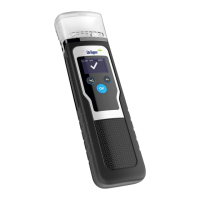
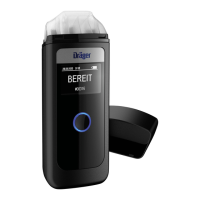
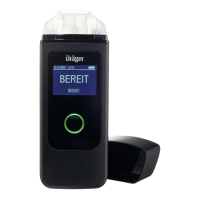
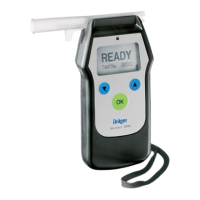
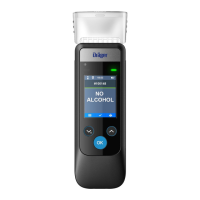
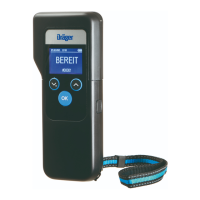
Visual identification of the Dräger Alcotest 5510 device and its included parts.

Intended Use and Device Symbols

Specifies the device's purpose and explains its symbols, keys, and display indicators.

Device Usage

Prerequisites for Operation

Conditions required for accurate measurement, including ambient air and waiting periods.

Battery Installation and Replacement

Instructions for safely installing and changing batteries, with important cautions.

Attaching Quick Guide and Wrist Strap

Guidance on affixing the Quick Guide to the casing and attaching the wrist strap.

Mouthpiece Attachment and Device Power

Steps for hygienically attaching a mouthpiece and powering the device on/off.

Performing Automatic Measurements

Detailed steps for conducting an automatic breath alcohol measurement.

Continuing Measurements and Sample Errors

Procedures for subsequent measurements and troubleshooting common breath sample errors.

Additional Sampling Options

Overview of passive and manual sampling methods for different scenarios.

Quick Menu and Device Faults

Quick Menu Navigation and Operation

How to access and use the quick menu for device functions and settings.

Device Faults and Error Messages

Information on error messages and system faults encountered with the device.

Troubleshooting

Common Device Faults and Solutions

Common faults, their causes, and recommended remedies for device issues.

Maintenance and Disposal

Maintenance, Cleaning, and Storage

Guidelines for routine maintenance, cleaning, and proper storage of the device.

Calibration Procedures

Information regarding device calibration procedures and recommended frequency.

Product and Battery Disposal

Instructions for environmentally responsible disposal of the device and batteries.

Technical Data

Measuring Principles and Accuracy

Detailed technical specifications including measuring principles, ranges, and accuracy.

Operating and Sample Conditions

Environmental operating conditions and sample requirements for the device.

Device Readiness and Power

Times for device readiness and details on electrical supply and battery usage.

Dimensions, Weight, and Calibration Interval

Physical specifications of the device and its calibration interval.

Order List

Device Models and Accessories

Catalog of available device models, accessories, and calibration supplies.

Dräger Alcotest 5510 Specifications

General IconGeneral
TypeBreathalyzer
Resolution0.01 mg/L
Sensor TypeElectrochemical fuel cell
Operating Temperature-5 °C to +50 °C
Storage Temperature-20°C to 60°C
Humidity Range10 to 95% RH, non-condensing
Power SupplyRechargeable battery
DisplayLCD
InterfaceUSB
PrinterOptional

Related product manuals