Operation
87
Operating Instructions Caleo, Software 2.n
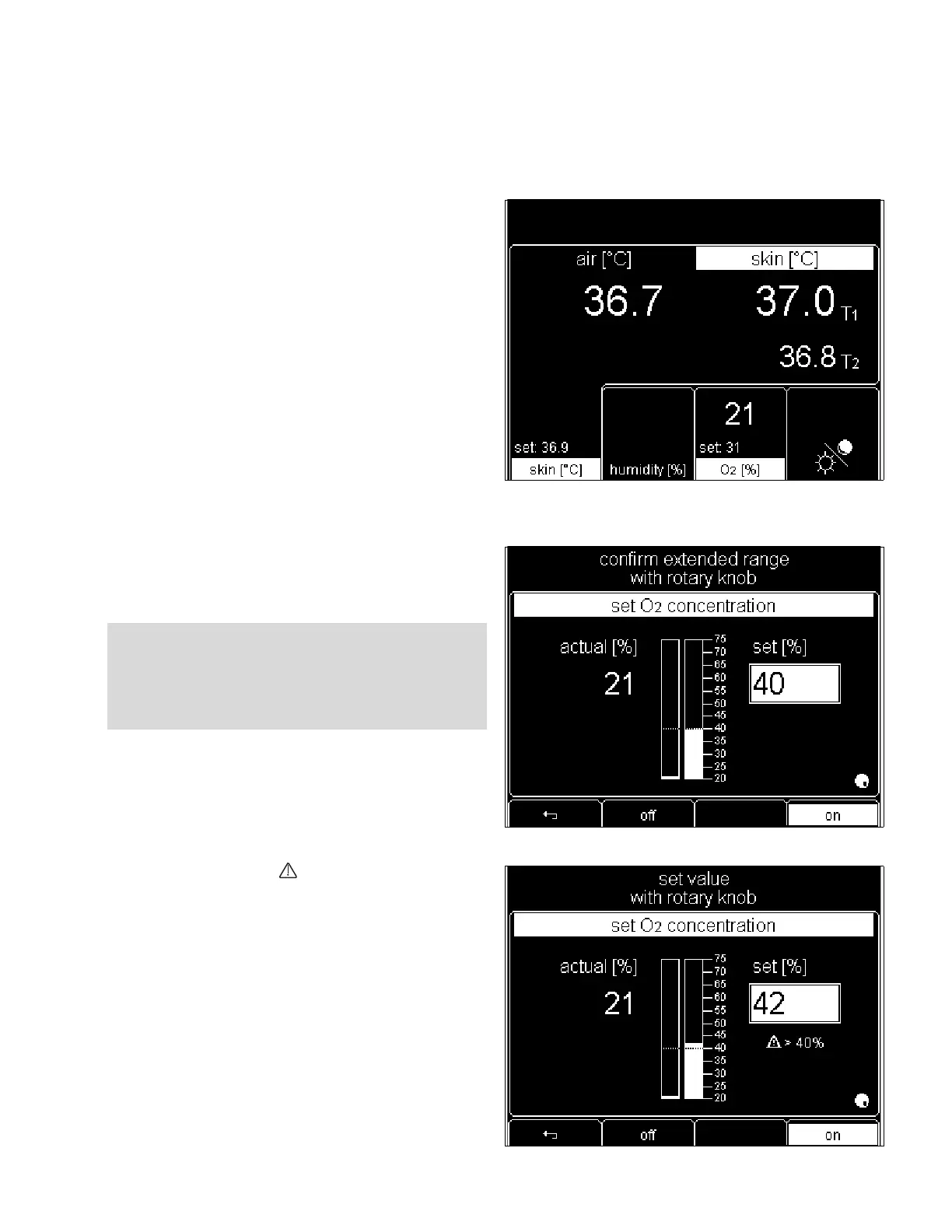
Using O2 Control
– The display returns to the standard screen. Current
measured values and setpoints are displayed.
If value to be set exceeds the standard range:
– The following message is displayed at the top of the screen
»confirm extended range with rotary knob«.
z Press rotary knob to confirm extended setpoint range.
z Turn rotary knob clockwise to continue increasing the
setpoint.
– The advisory message » >40 %« appears on screen.
– The following message appears at the top of the screen
»set value with rotary knob«.
z Press rotary knob to confirm setpoint.
WARNING !
Always keep in mind the physiological risks and fire
hazards associated with the use of high O
2 concentra-
tions.












 To Next Page