476 Issue date: 17 November 2006 40 of 80
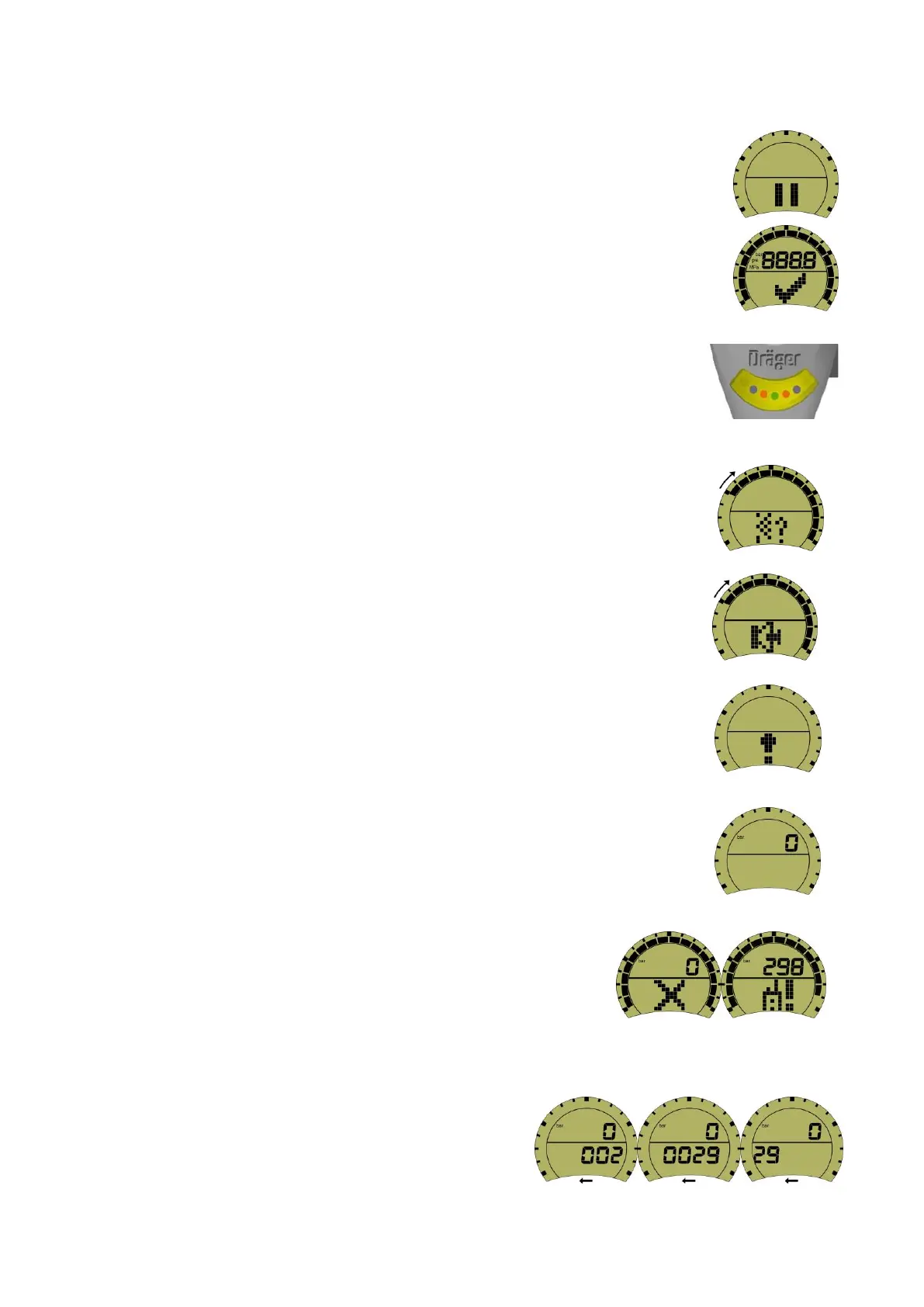
19.6 The initial short first display (see image right).
19.7 Quickly changes to the full ‘LCD check’ icon (see image right).
19.8 The display backlight will momentarily illuminate and the blue, red, and single
green LEDs in the lower display cluster will also momentarily illuminate (see
image right).
Note: during each sequence the outer radial segments will initially illuminate and then begin to
switch off clockwise.
19.9 When all the segments have switched off, the display will change to ‘leak test’
icon (see image right).
Set reduced volume mode:
19.10 When all the segments have switched off, the display will change to ‘reduced
volume’ icon. When the ‘reduced volume’ icon appears the wearer should first
press the left button followed by the right button to confirm this setting (see
image right).
19.11 When all the segments have switched off, the display will change momentarily
to ‘automatic (motion sensor) DSU not active’ icon (see image right).
19.12 The display will then quickly change to ‘non-operational mode’ (see image
right).
Note: the display of an ‘X’ or ‘telemetry fault code’ icon alerts the
user that the Bodyguard 7000 has failed the ‘self-check’ or the
telemetry module has failed. Return the BA set to OSG (see
images right).
’Do not use after date’ and ’A’ test: confirm BA set I.D.
19.13 To confirm the do not use after date and the BA set
number; after the completion of the ‘self-check’ as in
paragraph 13.1 above press the right button and the
do not use after date, followed by the four digit BA
set number will scroll across the display screen from


 To Next Page