476 Issue date: 17 November 2006 41 of 80
right to left (the example shown is BA set 0029). Check this date to ensure it corresponds with
the front of the BA log book as per 19.2 above.
’A’ test: test automatic and manual distress signals
19.14 Operate the first breath button.
19.15 Put neck loop on and connect the face mask to the retaining stud and check it holds securely.
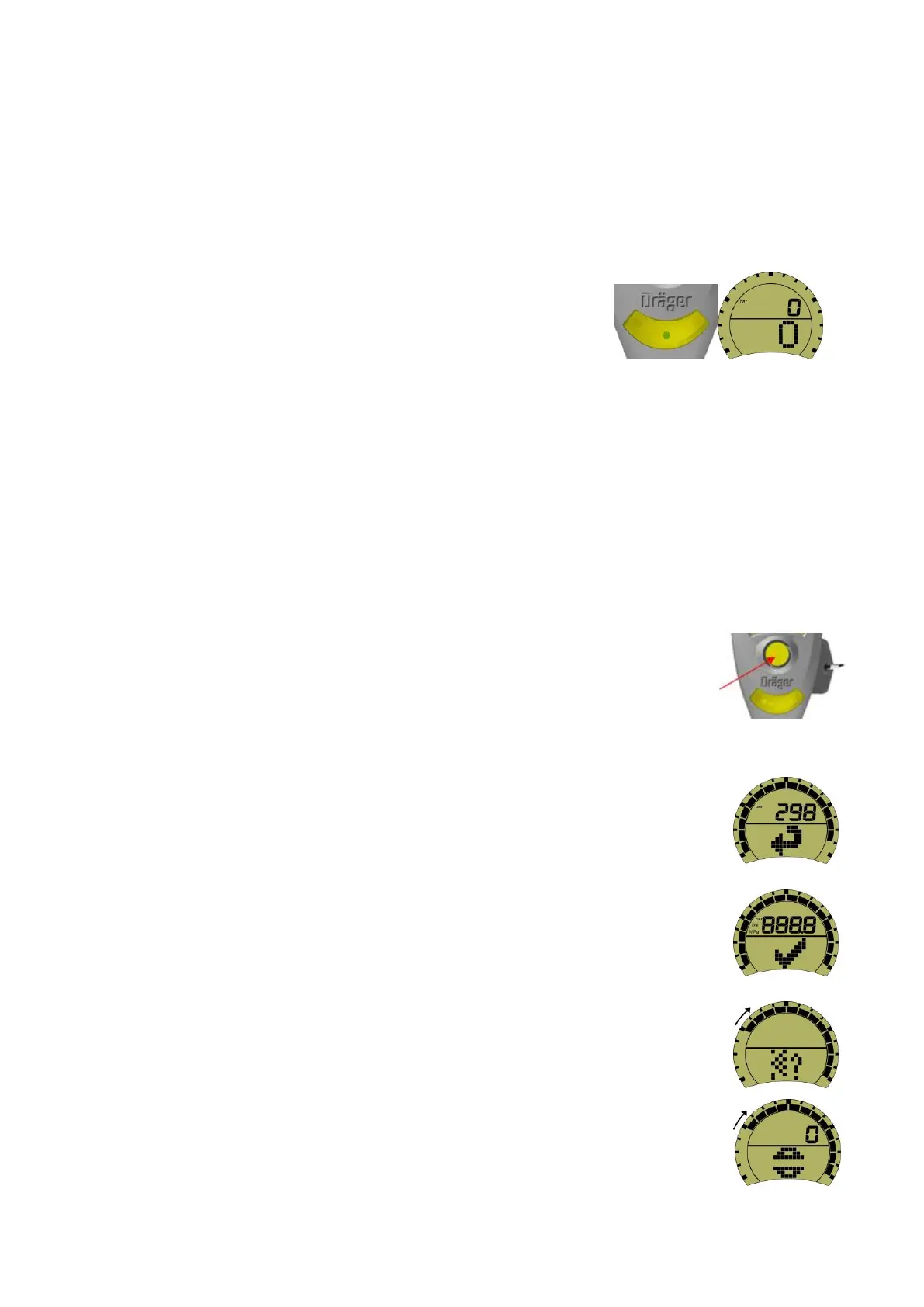
19.16 Remove Bodyguard key, note the reduced volume of the
Bodyguard. Note ‘green’ flashing LED and zero display (see
images right).
19.17 Open the cylinder valve slowly and fully. The cylinder must have a minimum pressure of 270 bar
to start the test. If cylinder change is required enter the cylinder bar code number into BA log
book. Note the pressure reading for entry into the BA log book.
19.18 Test ADSU, to check pre alarm signal, confirm the ‘green’ LED continuously flashes.
19.19 Wait 30 seconds – pre-alarm sounds – cancel pre-alarm (tap side of unit).
19.20 Wait 30 seconds – pre-alarm sounds – do not cancel – wait 15 seconds - full alarm sounds –check
LEDs, two ‘blue’, two ‘red’ and one ‘green’ illuminate alternatively – Insert Bodyguard key to
cancel.
19.21 Test DSU by pressing the ‘yellow’ button in the centre of the unit to start the
manual DSU alarm – Check LEDs, two ‘blue’ and two ‘red’ illuminate
alternatively. Remove and reinsert Bodyguard key to cancel.
’A’ test: leak test
19.22 To undertake the leak test the wearer will need to access the ‘leak test’ icon.
19.23 Press and hold the left button of the Bodyguard unit. The unit will emit a single
audible ‘bleep’, and then the ‘self-check’ sequence will start as described in 13.1
(see image right).
19.24 The initial short display quickly changes to the LCD check display, the backlight will
momentarily illuminate and the ‘blue’, ‘red’, and single ‘green’ LEDs in the lower
display cluster will momentarily illuminate (see image right).
Note: during each display the outer radial segments will initially illuminate and then
begin to switch off clockwise. If no action is taken by the time the last segment
disappears, the ‘low pressure’ icon is momentarily displayed followed by the ‘self-
check’ icon which will restart.
19.25 When the ‘leak test’ icon appears press the left button (see image right).
19.26 ‘Open cylinder’ icon momentarily appears (see image right).


 To Next Page