18 Dräger REGARD 3900 Modbus TCP/IP Gateway
Intended use
2 Intended use
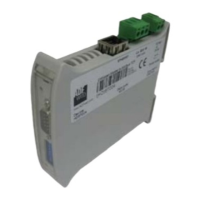
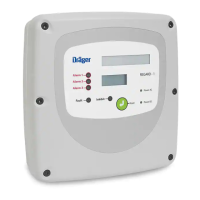
The REGARD 3900 Modbus TCP/IP Gateway is needed for the communication between the
control unit REGARD 3900/3910 and an external PLC system using the Modbus TCP/IP proto-
col.
When using more than one unit the termination resistors (Jumper 1) has to be set on the last
installed REGARD 3900 TCP/IP Gateway in the bus system.
3 Configuration
1. Put the CD into the local CD/DVD drive.
2. Unzip the file 'SW67515.zip' and start the application 'SW67515.exe' in the new created fol-
der. The standard path for the installation is:
C:\Program files\ADFweb\Compositor_SW67515 and should not be changed.
3. Follow the instructions of the installation program.
4. After finishing that process copy the project folder R3900_id1 (included on CD) to the fol-
lowing path: C:\Program files\ADFweb\Compositor_SW67515\Projects\..
5. Start the application. A shortcut to start the application can be found in following the path
(Windows XP Professional) Start/Programs/ADFweb.com/Compositor SW67515.
WARNING
Danger of explosion!
The Dräger REGARD 3900 TCP/IP Gateway is not designed or authorised for use in
areas where flammable or explosive gas mixtures could develop.
NOTICE
The configuration program can NOT be started directly from CD.
Before using the program it must be installed on a local hard drive.
For the installation process it is necessary to have administrator rights on the PC.
NOTICE
As it is not possible to open the project files from every path it is important to copy the
folder to the described destination.



 To Next Page