Dragonfly Manual Version 3© Page 25
Setup Tab- Preferences and Position Names
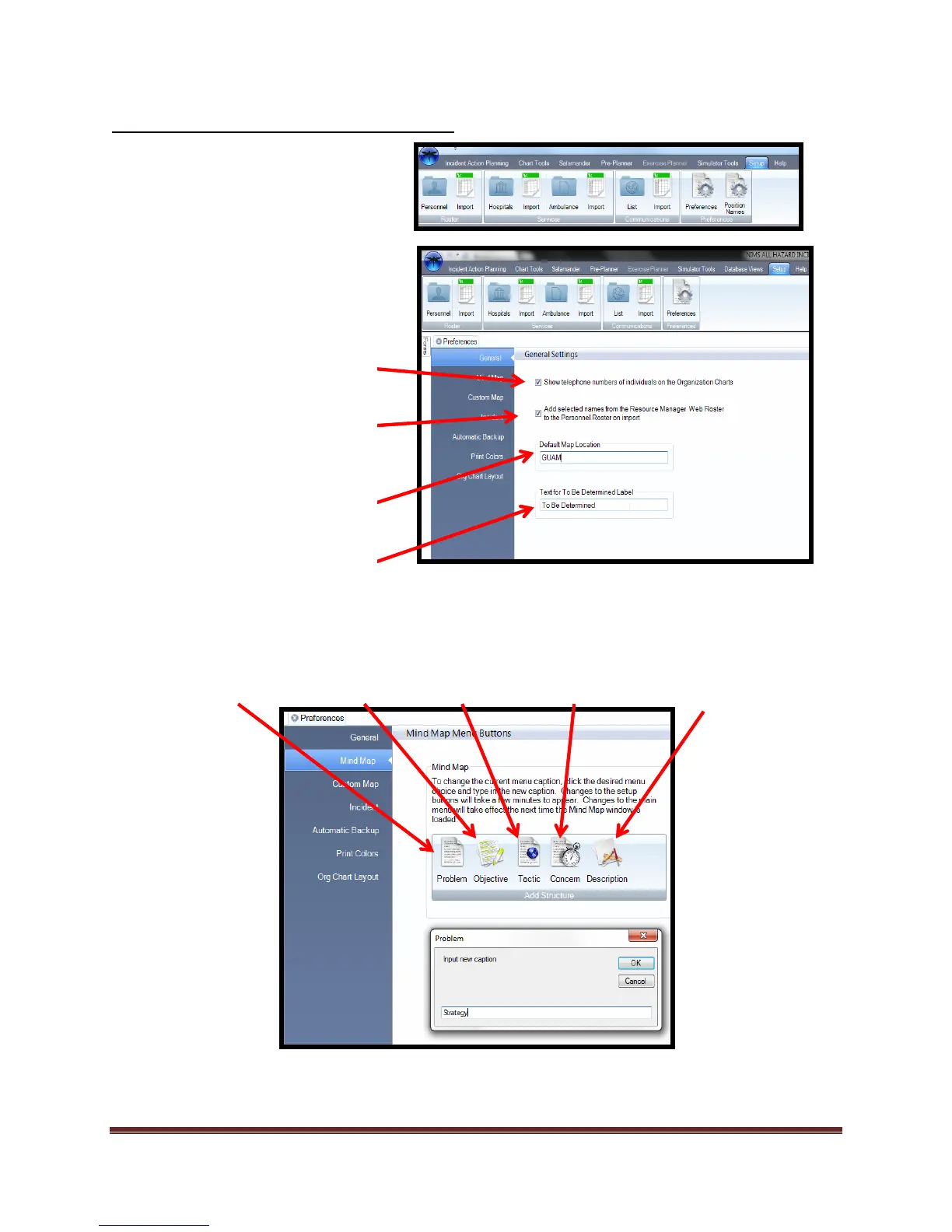
The Setup tab is where the user
can find Preferences, Position
names, and the Roster tools.
The Mind Map Settings allow the user to adjust the following Icon text statements:
Problem Objective Tactic Concern Description
The General Settings allow the
user to adjust the following
actions:
Allow phone numbers to be
visible on the Organizations Chart
Displays
Allow Resource Manager Web™
selected personnel to populate
rosters.
Allow the user to change default
E-Map starting point.
Allow custom text for “To Be
Determined Field”
The Mind Map tool Icons can be customized to fit your organizational needs. In this example, the word
“Strategy” is going to be used to replace the “Problem” icon. The changes are permanent until changed by
the user.



 To Next Page