Dragonfly Manual Version 3© Page 42
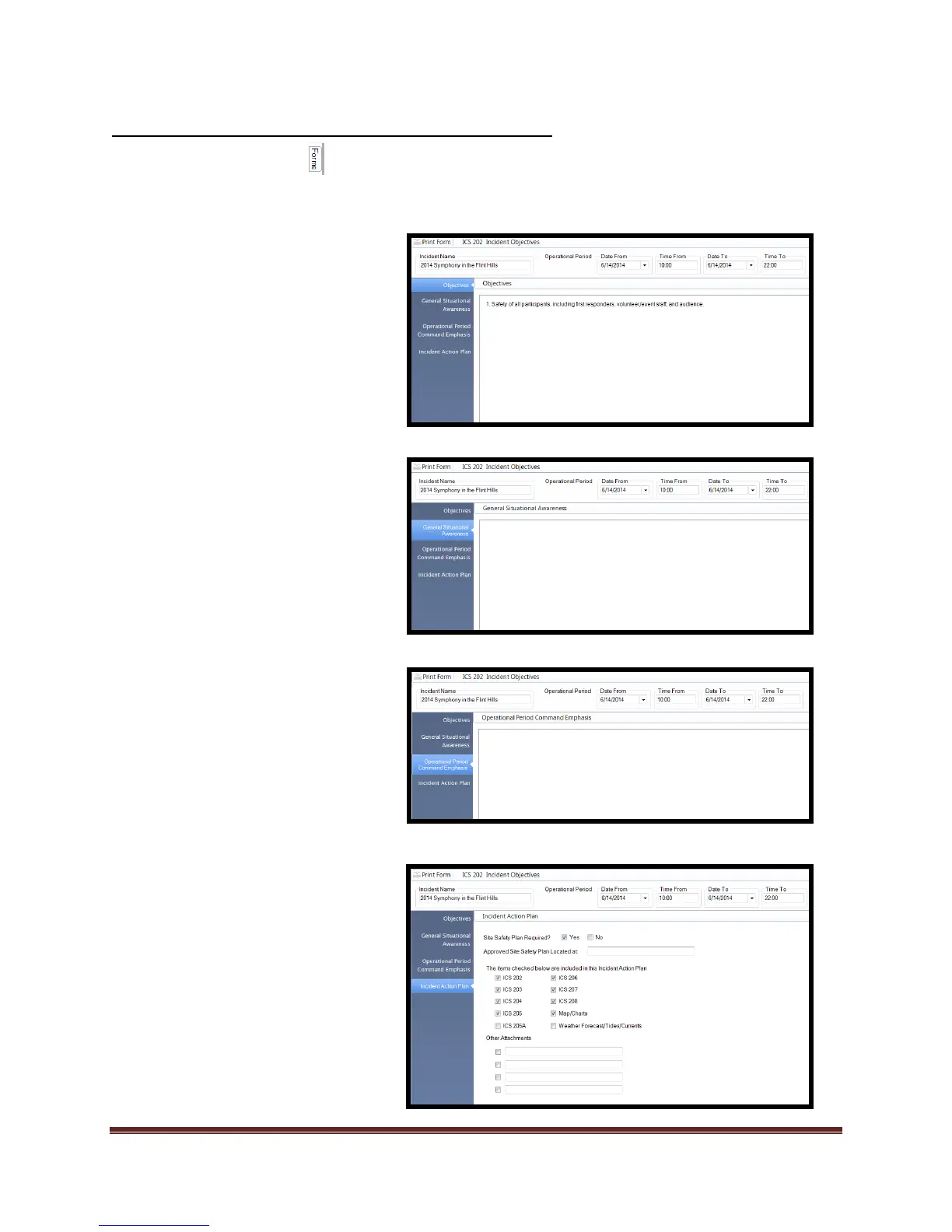
Completing the ICS 202 Incident Objectives Form
Select the Forms tab
Double click on the ICS 202 form. This will open the form for editing.
There are 5 blocks/steps that allow editing within the ICS 202.
1. Add “Incident Name”
Set “Operational Period” if
desired.
Date From
Time From
Date To
Time From
2. Select “Objectives” block
and enter data into field
3. Select “General Situational
Awareness” and enter
desired statements.
4. Select “Operational
Period/Command Emphasis”
and enter data.
5. Select “Incident Action Plan”
and check boxes that are
needed for the IAP.
*Note: If the ICS 201 has been completed to include
“Incident Name”, that name will be present in every
“Incident Name” field across all forms.



 To Next Page