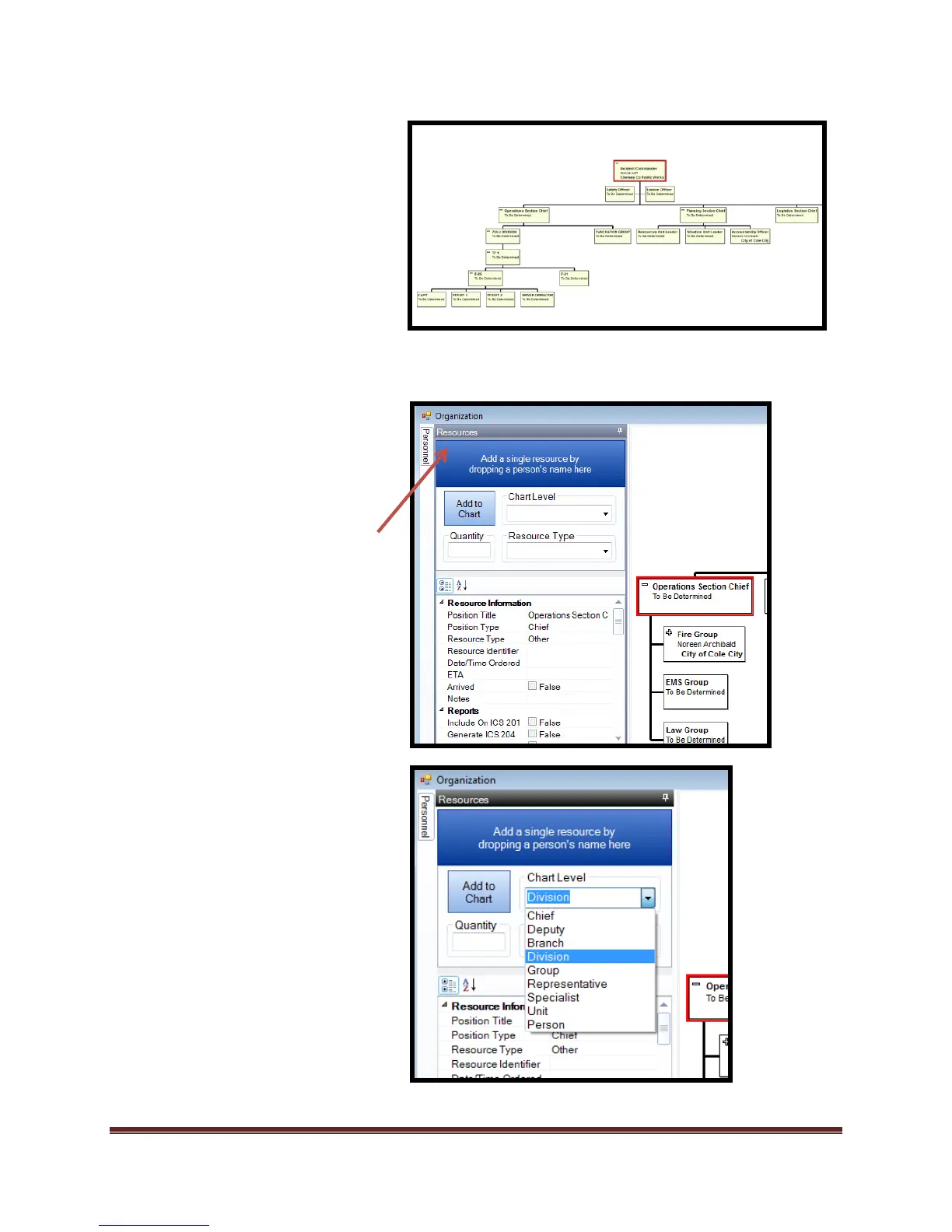
Creating the “ICS 204 Assignment
List” using the “Organization Chart
Resource tab” tool.
1. Select “Incident Action
Planning Tab
2. Select “Organization Chart
Tool”. The current organization
chart view opens.
3. Select the “Tactical” position
you want to create an ICS 204
for.
c. Select the “Resource Tab”
tool.
d. Select from the Chart level
the position desired



 To Next Page