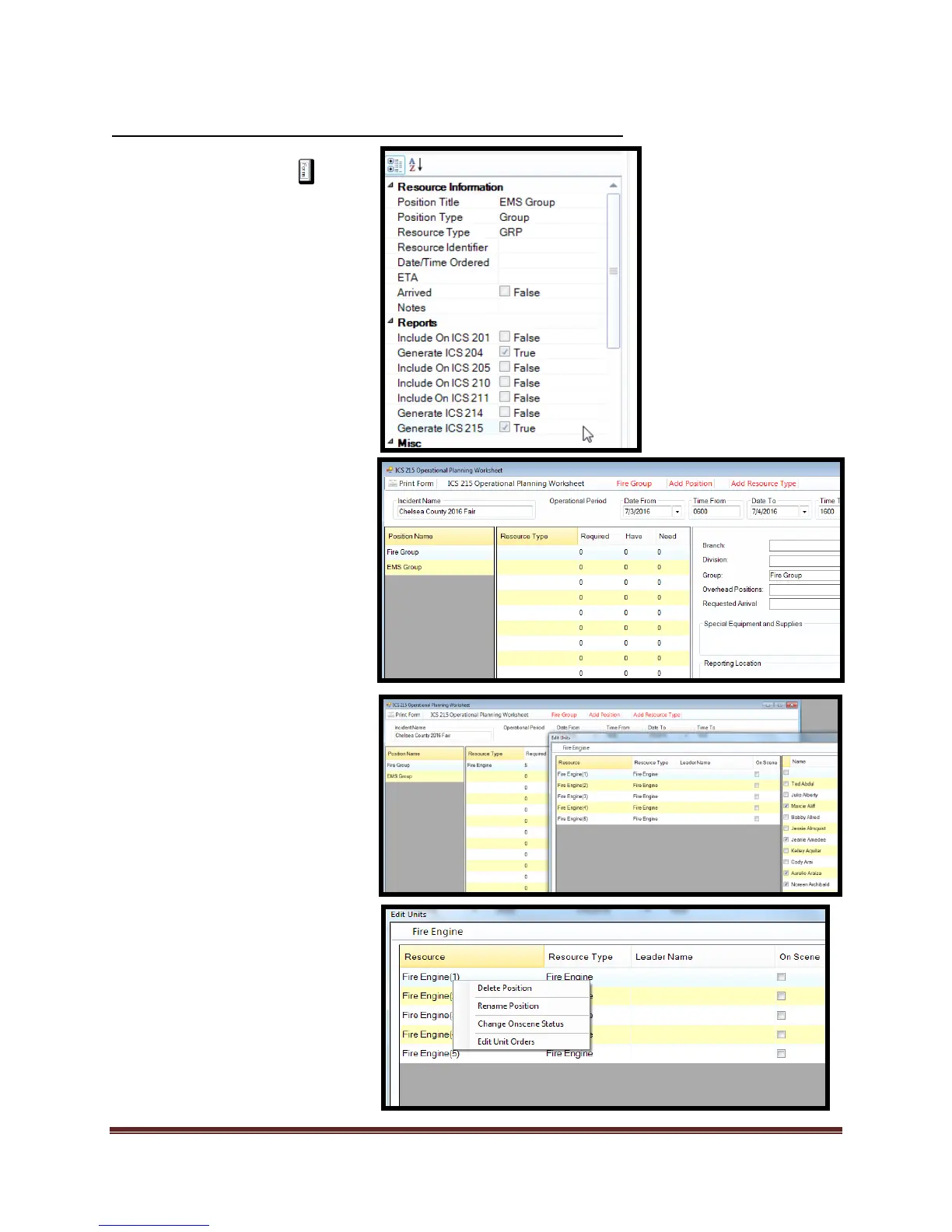
1. Select the Forms tab or
select assignment from
“Resource Tab” tool check
box
2. Double click on the ICS 215
form. This will open the form
for editing.
3. Add/Verify “Incident Name”
and “Operational Period”
information.
4. Select “Add Position” and
add positions.
5. Select “Apply” after each
record creation.
6. Select “Close” when
complete.
7. Select “Add Resource”
a. Enter resource
b. Select “Ok”
c. Select “Cancel” when
finished.
8. Highlight record you want to
add resources to.
a. Right click
b. “Select additional
units” to add
desired resource(s).
c. Place quantity and
select “Ok”.
Print form and review
To edit records
1) Highlight record
a) Right click
b) Make edits
c) Select ok.
*To delete record, right click
item and select “delete” item



 To Next Page