Mobile Express™ or rapidTAG™
setting
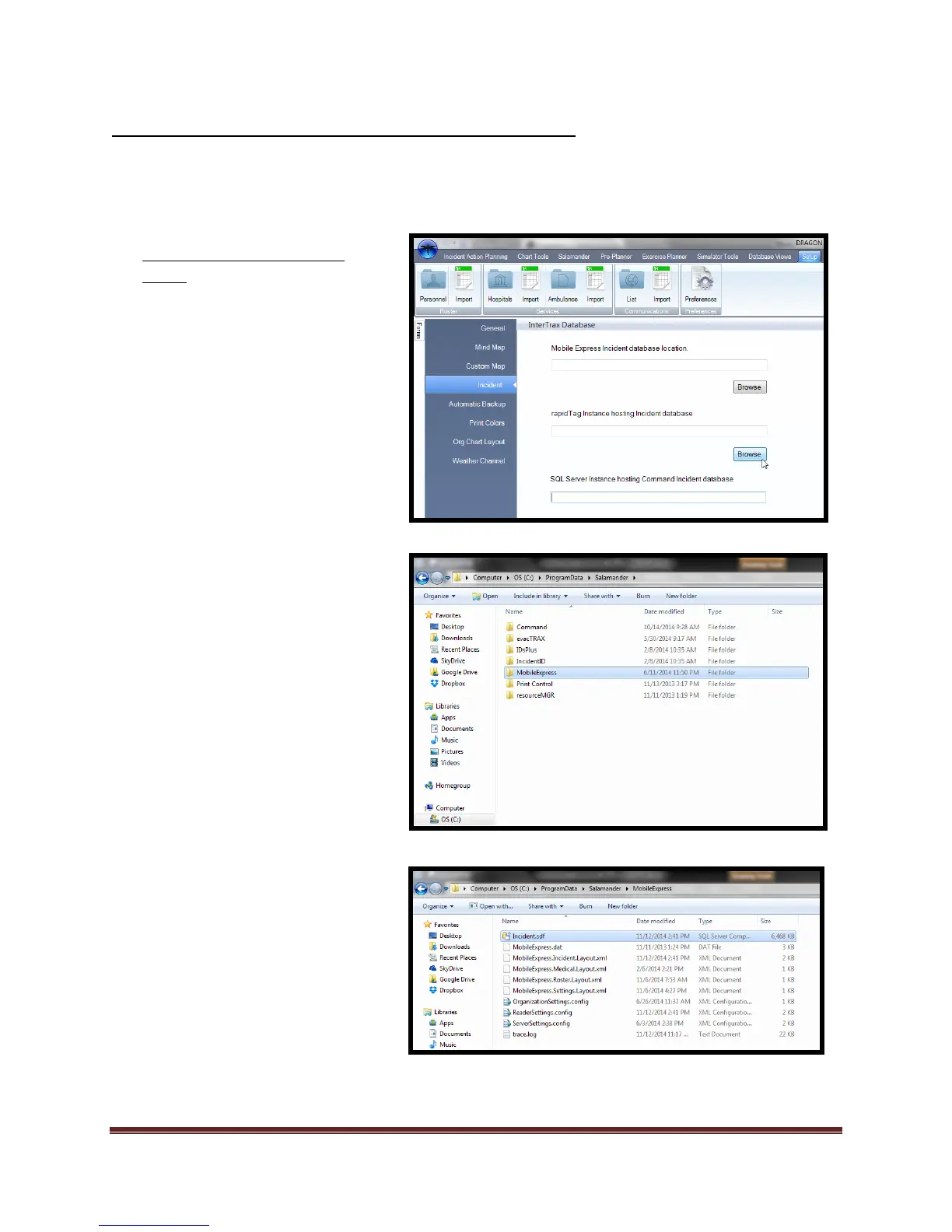
1. Navigate to “Set-up”
a. Select “Preferences”
b. Select “Incident” module.
c. Navigate to “Mobile
Express™ or rapidTAG™
Incident database location”
d. Select “Browse”
2. Navigate to the following folder:
“C:\ProgramData”
a. If the “ProgramData” folder
is not visible, contact your
“Administrator” and have
them make the folder visible
3. Locate the “Salamander” folder
and double click the folder.
a. Select “MobileExpress or
IncidentID” folder.
i. “IncidentID” should be
selected for rapidTAG.
b. Select “Incident.sdf”
You have now set the file path that
Dragonfly™ will use to import
incident data from a local
connection.
Next we will look at how a
Salamander Local connection is
created for Command™



 To Next Page