Dragonfly Manual Version 3© Page 83
Local Connections (Networked) Mobile Express™
To Configure for Dragonfly to Mobile Express™ perform the following for Window 7 Operating
Systems:
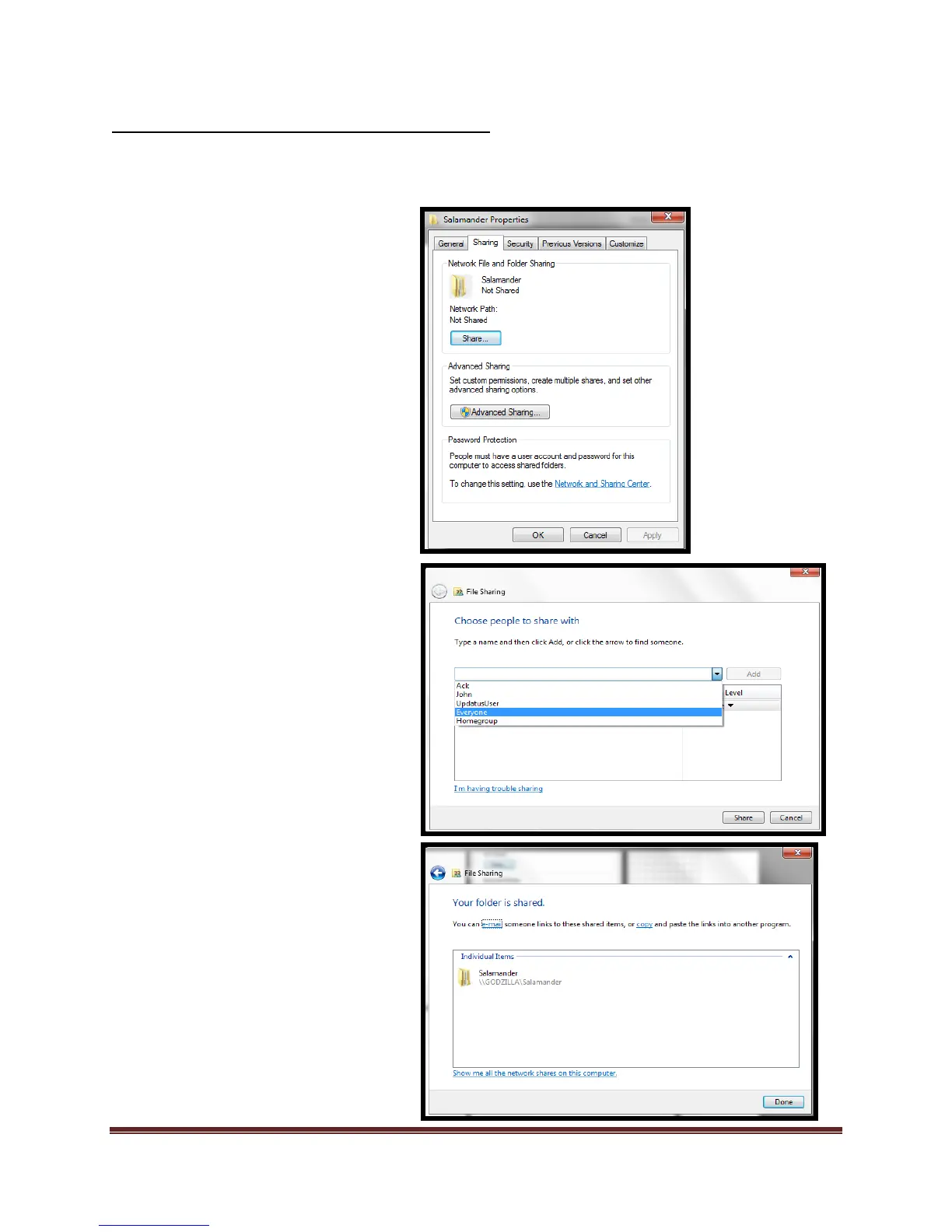
6. Select the drop down box and
select “Everyone”*
a. Select “Add”
b. Select “Share”
c. Sharing is complete
*By selecting “Everyone” anyone
on the network can access the
database. Check with your system
Administrator if stronger security
settings for sharing are
necessary.
4. Navigate to the following folder:
“C:\ProgramData”
a. If the “ProgramData”
folder is not visible,
contact your
“Administrator” and
have them make the
folder visible
5. Locate the “Salamander” folder
and right click the folder
a. Select “Properties”
b. Select “Sharing” tab
c. Select “Share” button



 To Next Page