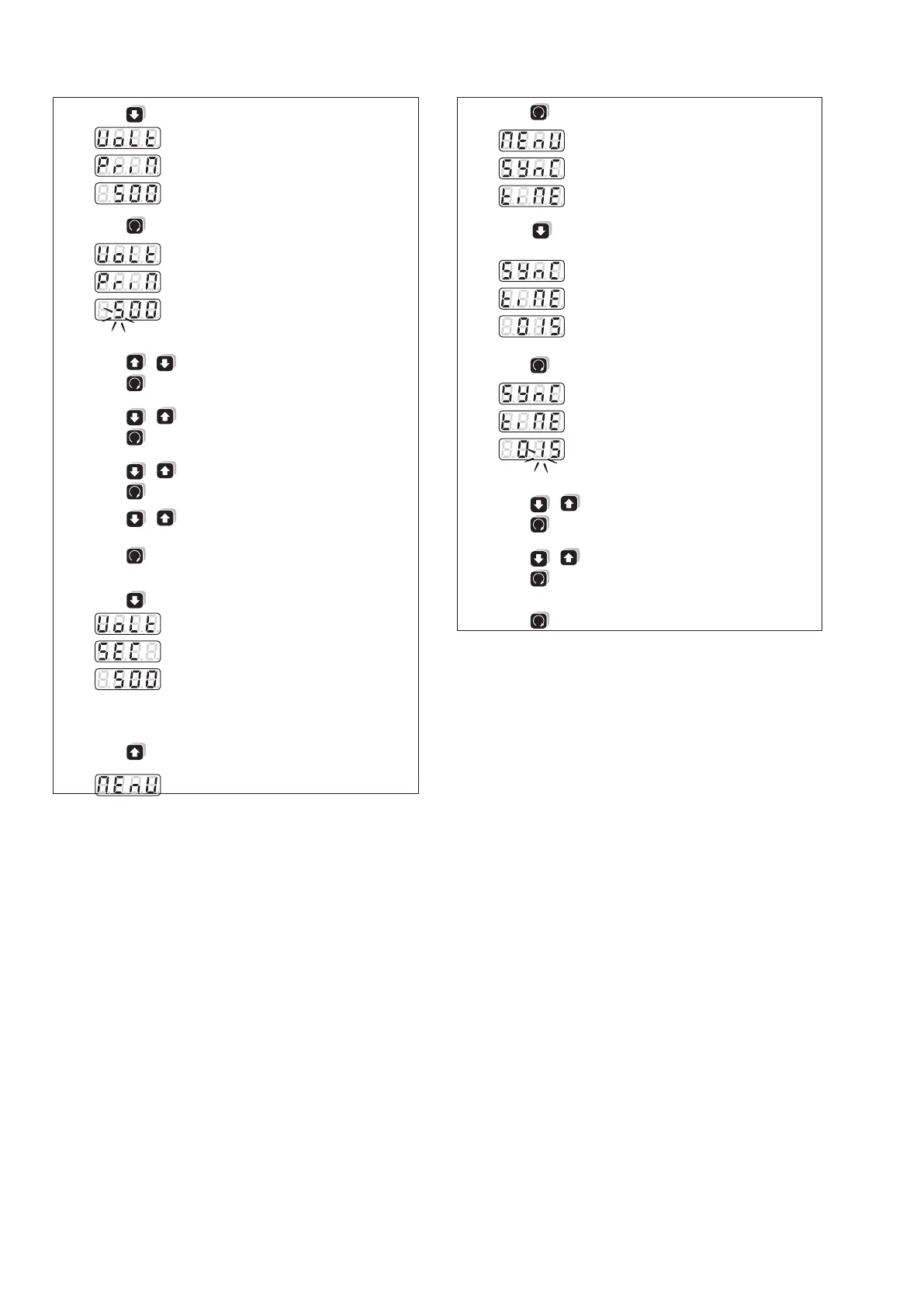
3.
Press (present setting of primary voltage)
4.
Press
(leftmost digit flashes)
5.
Press / until desired number appears
6.
Press
(middle digit flashes)
7. Press / until desired number appears
8.
Press
(rightmost digit flashes)
9.
Press / until desired number appears
10.
Press
(decimal point flashes)
11.
Press / until the decimal point is on the desired
position and the kilo/Mega display is correct
12.
Press
(takes over new value).
The display stops flashing
13.
Press (present setting of secondary voltage)
14. Programming procedure same as for primary voltage
(1 to 12)
15.
Press until the topmost display
as shown
16.
Press
three times
17.
Press (present setting of synchronization interval
in minutes)
18.
Press
(left digit flashes)
19.
Press / until desired number appears
20.
Press
(right digit flashes)
21.
Press / until desired number appears
22.
Press
(takes over new value).
The display stops flashing
23.
Press
> 2 s (return to display level)



 To Next Page