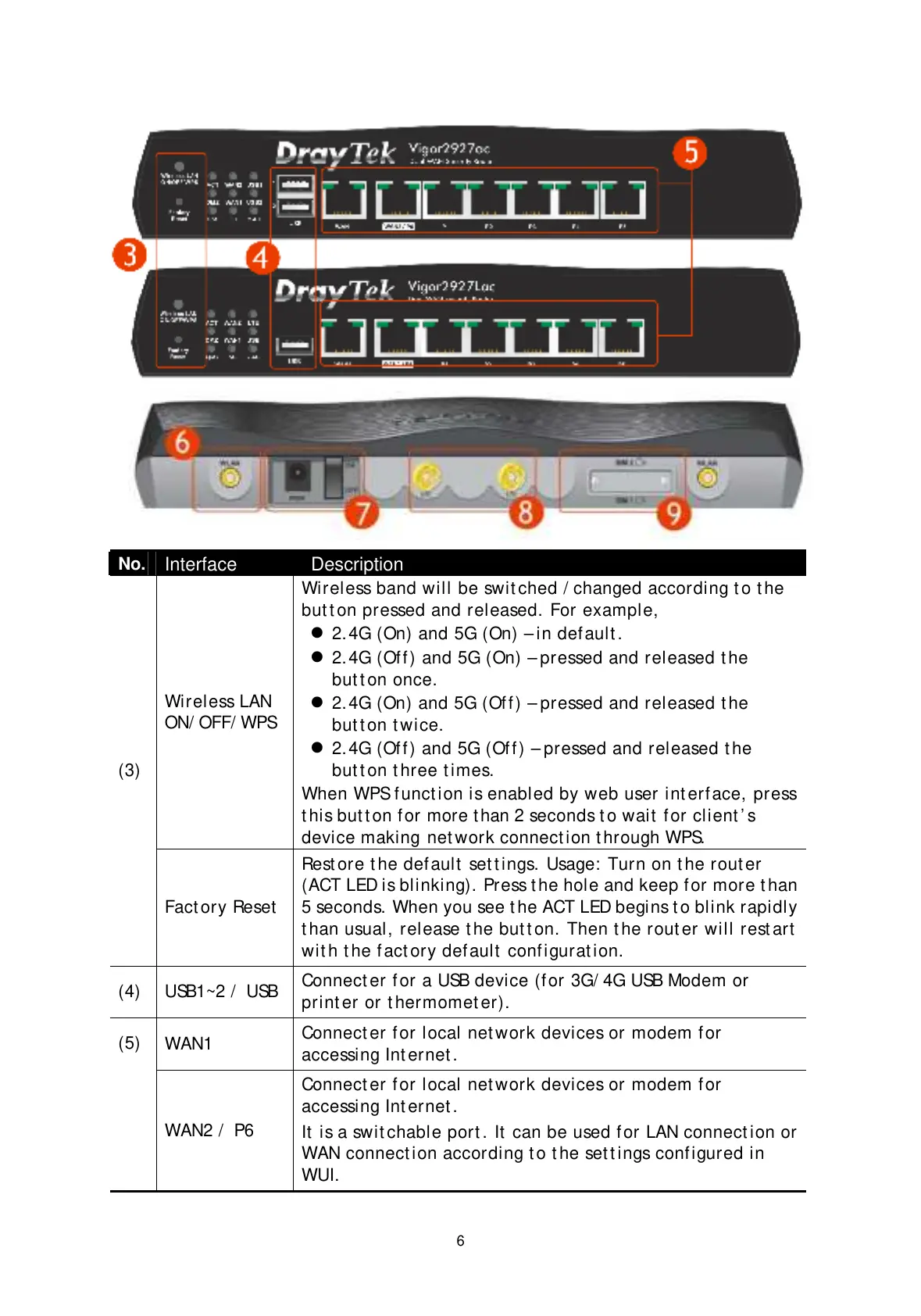
Wireless band will be swit ched / changed according t o t he
but t on pressed and released. For example,
2.4G (On) and 5G (On) – in def ault .
2.4G (Of f ) and 5G (On) – pressed and released t he
but t on once.
2.4G (On) and 5G (Off) – pressed and released t he
but t on t wice.
2.4G (Of f ) and 5G (Of f ) – pressed and released t he
but t on t hree t imes.
When WPS f unct ion is enabled by web user int erf ace, press
t his but t on f or more t han 2 seconds t o wait f or client ’ s
device making
net work connect ion t hrough WPS.
(3)
Fact ory Reset
Rest ore t he default set t ings. Usage: Turn on t he rout er
(ACT LED is blinking). Press t he hole and keep for more t han
5 seconds. When you see t he ACT LED begins t o blink rapidly
t han usual, release t he but t on. Then t he rout er will rest art
wit h t he f act ory def ault configurat ion.
(4) USB1~2 / USB
Connect er for a USB device (f or 3G/ 4G USB Modem or
print er or t hermomet er).
WAN1
Connect er for local net work devices or modem f or
accessing Int ernet .
(5)
WAN2 / P6
Connect er for local net work devices or modem f or
accessing Int ernet .
It is a swit chable port . It can be used f or LAN connect ion or
WAN connect ion according t o t he set t ings conf igured in
WUI.


 To Next Page
 Loading...










