2
2
.
.
2
2
V
V
i
i
g
g
o
o
r
r
2
2
9
9
2
2
7
7
a
a
c
c
/
/
V
V
i
i
g
g
o
o
r
r
2
2
9
9
2
2
7
7
L
L
a
a
c
c
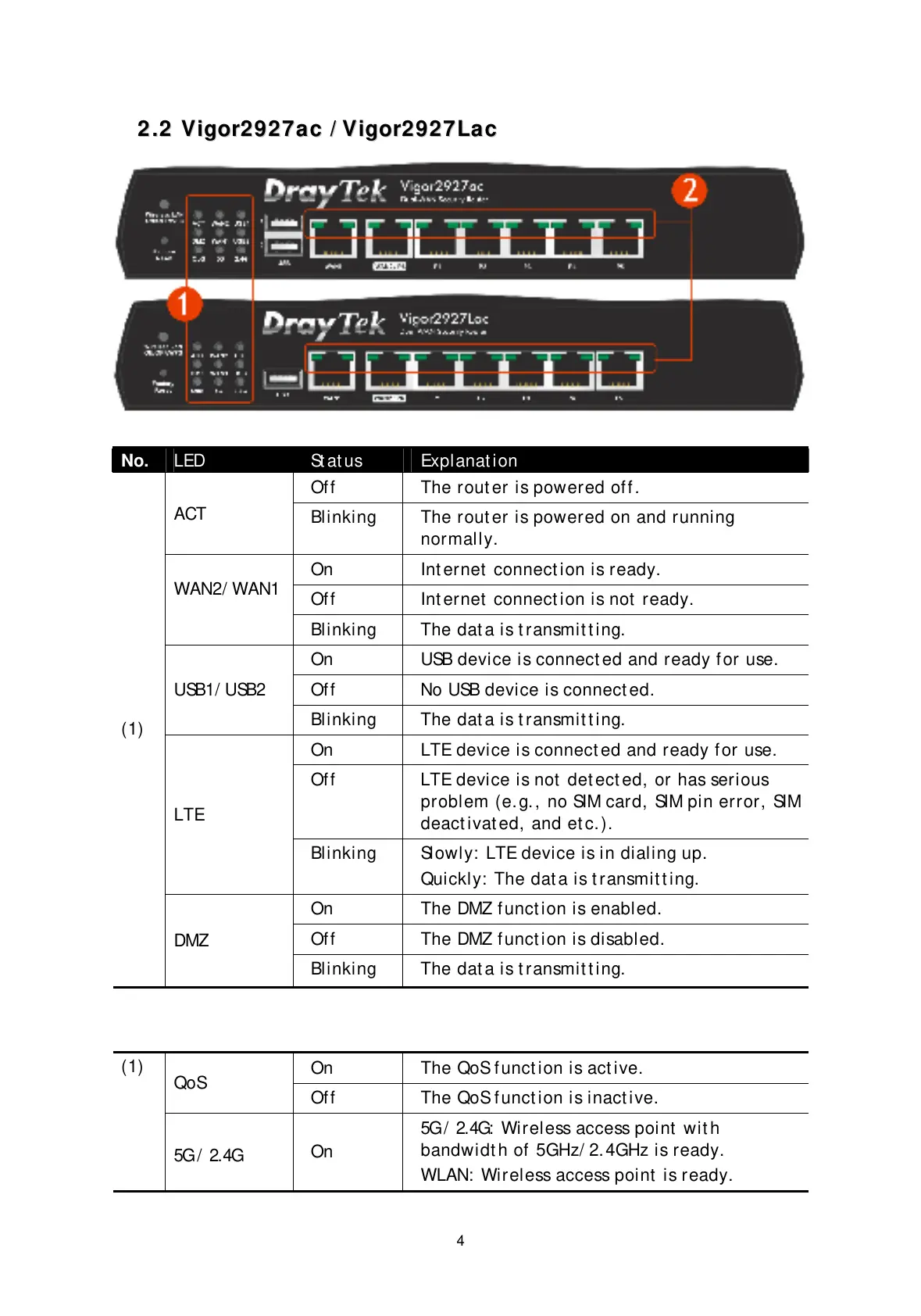
No. LED St at us Explanat ion
Off The rout er is powered off .
ACT
Blinking The rout er is powered on and running
normally.
On Int ernet connect ion is ready.
Off Int ernet connect ion is not ready.
WAN2/ WAN1
Blinking The dat a is t ransmit t ing.
On USB device is connect ed and ready f or use.
Off No USB device is connect ed.
USB1/ USB2
Blinking The dat a is t ransmit t ing.
On LTE device is connect ed and ready f or use.
Off LTE device is not det ect ed, or has serious
problem (e. g., no SIM card, SIM pin error, SIM
deact ivat ed, and et c.).
LTE
Blinking Slowly: LTE device is in dialing up.
Quickly: The dat a is t ransmit t ing.
On The DMZ f unct ion is enabled.
Off The DMZ f unct ion is disabled.
(1)
DMZ
Blinking The dat a is t ransmit t ing.
On The QoS f unct ion is act ive.
QoS
Off The QoS f unct ion is inact ive.
(1)
5G / 2.4G
On
5G / 2.4G: Wireless access point wit h
bandwidt h of 5GHz/ 2. 4GHz is ready.
WLAN: Wireless access point is ready.


 To Next Page
 Loading...










