Vigor2120 Series Quick Start Guide
11
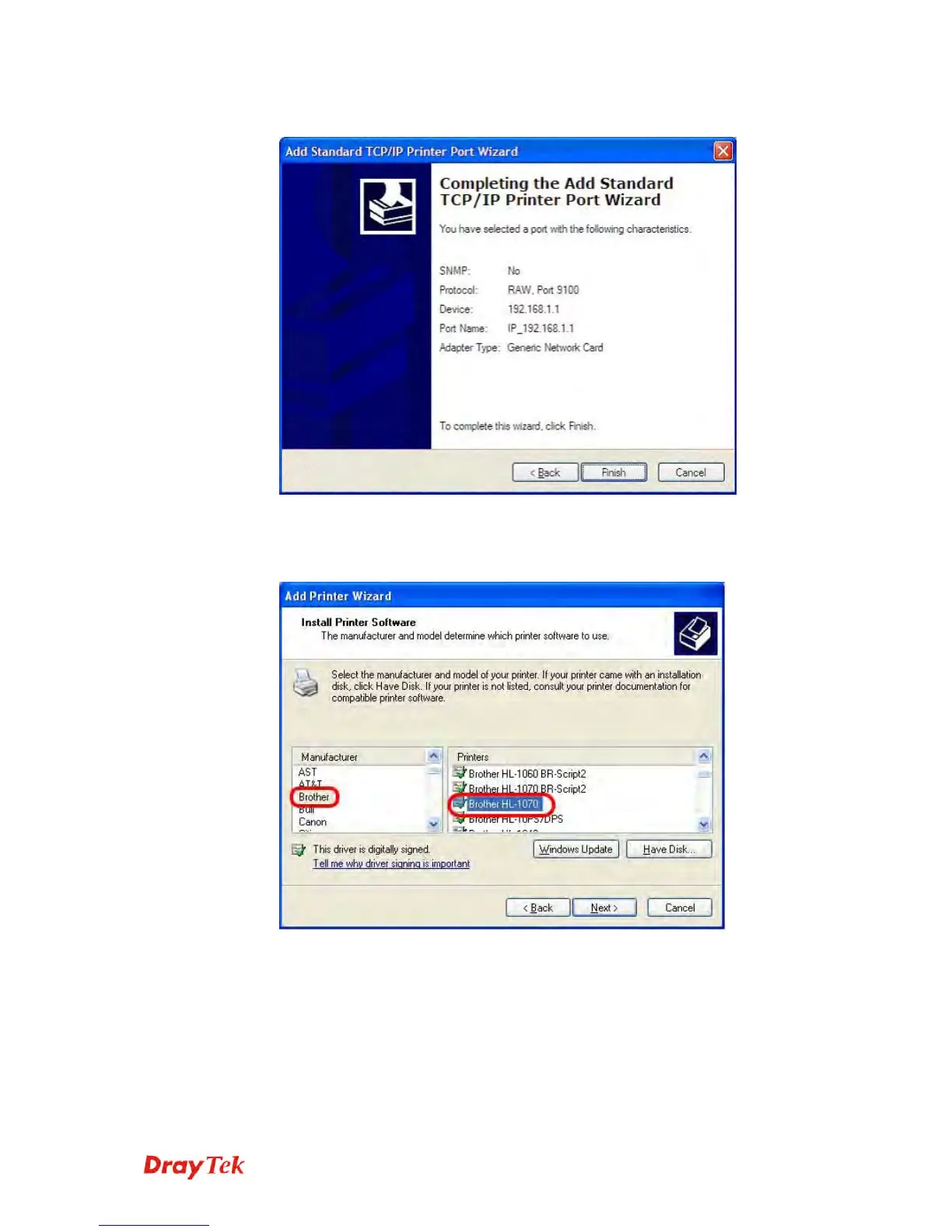
8. Then, in the following dialog, click Finish.
9. Now, your system will ask you to choose right name of the printer that
you installed onto the router. Such step can make correct driver loaded
onto your PC. When you finish the selection, click Next.















 To Next Page